必须在 Workers 的 Variables and Secrets 里配置至少 32 位随机 JWT_SECRET,配在 Build variables 里无效;KV 模式部署命令要改成 npm run deploy:kv,且单附件受 25 MiB 限制;删除 Worker 重部署不会清空 D1 和 KV 里的用户与邀请码数据,需一并删除才能从头开始。

nodewarden
shuaiplus活跃维护在 Cloudflare Workers 上运行、兼容 Bitwarden 客户端的自托管密码管理服务端,用 D1 和 R2 存储数据,无需自己维护服务器。
Bitwarden-compatible server running on Cloudflare Workers
v1.8.1发布于 2026-10-05 07:29 UTC4,139star +14 / 7 天4,716fork同步于 2026-11-10 23:39 UTC
git clone https://github.com/shuaiplus/NodeWarden.git
cd NodeWarden
npm install
npx wrangler login
npm run deploy 硬件要求按 README 说明
无需自备硬件,运行在 Cloudflare Workers 上;附件存储可选 R2(需绑卡,单文件软限 100 MB,免费 10 GB)或 KV(无需绑卡,单文件上限 25 MiB,免费 1 GB)。
跑在 Cloudflare Workers 上的 Bitwarden 兼容服务端,自建密码库不用买服务器
在 Cloudflare Workers 上运行、兼容 Bitwarden 客户端的自托管密码管理服务端,用 D1 和 R2 存储数据,无需自己维护服务器。
核心能力
- 兼容 Bitwarden 官方客户端,含原版 Web Vault 界面
- 支持 TOTP、Passkey 无密码登录与 YubiKey 二次验证
- 附件与 Send 存 Cloudflare R2 或 KV
- 提供定时 WebDAV/S3 增量云备份中心
- 支持邀请码注册的多用户与跨设备登录审批
容易踩的坑
内容由模型根据 README 生成,可能不完整或不准确,以官方文档为准。看原文 README
- v1.8.1 v1.8.1 - Expanded Generators, Safer Vault Editing, and Client Compatibility最新正式版2026-10-05 · 2026-10-05 07:29 UTC
v1.8.1 - Expanded Generators, Safer Vault Editing, and Client Compatibility
Added
- More local generation tools. The generator now creates numeric PINs, memorable usernames, email aliases, and Ed25519 or RSA SSH key pairs alongside passwords and passphrases. Passwords support minimum counts for each character type and an option to avoid ambiguous characters, while passphrases and usernames can use custom word lists. SSH keys are generated on the device and are not retained by NodeWarden, so save the private key before leaving the page. Commit: df493b4.
Improved
-
Current Bitwarden client compatibility. Configuration, prelogin, and account-key responses now include fields expected by Bitwarden 2026.7 clients while retaining older response formats. Supported desktop clients also show the official settings dialog with browser integration controls. Commits: a012890, 6ffdf05.
-
Stronger account authentication with automatic migration. New registrations and password changes use randomly salted server-side password verifiers, and existing accounts upgrade after a successful password login and any required two-factor verification. Existing vault keys and sessions are preserved, and failed logins use more consistent responses and verification work to reduce account discovery through errors or timing. Commit: 5f71cb3.
-
Clearer deployment and build guidance. Builds now declare support for Node.js 22.19+ within the 22.x series or Node.js 24.11+, with
.node-versionselecting 24.18.0; align any Cloudflare dashboardNODE_VERSIONoverride with that file when upgrading. The deployment FAQ also explains repository connection problems, persistent registration data, and where to configure runtime secrets. Commits: 02081ea, 99d404f.
Fixed
-
Vault edits preserve fields and detect conflicting saves. Web edits now retain linked custom-field metadata and unrecognized encrypted properties in supported item types. Outdated and concurrent saves are rejected instead of overwriting newer changes, and the editor keeps your draft with instructions to reopen the item. Official bulk delete and restore methods are also supported alongside legacy routes, with restore returning the restored items. Commit: 293f5ce.
-
Cleared notes stay cleared. Full item updates now treat omitted notes and custom fields as cleared values, matching clients that leave these properties out after deletion. Previously saved encrypted notes no longer reappear through fallback merging. Commit: a72592e.
-
Safe duplicate selection across large vaults. Duplicate groups now keep distinct identities even when there are more than 64 groups. Cleanup selection no longer confuses later groups with earlier ones or selects every item in an affected group. Commit: df6b0b9.
-
WebAuthn verification in official clients. Desktop, browser-extension, and mobile connectors now follow Bitwarden's request and response formats, including mobile callbacks and supported desktop origins. Exact connector URLs are preserved in Worker deployments, avoiding redirects and framing restrictions that could interrupt security-k
- v1.8.0v1.8.0 Deployment Control, Session Reliability, and Compatibility Fixes2026-07-17 · 2026-07-17 03:49 UTC
查看更新说明
Added
- Web Vault visibility control. Cloudflare Workers deployments can now set
HIDE_WEB_VAULT=1to return404 Not Foundfor server-hosted Web Vault pages and static assets while keeping Bitwarden login, sync, attachment, icon, notification, and compatibility endpoints available. Removing the variable restores the Web Vault, and already installed or cached PWAs can continue using their local frontend. Commit: d990b2c.
Improved
-
Simpler desktop and mobile navigation. The Web Vault now uses a consistent grouped sidebar with persistent expanded sections, clearer separation between tools, settings, and system management, and matching mobile settings navigation. This removes the previous layout-mode picker and makes frequently used destinations easier to find. Commit: e25ec15.
-
Safer YubiKey validation credential management. Yubico validation credentials now use centralized, concurrency-safe initialization; only active administrators can view or replace configured credentials, and credential initialization and reconfiguration are recorded in the security audit log. Regular users can still enroll YubiKeys without gaining access to server-wide credentials. Commit: 573451c.
-
Bitwarden-compatible personal API keys and safer backups. Personal API keys can now be viewed after master-password verification and rotated without revoking unrelated sessions. Legacy hashed keys continue to authenticate until the user explicitly rotates them, while new backups exclude personal API keys and runtime authentication or device-trust state; older archives remain importable, but that runtime state is intentionally ignored during restore. Commit: 299eda5.
Fixed
-
Unexpected logout during temporary refresh failures. Refresh sessions now use client-aware sliding lifetimes with an absolute upper bound, and transient network or service failures no longer turn a locked Web Vault into a forced full login. The Web Vault preserves the locked session, shows a retry path, and keeps official desktop, mobile, browser-extension, and web-cookie flows compatible. Commit: b731a01.
-
Complete key data required for master-password changes. Password changes now reject incomplete or inconsistent authentication and unlock data, require the newly wrapped user key, and prevent KDF settings from being changed through the password-only endpoint. This avoids accepting a password update that could leave the account unable to decrypt its vault. Commit: 19de8d6.
-
Extended vault item imports preserve their data. Web imports now correctly map bank accounts, driver's licenses, and passports instead of reducing item types 6-8 to incomplete generic drafts. Import summaries also report these item types by name. Commit: e943357.
-
Reliable bulk folder deletion. Bulk folder deletion now calculates Cloudflare D1 bind limits correctly and batches the related cipher cleanup and folder removal statements safely, preventing large selections from failing or leaving partially updated folder references. Commit: 63b642b.
-
Fresh remote backup directory listings. Opening a remote backup destination now automatically refreshes directory data when the saved cache is older than five minutes,
- Web Vault visibility control. Cloudflare Workers deployments can now set
- v1.7.4v1.7.4 - Password Tools, Localization, and Security Hardening2026-07-12 · 2026-07-12 14:14 UTC
查看更新说明
Added
-
Built-in password generator. The web vault now provides a dedicated generator for creating strong, configurable passwords, including memorable passphrases backed by the EFF word list. Generated values can be used while creating or editing vault items without leaving the app. Commits: dfc9800, fb37679.
-
Password security dashboard. A new password-security view scans the vault and reports weak, reused, exposed, and missing two-factor-authentication passwords, helping users prioritize account cleanup. Commit: 99b5027.
-
Duplicate-item selection tools. Duplicate results are grouped by color and sorted alphabetically, and the vault now lets users select the unique items from a duplicate group for quicker review and cleanup. Commits: 0992170, 39d9df7.
-
Five additional interface languages. Finnish, German, French, Italian, and Swedish are now available in the web vault, expanding the supported interface languages to ten. Commits: dd90d7b, 9caa064.
Improved
-
Passkey unlock and Bitwarden-client compatibility. Account passkeys can now unlock the web vault directly, and supported FIDO2 origins, worker-routed fill-assist, Android asset-links checks, and web bootstrap paths are recognized more consistently. Commits: 8c65cb2, db31792.
-
Clearer offline and Send experiences. The app now clearly indicates when it is operating offline, Send pages use improved date formatting, and closing dialogs retain their title through the animation to avoid a visual flash. Commits: aae614a, 04cb475, 525b773.
-
Simplified new-device sign-in. New-device verification is no longer enforced, removing an extra login step for devices that are otherwise able to authenticate successfully. Commit: 14dff8e.
Fixed
-
Backup destination SSRF protection. Backup destination validation now rejects IPv6 loopback addresses, closing a path that could otherwise bypass loopback-host safeguards. Commit: 3c581d1.
-
Sensitive admin actions require the master password. Administrative operations and device-wipe actions now require master-password confirmation, reducing the impact of an unattended or compromised web session. Commit: fa611dc.
新增
-
- v1.7.3v1.7.3 - Stronger Two-Step Login and Client Compatibility2026-07-06 · 2026-07-06 17:51 UTC
查看更新说明
Added
-
YubiKey OTP and passkey two-step login. NodeWarden now supports YubiKey OTP as a managed two-factor provider and adds passkey-based two-factor authentication, including setup screens, WebAuthn fallback connector handling, multi-provider login prompts, and safer WebAuthn response normalization. Commits: f63b745, c019c93, e73ae3d, d8cc88d.
-
Bitwarden extended vault item types. Vault items now cover bank accounts, driver's licenses, and passports in addition to the existing login, card, identity, secure note, and SSH key flows. The web vault can create, display, decrypt, import, and export these item types with clearer sidebar icons. Commits: 109593d, 9de0d3b.
-
More Bitwarden client compatibility endpoints. Added device verification settings, device registration routes, admin auth-request compatibility, fill-assist alignment, and push relay installation handling so more official Bitwarden client flows receive expected responses. Unsupported email verification and KDF routes now return explicit unsupported responses instead of ambiguous failures. Commits: e376a84, 8b2f98b, f0e5233, 56b301f, fd46dff, cde4555.
Improved
-
TOTP QR scanning and Bitwarden-compatible TOTP behavior. Uploading TOTP QR codes now falls back to
jsQRwhen browserBarcodeDetectorsupport is incomplete, handles transparent PNGs correctly, validates uploaded QR images, and throttles camera fallback decoding to reduce CPU usage. TOTP storage and decryption behavior is also aligned more closely with Bitwarden clients. Commits: b0a679b, d024798, 73bbe8b, 6e72220, 8a5b210. -
Settings, device management, and localization polish. Device management now lives inside Settings with updated navigation, the two-step provider UI is more responsive, and new settings, audit-log, and validation messages are localized across supported languages. This makes the security settings area easier to scan on desktop and mobile. Commits: c7eb6c6, 062c966, 12af18e, c53d71f, 01ff627.
-
Encrypted Send password visibility and editing. Password-protected Sends now show a lock indicator in the list, display masked password dots when editing an existing protected Send, and provide a compact trash-icon control for removing the stored password. This makes password state visible without exposing the password itself. Commits: a870142, ebc8e8e.
-
Website icon behavior and workflow maintenance. Website icons are now always available without the old
WEBSITE_ICONS_ENABLEDenvironment toggle, while icon requests keep privacy protections. The global-domains s
-
- v1.7.2v1.7.2 - New Backup Providers, WebAuthn PRF, and UI Polish2026-07-01 · 2026-07-01 05:37 UTC
查看更新说明
Added
-
Three new S3-compatible backup providers: Backblaze B2, Cloudflare R2, and Tigris. Each new destination comes with detailed provider-specific recommendations, storage-class guidance, and localization strings across all five supported languages. You can now back up to more services without custom scripting. Commits: 1acc31e, c3dc53b, ff85698.
-
WebAuthn PRF (pseudorandom function) extension support. Credential creation and assertion now pass browser-compatible PRF extension requests, support excluding PRF extensions where the client doesn't need them, and handle the underlying passkey operations more robustly. This improves WebAuthn compatibility with modern browsers and password managers that rely on PRF for per-credential keys. Commits: 8942e5b, 31cfd19, 6a1a835, bf6ac7b.
-
Backup import locking and checksum verification. Restoring a full backup now acquires an exclusive lock so concurrent imports cannot collide, and the importer verifies file checksums before applying the data. This makes disaster recovery safer when multiple admins might trigger restores. Commit: e9272ec.
-
Fullscreen layout toggle. The web vault can now switch to fullscreen mode with a dedicated toggle button, with corresponding localization updates. Useful for kiosk-mode or presentation setups. Commit: d722815.
-
Fill-assist API handlers. NodeWarden now implements Bitwarden-compatible credential fill-assist endpoints, letting clients fetch credentials inline via the new
POST /fill-assistroute. Device response types are also updated to include the fields needed by the fill-assist flow. Commit: e4215b4. -
Device selection and removal in SecurityDevicesPage. The security devices panel now supports selecting individual trusted devices and removing them directly from the web UI, so you no longer need to use the API to revoke a specific device. Commit: a5ad16a.
-
Delete invalid organization invitations. Admins can now detect and remove dangling or invalid invitations from the admin panel, helping keep the invitation list clean. The API also renamed
revokeInvitetodeleteInvitefor clearer semantics. Commits: 0d1bb19, f82dcc3. -
validFolderIds support in cipher responses. Sync and cipher responses now include a
validFolderIdsfield so clients can distinguish real folders from orphaned references. The folder repository also validates folder existence more strictly. Commit: 82f968e. -
Pending auth request loading state. The pending login-request panel shows a refreshing indicator while fetching or updating the request list, providing clearer feedback during auth request workflows. Commit: 4378e1b.
Improved
- Enhanced Bitwarden CSV import with custom field and multiline support. The CSV parser now recognizes custom fields and restores their metadata correctly during import. It also preserves multiline values such as SSH private keys—previously, any line without a
:delimiter was silently dropped, truncating private keys to the first line. Text fields containing newlines now survive a full export-import
-
用户点评
登录用户的真实使用记录,可按版本和硬件筛选共 0 条
还没有人点评。第一个说出真实体验的人最有价值。
Disclaimer
This project is for learning and discussion purposes only. Please back up your vault regularly.
This project is not affiliated with Bitwarden. Please do not report NodeWarden issues to the official Bitwarden team.
Feature comparison with the official Bitwarden server
| Feature | Bitwarden Free | NodeWarden | Notes |
|---|---|---|---|
| Web vault | ✅ | ✅ | Original Web Vault UI |
| TOTP | ❌ | ✅ | Includes steam:// support |
| PWA / offline | ❌ | ✅ | Installable, offline |
| Passkey login | ✅ | ✅ | passwordless auth |
| API keys | ✅ | ✅ | CLI keys; create and rotate |
| Login 2FA | ✅ | ✅ | TOTP, YubiKey, Passkey |
| 2FA recovery codes | ✅ | ✅ | One-time 2FA disable codes |
| Real-time push sync | ✅ | ✅ | All device sync |
| Attachments / Send | ✅ | ✅ | Cloudflare R2 or KV |
| Import / export | ✅ | ✅ | Bitwarden JSON / CSV / ZIP |
| Cloud backup center | ❌ | ✅ | Scheduled WebDAV / S3 incrementals |
| Device management | ✅ | ✅ | Remove devices; trust controls |
| Login requests | ✅ | ✅ | Cross-device login approval/unlock |
| Multi-user | ✅ | ✅ | Invite-code registration |
| Domain rules | ✅ | ✅ | Equivalent domains, global exclusions |
| Fill-assist | ✅ | ✅ | POST /fill-assist |
| Organizations / collections / roles | ✅ | ❌ | Not implemented |
| SSO / SCIM / directory | ✅ | ❌ | Not implemented |
Tested clients
- ✅ Windows desktop
- ✅ Mobile app
- ✅ Browser extension
- ✅ Linux desktop
- ⚠️ macOS desktop not fully verified yet
Visual quick deploy
- Fork the NodeWarden repository to your GitHub account
- Open Cloudflare Workers & Pages
- Choose Continue with GitHub and select your fork
- Set build command to
npm run buildand deploy command tonpm run deploy- For KV mode, change the deploy command to
npm run deploy:kv
- For KV mode, change the deploy command to
- After deployment finishes, open the generated Workers URL
-
The default Workers hostname may be unreachable on some networks. To use a custom domain, add it in Workers settings.
-
If the site reports a missing
JWT_SECRET, add it as a Secret in Workers settings. In production use a random string of at least 32 characters; do not use temporary or example values. -
To hide the Web Vault, add a text variable named
HIDE_WEB_VAULTwith the value1under Workers settings → Variables and Secrets. While enabled, server-hosted frontend pages and static assets return404 Not Found, while the login, sync, attachment, icon, notification, and other server endpoints used by Bitwarden clients remain available; an already installed or cached PWA can continue using its local frontend. Delete the variable (or change it to anything other than1) to restore the server-hosted Web Vault. -
In this flow you hand code to Cloudflare to build and deploy.
wrangler.tomlorwrangler.kv.tomlin the repo defines binding names; the Worker initializes the D1 schema on first request—no manual SQL upload.
[!TIP] Default R2 vs optional KV:
Storage Card required Max single attachment / Send file Free tier R2 Yes 100 MB (soft limit, adjustable) 10 GB KV No 25 MiB (Cloudflare limit) 1 GB
FAQ
-
After forking the repository, why can't I see my repository when connecting GitHub to Cloudflare, or why do I get a 404 after selecting it?
This is usually related to how the GitHub fork is identified or how Cloudflare handles repository authorization and synchronization. If the fork keeps a repository name, description, or other information that is very similar to the upstream project, it may be more likely to trigger related restrictions or issues. It is recommended to rename the repository to something different from the upstream project when creating the fork, and change the repository description as well. For example, you can rename it to2233warden. If you have already created the fork, you can rename the repository and update its description in the GitHub repository settings, then try connecting it to Cloudflare again. -
I deleted my deployment and redeployed it. Why does registration require an invite code again?
Deleting the Worker or redeploying it does not automatically delete the persistent data that was already created. The users, invite codes, and related configuration stored in the D1 database and KV namespace are still there, so the newly deployed Worker continues to read the existing data and enforce the invite-code requirement.
If you want to start completely from scratch, you need to delete the corresponding D1 database and KV namespace as well. -
I configured
JWT_SECRET, but the page still says it is missing. Why?
Make sureJWT_SECRETis configured under Workers → Settings → Variables and Secrets, specifically as a Runtime variable or Secret, rather than under Build variables.
Build-time variables are only available during the build process. They are not available to the Worker at runtime, so the build may succeed while the application still reports thatJWT_SECRETis missing. -
Why does
JWT_SECRETseem to disappear after an upgrade or redeployment?
It is recommended to storeJWT_SECRETas a Secret rather than as a plain-text variable.JWT_SECRETis a sensitive runtime credential and should not be committed to the repository.
If your deployment process recreates or overwrites the Worker variable configuration, ordinary variables may be affected. Secrets are more appropriate for sensitive configuration that needs to remain available across multiple deployments. If the application still reports thatJWT_SECRETis missing after a redeployment, check Variables and Secrets for the current Worker and make sure the Secret is still configured.
How to update
- Manual: open your fork on GitHub; when the sync banner appears, click Sync fork → Update branch
CLI deploy
git clone https://github.com/shuaiplus/NodeWarden.git
cd NodeWarden

npm install
npx wrangler login

# Default: R2 mode
npm run deploy

# Optional: KV mode
npm run deploy:kv

# Local development
npm run dev
npm run dev:kv
License
LGPL-3.0 License
Credits
- Bitwarden - Original design and clients
- Vaultwarden - Server implementation reference
- Cloudflare Workers - Serverless platform
Contributors
Star History
meetily
Zackriya-Solutions·Rust
本地运行的 AI 会议记录工具,用 Whisper/Parakeet 在设备上完成转写和说话人分离,不需要会议机器人,会议内容不出本机。
会议记录+4加密 / 隐私工具
32599+893.6kv0.4.12026-11-10 08:07 UTC
NOIR
Verlintas·Kotlin
用 adb 扫描 Android 应用的权限、上报端点和数据流向,生成隐私审计报告,并给出可回滚的处置方案。
隐私审计+4加密 / 隐私工具
3230+328295v0.4.22026-11-07 16:07 UTC

padloc
padloc·JavaScript
面向个人和团队的开源密码管理器,端到端加密保护凭据,支持 PWA 和桌面端,可自托管。
密码管理器+4加密 / 隐私工具
2940272v4.3.02026-11-10 10:27 UTC
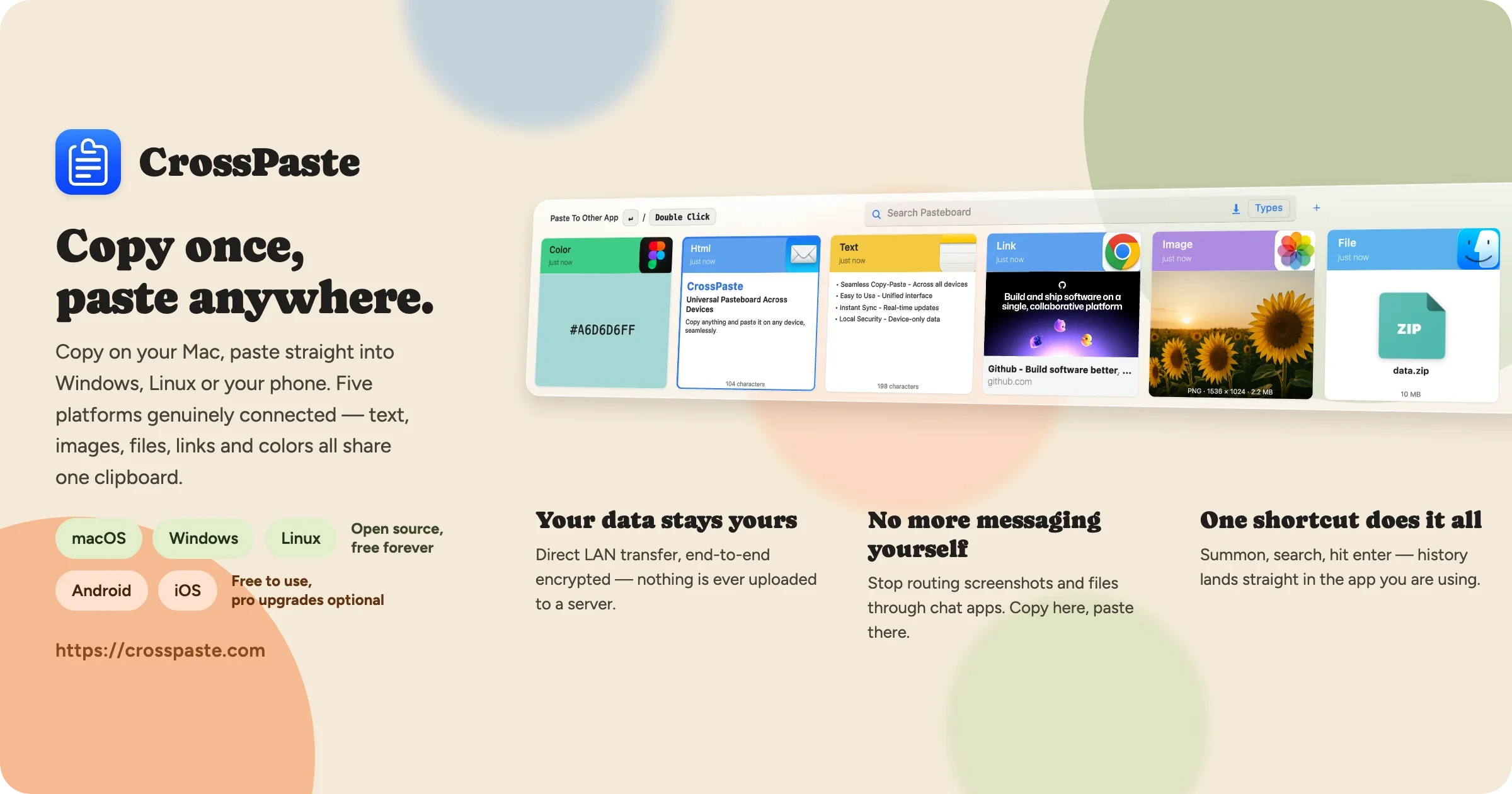
crosspaste-desktop
CrossPaste·Kotlin
跨设备剪贴板同步工具,支持 macOS、Windows 和 Linux,数据只在局域网内端到端加密传输、不经过云端,还内置 OCR、CLI 和 MCP 服务。
剪贴板同步+4加密 / 隐私工具
26921362.3.1.27812026-11-10 13:37 UTC