引擎是 Cocos Creator 编辑器的运行时库,不能独立使用,需在编辑器中配置自定义引擎;开发环境需先装 node.js v9.11.2+ 和 gulp-cli v2.3.0+;构建原生应用需另行参考 native/README.md。
cocos-engine
cocos活跃维护免费开源的跨平台 2D/3D 游戏引擎,支持 WebGL、Vulkan、Metal 等图形后端,帮助开发者高效制作并发布高性能游戏和网页互动内容。
Cocos simplifies game creation and distribution with Cocos Creator, a free, open-source, cross-platform game engine. Empowering millions of developers to create high-performance, engaging 2D/3D games and instant web entertainment.
3.8.8发布于 2025-12-16 03:54 UTC9,913star +5 / 7 天2,147fork同步于 2026-11-10 11:30 UTC
npm install
npm run build 硬件要求按 README 说明
README 未说明显存或 GPU 型号要求;仅说明图形后端在 Windows/Android 用 Vulkan、macOS/iOS 用 Metal、Web 用 WebGL。
Cocos Creator 编辑器的运行时引擎,为 2D/3D 游戏提供跨平台高性能渲染与脚本 API
免费开源的跨平台 2D/3D 游戏引擎,支持 WebGL、Vulkan、Metal 等图形后端,帮助开发者高效制作并发布高性能游戏和网页互动内容。
核心能力
- GFX 适配 Vulkan、Metal、WebGL 现代图形 API
- C++ 与 TypeScript 混合实现,底层渲染与场景管理走 C++
- 内置可自定义的前向与延迟渲染管线
- 基于 effect 格式的可扩展表面着色器与 PBR 材质
- TypeScript 用户级 API 配合 VSCode 开发
容易踩的坑
内容由模型根据 README 生成,可能不完整或不准确,以官方文档为准。看原文 README
- 3.8.8Release 3.8.8最新正式版2025-12-16 · 2025-12-16 03:54 UTC
这个版本没有写更新说明。
- 3.8.7Release 3.8.72025-08-22 · 2025-08-22 10:07 UTC
这个版本没有写更新说明。
- 3.8.7-beta0pre-release2025-04-28 · 2025-04-28 08:59 UTC
这个版本没有写更新说明。
- 3.8.6Release 3.8.62025-03-27 · 2025-03-27 10:19 UTC
这个版本没有写更新说明。
用户点评
登录用户的真实使用记录,可按版本和硬件筛选共 0 条
还没有人点评。第一个说出真实体验的人最有价值。
Engine for Cocos Creator
Cocos Creator is the new generation of game development tool in Cocos family, it brings a complete set of 3D and 2D features while providing an intuitive, low cost and collaboration friendly workflow to game developers. Cocos Engine is the runtime framework for Cocos Creator editor.

Cocos Creator inherited many good qualities and cool features from its previous versions, such as high performance low level C++ implementation, intuitive editor, cross-platform support. It supports native platforms, web platforms and rapidly expanding instant gaming platforms, including Windows, Mac, iOS, Android, HarmonyOS, Web, Facebook Instant Games, WeChat Mini Game and TikTok Mini Games.
Furthermore, Cocos Creator has pushed the engine technology to a whole new level for high performance with scalability on various platforms, full extensibility and easy development.
- Modern Graphics: The GFX implementation is designed to adapt to the modern graphics APIs, it uses Vulkan on Windows and Android, Metal on Mac OS and iOS, and WebGL on Web platforms.
- High Performance: The runtime engine is built with half C++ and half TypeScript, low-level infrastructure, native platform adaptation, renderer, and scene management are all written in C++ to ensure high runtime performance. We continue to move heavy lifting work to native as much as possible.
- Customizable Render Pipeline: The render pipeline is designed to be fully customizable, it has supported the builtin forward and deferred render pipeline across all platforms. Developers can customize their render pipeline following the same approach.
- Extensible Surface Shader: The material system is built on Coco's effect format which uses GLSL 300, the shader programs will be converted to a suitable runtime format automatically. The surface shader permits to fully customize the surface material while ensuring a universal lighting model.
- Physically Based Rendering (PBR): The standard effect adopts physically based rendering, along with the physically based camera and the lighting based on physical metrics, developers can easily achieve realistic and seamless rendering results across different environments.
- Easy TypeScript API: The user-level API set is provided in TypeScript, along with the powerful VSCode editor, development with Cocos Creator is incredibly efficient.
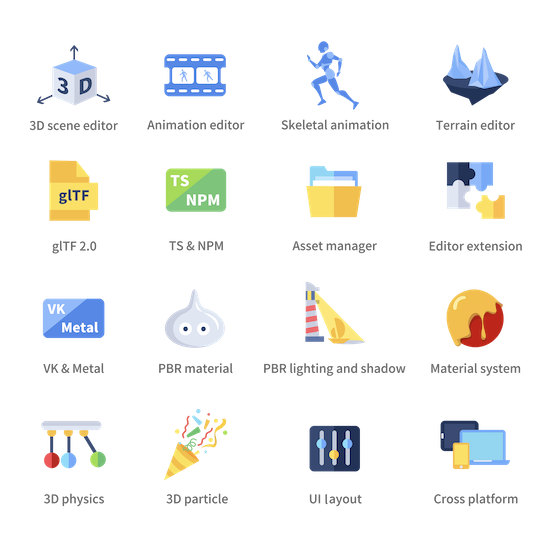
Besides all these highlights, Cocos Creator also provides a built-in animation system, physics system, particle system, terrain editing support, complex UI system, instant preview, etc.
This open-source repository is the runtime engine of Cocos Creator, the engine is naturally integrated within Cocos Creator, designed to only be the essential runtime library and not to be used independently.
Development and Contribution Notice
Cocos Creator engine is open source and welcomes community participation, for open source engine development with Cocos Creator editor, you should fork this repository and setup custom engine in the editor.
Prerequisite
- Install node.js v9.11.2 +
- Install gulp-cli v2.3.0 +
Clone
Clone this repository into your local environment.
Install
In the cloned engine folder, run the following command to set the development environment:
# download & build engine dependencies
npm install
This is all you have to do to set up the engine development environment.
Build
- If running inside Cocos Creator, the engine will automatically compile and build after the editor window is opened. For more instructions on modifying the engine in Cocos Creator, please refer to Engine Customization Workflow.
- Outside the editor, you need to run the following command to build:
npm run build
Please refer to native readme if you want to develop native applications.
Contribution
You can contribute to the Cocos Creator open-source engine in many ways, they are very much appreciated:
- Report bugs or feature requests by creating an issue.
- Participate in discussions in the issues.
- Create a pull request if you have fixed or improved anything, or implemented any features.
- Improve the documentation with pull requests to the usage documentation repository.
- Help other developers in our Forum.
Contribution notice
If you are trying to make a pull request, some requirements must be met so that your pull request can be accepted:
- Follow our Cpp Coding Style Guide and TypeScript Coding Style Reference.
- Try to integrate ESLint and CPP auto fix tools in your coding environment.
- Link related issues or discussions in your pull request and clearly state the purpose of your pull request.
- Pass all automatic continuous integration tests.
- Request file owners or engine developers to review your pull request.
- Get one valid approval from the engine architects.
Example Project
- Mind Your Step 3D: Beginner's step-by-step tutorial project repo.
- Test Cases: Unit test scenes for every engine module.
- Example Cases: Simple yet expressive demo scenes for baseline testing and topic-specific case study.
- Awesome Cocos: You can find out other useful tools and show cases here.
Links
- Official site
- Download
- Documentation
- API References
- Projects and road map
- Forum
- Discord community: Search for Cocos in the Discover panel of Discord.

godot
godotengine·C++
跨平台 2D/3D 游戏引擎,提供完整编辑器与运行时,用一套工程就能导出到桌面、移动端和 Web,适合独立开发者和小团队做游戏。
游戏引擎+4游戏引擎
119922+21527k3.6.3-stable2026-11-09 17:17 UTC
imgui
ocornut·C++
轻量级 C++ 即时模式 GUI 库,依赖极少、无需庞大框架,适合游戏引擎和工具快速搭建原生界面。
即时模式GUI+4游戏引擎
77042+3312kv1.93.02026-11-09 17:03 UTC

bevy
bevyengine·Rust
用 Rust 写的数据驱动游戏引擎,API 简洁、基于 ECS 架构,适合想用现代语言做 2D/3D 游戏又不想被复杂框架拖累的开发者。
游戏引擎+4游戏引擎
49664+815.0kv0.20.12026-11-10 08:46 UTC
Babylon.js
BabylonJS·TypeScript
基于 TypeScript 的 Web 3D 游戏与渲染引擎,封装 WebGL/WebGPU/WebXR,让开发者直接在浏览器里搭建高性能 3D 场景和游戏。
3D 渲染引擎+4游戏引擎
26314+93.7k9.35.02026-11-10 07:21 UTC