README 未说明源码编译步骤,需从官网或 Microsoft Store 获取安装包;OCR 与翻译功能的具体模型或依赖 README 未说明
SunnyCapturer
XMuli更新放缓一款简单漂亮的跨平台截图工具,内置离线 OCR 和图片翻译,还能贴图钉图,适合日常截屏取字和快速翻译。
A simple and beautiful cross-platform screenshot software, It also supports OCR, image translation, stickers and pinning images features. | 简单且漂亮的跨平台截图软件,支持离线 OCR、图片翻译、贴图和钉图等功能
v5.3.0发布于 2026-04-02 17:12 UTC614star29fork同步于 2026-11-07 07:33 UTC
README 未提供源码构建或命令行安装命令,仅给出官网 http://sunnycapturer.xmuli.tech 与 Microsoft Store 下载链接 硬件要求按 README 说明
README 未说明硬件要求;从运行截图看支持 Windows、Debian12、Ubuntu20.04-24.04、Deepin V23、OpenKylin2.0、macOS13-15,以及 Deepin V23 的 ARM64 与龙芯平台
简单漂亮的跨平台截图工具,支持离线 OCR、图片翻译、贴图和钉图
一款简单漂亮的跨平台截图工具,内置离线 OCR 和图片翻译,还能贴图钉图,适合日常截屏取字和快速翻译。
核心能力
- 截取屏幕区域并支持钉图固定在桌面
- 离线 OCR 从图片中提取文字
- 图片翻译功能
- 自定义贴纸素材
- 跨平台支持 Windows、Linux、macOS
容易踩的坑
内容由模型根据 README 生成,可能不完整或不准确,以官方文档为准。看原文 README
- v5.3.0最新正式版2026-04-02 · 2026-04-02 17:12 UTC
English
Changes
- Added support for Korean, French, Spanish, Arabic, and Italian
- Standardized the German locale file from
detode_de - Added runtime language hot switching without restarting the app
- Expanded the language selector in Settings to cover all supported languages
- Improved i18n coverage for tray menus, window titles, OCR titles, image filters, and subtitle filters
- Updated and synchronized translation files for
zh_cn,zh_tw,en_us,ja_jp,pt_br,ru_ru,de_de,ko_kr,fr_fr,es_es,ar_sa, andit_it
Supported Languages
- Simplified Chinese
zh_cn - Traditional Chinese
zh_tw - English
en_us - Japanese
ja_jp - Korean
ko_kr - Russian
ru_ru - French
fr_fr - German
de_de - Italian
it_it - Spanish
es_es - Portuguese (Brazil)
pt_br - Arabic
ar_sa
中文
更新内容
- 新增韩语、法语、西班牙语、阿拉伯语、意大利语支持
- 德语语言文件由
de规范为de_de - 支持运行时热切换语言,无需重启应用
- 扩展设置页语言选项,覆盖当前全部支持语言
- 补齐更多界面文案的国际化适配,包括托盘菜单、窗口标题、OCR 标题、图片 筛选器和字幕筛选器
- 更新并同步
zh_cn、zh_tw、en_us、ja_jp、pt_br、ru_ru、de_de、ko_kr、fr_fr、es_es、ar_sa、it_it翻译文件
当前支持语言
- 简体中文
zh_cn - 繁體中文
zh_tw - English
en_us - 日本語
ja_jp - 한국어
ko_kr - Русский
ru_ru - Français
fr_fr - Deutsch
de_de - Italiano
it_it - Español
es_es - Português (Brasil)
pt_br - العربية
ar_sa
- v5.2.02026-03-09 · 2026-03-09 16:21 UTC
查看更新说明
What's New in v5.2.0
Bug Fixes
-
Multi-monitor window geometry restore — The Settings window now correctly restores its position and size across sessions. When the saved monitor is no longer connected, the window gracefully centers itself on the primary display instead of appearing at an unpredictable OS-default position. (#114)
-
File dialog freeze on Windows 11 25H2 — Resolved a hang that occurred when opening native file dialogs (
QFileDialog) on Windows 11 25H2 in several locations: the Settings "Browse" button, Screenshot "Save As", Edit Menu "Insert Image", Video Player "Add Subtitle", OCR "Import PDF", and Image Viewer "Save / Load". (#109)
Improvements
-
Localization — Updated Japanese (ja_JP) and Russian (ru_RU) translations; removed entries marked
[type="unfinished"]to improve translation quality.Special thanks to the contributors for this release:
- Russian (ru_RU): @asdefasdf
- Japanese (ja_JP): @coolvitto
-
QHotkey dependency — Updated the QHotkey submodule to the latest upstream commit for improved global hotkey reliability.
更新内容 v5.2.0
问题修复
-
多屏窗口位置恢复 — 设置窗口现在能够在会话间正确恢复位置和尺寸。 当保存时所在的显示器已断开连接时,窗口将自动居中显示在主屏幕上, 而不是出现在不可预知的系统默认位置。(#114)
-
Windows 11 25H2 文件对话框卡死 — 修复了在 Windows 11 25H2 上 打开系统原生文件对话框时发生卡死的问题,涉及以下位置: 设置页"浏览"按钮、截图"另存为"、编辑菜单"插入图片"、 视频播放器"添加字幕"、OCR"导入 PDF"以及图像查看器"保存/加载"。(#109)
优化改进
-
本地化 — 更新了日语(ja_JP)和俄语(ru_RU)翻译; 移除标记为
[type="unfinished"]的未完成条目,提升翻译质量。特别感谢本次版本翻译贡献者:
- 俄罗斯语(ru_RU):@asdefasdf
- 日语(ja_JP):@coolvitto
-
QHotkey 依赖 — 升级 QHotkey 子模块至上游最新提交, 改善全局快捷键的稳定性。
-
- v5.1.02026-02-27 · 2026-02-27 17:07 UTC
查看更新说明
What's New in v5.1.0
Thank you for your continued support and anticipation — we're excited to bring you SunnyCapturer v5.1.0 with important improvements across reliability, usability, and platform compatibility.
New Features
- Redesigned Hotkey Editor: Rebuilt the hotkey editing control using a low-level keyboard hook (
WH_KEYBOARD_LL), enabling reliable capture of all key combinations includingPrint Screenand modifier keys (Ctrl, Alt, Shift, Win). - Additional Keyboard Shortcuts: Added
Ctrl+Cas an alternative shortcut for confirming a screenshot capture, andCtrl+Yfor redo operations, improving workflow efficiency. - Startup Behavior Optimized: The application no longer auto-starts on boot by default, giving you full control over your startup configuration.
Bug Fixes
- Pinned Window Dragging Beyond Screen Top (#75): Pinned (sticky) windows can now be freely dragged above the top edge of the screen, removing a previous boundary restriction.
- Startup Registration on Certain Windows Devices (#83): Resolved an issue where auto-start failed to register correctly on specific Windows hardware configurations. The startup approval flag is now properly synchronized with the Windows registry.
- File Dialog Freeze on Windows 11 25H2 (#109): Worked around a system-level issue in Windows 11 version 25H2 where native file dialogs could become unresponsive.
- Update Check Settings Not Persisting: Fixed a critical issue where update preferences — including check interval, auto-check toggle, insider opt-in, and proxy settings — were reset to defaults on every launch.
- Update Checker Error Handling: Corrected inverted network error handling logic that could cause connectivity test results to be silently discarded.
- Changelog Version Mismatch: The update dialog now displays the changelog corresponding to the matched release version, rather than always showing the most recent entry.
- Build Script & Resource Paths (#111): Updated build scripts and corrected resource icon paths.
Localization
- Updated Brazilian Portuguese (
pt_br) translation. - Added Russian (
ru_ru) translation.
Optimization
- Default update check interval changed from every day to every 3 days, reducing unnecessary interruptions.
- Beta (pre-release) update notifications are now opt-in rather than on by default — stable release users will no longer receive beta prompts unless explicitly enabled.
v5.1.0 更新日志
感谢每一位用户的关注与期待,SunnyCapturer v5.1.0 现已发布。本次更新涵盖了多项功能改进、问题修复以及平台兼容性优化,致力于为您带来更加稳定流畅的使用体验。
新功能
- 快捷键编辑控件重构:基于底层键盘钩子(
WH_KEYBOARD_LL)重新实现快捷键编辑控件,现已支持可靠捕获Print Screen及所有修饰键组合(Ctrl、Alt、Shift、Win)。 - 新增常用快捷键:截图确认新增
Ctrl+C快捷键支持;重做操作新增Ctrl+Y快捷键,提升操作效率。 - 启动行为优化:默认不再开机自动启动,由用户自主选择是否开启。
问题修复
- 贴图窗口无法拖至屏幕顶部上方 (#75):移除了贴图窗口的上边界限制,现在可以自由拖拽超出屏幕顶部区域。
- 部分 Windows 机型开机启动失败 (#83):修复了特定硬件环境下开机自启动注册异常的问题,正确同步 Windows 注册表启动审批标记。
- Windows 11 25H2 文件对话框卡死 (#109):规避了 Windows 11 25H2 版本中系统原生文件对话框可能无响应的问题。
- 更新检查配置每次启动丢失:修复了一个严重问题 — 更新检查相关设置(检查间隔、自动检查开关、内测参与状态、代理配置)在每次启动后均被重置为默认值。
- 更新检查网络错误处理:修正了网络错误过滤逻辑反转的问题,此前可能导致网络连通性测试结果被静默丢弃。
- 更新日志版本不匹配:更新对话框现在正确显示与匹配版本对应的更新日志,而非始终显示最新条目的内容。
- 构建脚本及资源路径修正 (#111):更新了构建脚本,修正了界面图标资源路径。
本地化
- 更新巴西葡萄牙语(
pt_br)翻译。 - 新增俄语(
ru_ru)翻译支持。
体验优化
- 默认更新检查间隔从每天调整为每 3 天,减少不必要的打扰。
- 测试版(Pre-release)更新通知现改为默认关闭,稳定版用户不会收到测试版推送,如需体验最新功能可在设置中手动开启。
- Redesigned Hotkey Editor: Rebuilt the hotkey editing control using a low-level keyboard hook (
- v5.0.12025-09-10 · 2025-09-10 16:34 UTC
查看更新说明
New Features
- Added Russian language support — thanks to @asdefasdf
- Updated Brazilian Portuguese translation — thanks to @thiagodalsoto
- Optimized Windows automated build scripts and upgraded build tool versions
Bug Fixes & Other Improvements
- Fixed an issue where the control panel for video and GIF recording did not appear on certain devices (#95 #96 #97 #98)
- Restored the ability to press Ctrl+C to copy after taking a screenshot (#95)
- Fixed missing icons in the bottom-left notification bar
Note: After selecting a recording area for video or GIF, press
Enterto display the control panel and timer.📢PS: GPU support is limited to NVIDIA graphics cards. CUDA >= 12.0.0 is required (earlier versions untested). We recommend using the latest version, available from the CUDA Toolkit Archive. Linux installation packages will be released together once stability is ensured.
新功能特性
- 新增俄罗斯语言,感谢 @asdefasdf
- 更新葡萄牙-巴西语言,感谢 @thiagodalsoto
- 优化 Windows 的自动构建脚本,并且升级构建工具的版本
缺陷修复 & 其它
-
在部分机型上录制视频和录制 GIF,不显示对应操作面板 #95 #96 #97 #98
-
恢复截图完成后是能按 “ctrl+c” 进行复制的习惯 #95
-
左下角的提示栏的图标缺失
Note: 录制视频和 GIF 功能,选中录制矩形区域后,按下
Enter按键可看到操作面板以及计时器📢PS: GPU 仅支持 NVIDIA 显卡,必须 CUDA >= 12.0.0(低版本未测试),推荐最新版,官网下载地址 cuda-toolkit-archive;Linux 版本的安装包,会在稳定后将会一起发布。
- v5.0.0pre-release2025-09-04 · 2025-09-04 14:54 UTC
查看更新说明
Thank you all for your continued enthusiastic support and anticipation. Today, version v5.0.0 is officially released! 🎉🎉🎉
Version Optimization:
New Features
- Supports video recording
- Supports GIF recording
- Supports camera photo capture
- Supports quick preview of multiple file types
- Switch current microphone, speaker, and camera when using multiple devices
- Support for selecting global local or current-user-only installation paths
Bug Fixes & Other Improvements
- Fixed misspelled letters in filenames #94
- Fixed rare cases where auto-start failed to activate #83
- Addressed several minor bugs and issues
- Updated Brazilian Portuguese localization, thanks to @thiagodalsoto
Note: For recording and GIF functions, after selecting an area, manually press the
Enterkey to display the control panel and timer.📢PS: GPU support is limited to NVIDIA graphics cards. CUDA >= 12.0.0 is required (lower versions untested). The latest version is recommended. Download from the official site: cuda-toolkit-archive; The Linux version installation package will be released together once it becomes stable.
感谢大家的一直的热情支持和期待,今天 v5.0.0 版本正式发布🎉🎉🎉
版本优化:
新功能特性
- 支持视频录制功能
- 支持 GIF 录制功能
- 支持相机拍照功能
- 支持多文件类型快速预览
- 支持多设备时,切换当前麦克风、扬声器、相机
- 支持全局本机和仅当前用户的安装路径选择
缺陷修复 & 其它
- 修复文件名的字母拼写错误 #94
- 修复少部分无法开启自启 #83
- 修复一些发现的小缺陷等
- 更新葡萄牙-巴西语言翻译,感谢 @thiagodalsoto
Note: 录制和 GIF 功能,选中区域后,手动按下
Enter按键可看到控制面板以及计时器📢PS: GPU 仅支持 NVIDIA 显卡,必须 CUDA >= 12.0.0(低版本未测试),推荐最新版,官网下载地址 cuda-toolkit-archive;Linux 版本的安装包,会在稳定后将会一起发布。
用户点评
登录用户的真实使用记录,可按版本和硬件筛选共 0 条
还没有人点评。第一个说出真实体验的人最有价值。
SunnyCapturer
SunnyCapturer is a simple and beautiful cross-platform screenshot software that supports OCR for extracting text from images, image translation, custom stickers, and pinning images to the screen.
-
Official Website & Downloads & User Guide: http://sunnycapturer.xmuli.tech
-
Source Code Repository: https://github.com/SunnyCapturer
-
Contribute Translations: translations
-
Microsoft Store Download:SunnyCapturer
Feedback & Suggestions
If you encounter any bugs, have improvement suggestions, or wish to propose new features, please check the closed issues first.
If you don’t find anything similar, feel free to open a new issue to help track and resolve problems effectively.
Contact



Running Demo
?> See link for details of supported operating system versions
Windos


Linux:
Debian12


Ubuntu20.04-24.04


Deepin V23


OpenKylin2.0

macOS
macos13-15


Linux Deepin V23 (ARM64 & Loongson):
Deepin V23 ARM64:

Deepin V23 Loongson:

PaddleOCR
PaddlePaddle·Python
轻量级 OCR 工具包,能把图片和 PDF 转成结构化数据,支持 100 多种语言,方便接入 LLM 和 RAG 流程。
OCR+4文档解析 / OCR
92532+14612kv3.7.02026-09-16 03:31 UTC

MinerU
opendatalab·Python
把 PDF、Office 等复杂文档转成 LLM 可直接用的 Markdown/JSON,内置版面分析和 OCR,专为 RAG 与 Agent 工作流准备语料。
文档解析+4文档解析 / OCR
83449+1946.9kmineru-4.1.7-released2026-11-10 17:04 UTC
tesseract
tesseract-ocr·C++
老牌开源 OCR 引擎,用 LSTM 识别图片中的文字,支持上百种语言,适合做文档扫描和文本提取。
OCR引擎+4文档解析 / OCR
77445+4611k5.5.42026-11-09 11:40 UTC
docling
docling-project·Python
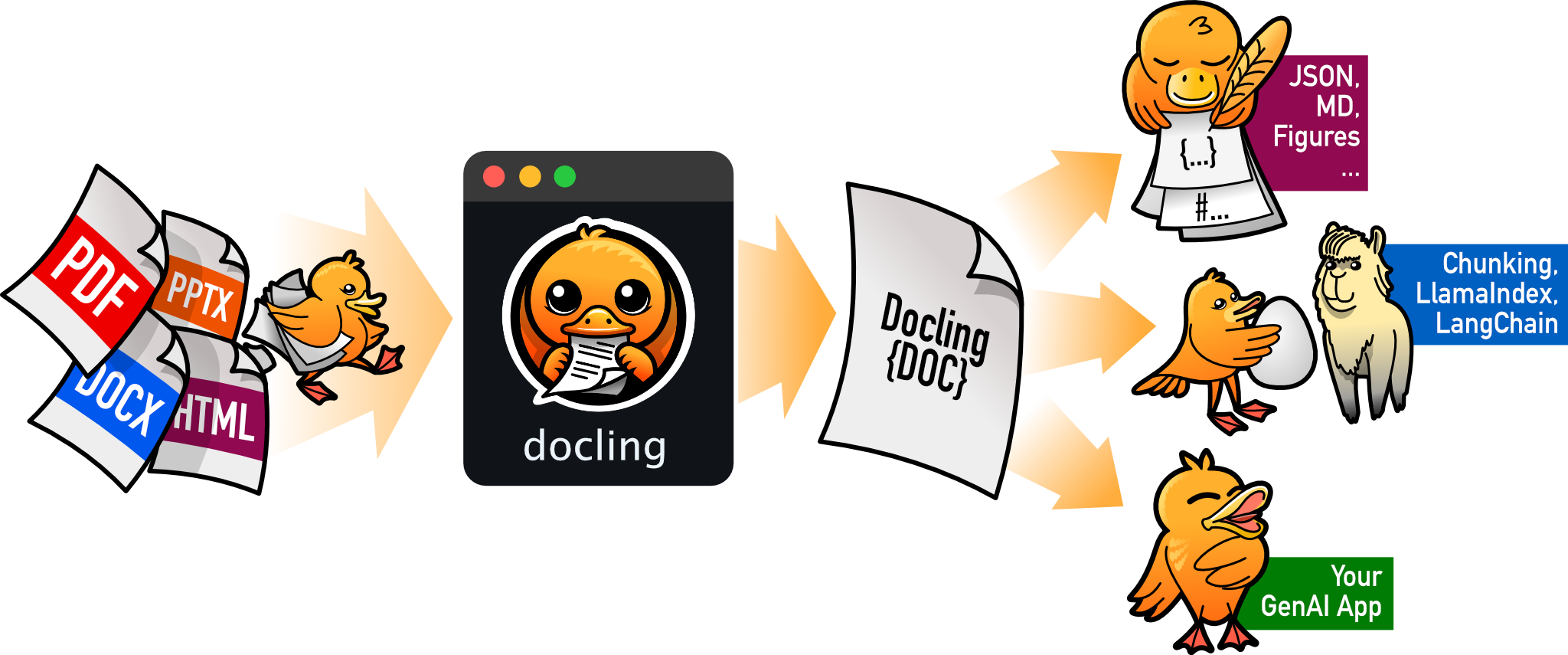
把 PDF、DOCX、HTML 等文档解析成结构化 Markdown 或 JSON,方便喂给大模型和 RAG 流程。
文档解析+4文档解析 / OCR
70385+1455.3kv2.149.02026-11-10 16:54 UTC