需额外下载 traineddata 语言数据文件,否则无法识别对应语言;本项目不含 GUI,需要界面得另找第三方项目;从源码编译前需确认系统编译器在支持列表内。
tesseract
tesseract-ocrApache-2.0活跃维护老牌开源 OCR 引擎,用 LSTM 识别图片中的文字,支持上百种语言,适合做文档扫描和文本提取。
Tesseract Open Source OCR Engine (main repository)
5.5.4发布于 2026-10-28 11:19 UTC77,445star +46 / 7 天10,908fork同步于 2026-11-10 17:18 UTC
tesseract imagename outputbase [-l lang] [--oem ocrenginemode] [--psm pagesegmode] [configfiles...] 硬件要求按 README 说明
README 未说明硬件要求,未提及 GPU 或显存;依赖 Leptonica 库读取输入图片。
开源 OCR 引擎,提供 libtesseract 库和 tesseract 命令行,把图片文字转成文本
老牌开源 OCR 引擎,用 LSTM 识别图片中的文字,支持上百种语言,适合做文档扫描和文本提取。
核心能力
- 基于 LSTM 神经网络做行识别,保留 Tesseract 3 传统引擎模式
- 开箱支持 UTF-8 与 100 多种语言的识别
- 支持 PNG、JPEG、TIFF 等多种输入图片格式
- 输出纯文本、hOCR、PDF、TSV、ALTO、PAGE 等格式
- 提供 C 与 C++ API,可自行训练识别其他语言
容易踩的坑
内容由模型根据 README 生成,可能不完整或不准确,以官方文档为准。看原文 README
- 5.5.4最新正式版2026-10-28 · 2026-10-28 11:19 UTC
What's Changed
This release fixes 17 security advisories and several smaller issues. In addition, it provides some smaller updates and improvements:
- fix build of training tool on windows with VS2022: by @zdenop in https://github.com/tesseract-ocr/tesseract/pull/4590
- arch,viewer: add missing and by @tachalorah in https://github.com/tesseract-ocr/tesseract/pull/4592
- Fix recursive static initialization in SIMDDetect::GetDetector() by @stweil with @Copilot in https://github.com/tesseract-ocr/tesseract/pull/4598
- exports GetDetector() from the tesseract DLL, so linker can resolve it. by @zdenop in https://github.com/tesseract-ocr/tesseract/pull/4602
- Fix two \param names that refer to the member, not the argument by @darkdi in https://github.com/tesseract-ocr/tesseract/pull/4594
- Add new GitHub workflow which checks commits in a pull request by @stweil in https://github.com/tesseract-ocr/tesseract/pull/4604
- Build unit tests without training tools by @stweil in https://github.com/tesseract-ocr/tesseract/pull/4596
- docs: update dead Tesseract training docs link by @yzxcj797 in https://github.com/tesseract-ocr/tesseract/pull/4605
- Fix several high and medium priority issues reported by Coverity Scan by @stweil in https://github.com/tesseract-ocr/tesseract/pull/4597
- Fix Coverity warnings by @stweil in https://github.com/tesseract-ocr/tesseract/pull/4606
- Avoid quadratic paragraph restart scan by @ilkecan in https://github.com/tesseract-ocr/tesseract/pull/4599
- Bump actions/checkout from 4 to 7 by @dependabot[bot] in https://github.com/tesseract-ocr/tesseract/pull/4607
- Fix GitHub AI findings from 'Security and quality' by @stweil in https://github.com/tesseract-ocr/tesseract/pull/4613
- Fix inefficient empty string test in ScrollView menus by @stweil in https://github.com/tesseract-ocr/tesseract/pull/4612
- Fix some issues reported by Coverity by @stweil in https://github.com/tesseract-ocr/tesseract/pull/4611
- fix: prevent out-of-bounds read in UNICHAR::UTF8ToUTF32 by @SomSamantray in https://github.com/tesseract-ocr/tesseract/pull/4609
- fix: prevent out-of-bounds access on truncated UTF-8 strings and crafted index maps by @stweil in https://github.com/tesseract-ocr/tesseract/pull/4617
- Avoid redundant result iterator restarts by @ilkecan in https://github.com/tesseract-ocr/tesseract/pull/4601
- fix: potential memory leak by @y1lan in https://github.com/tesseract-ocr/tesseract/pull/4622
- Avoid float overflow for unclassified-word certainty by @stweil in https://github.com/tesseract-ocr/tesseract/pull/4630
- Reject int-mode weight matrices with zero inputs in the deserializer by @stweil in https://github.com/tesseract-ocr/tesseract/pull/4644
- Fix position-dependent paragraph bounding box by @stweil in https://github.com/tesseract-ocr/tesseract/pull/4632
- Reject negative/oversized class ids in legacy inttemp by @stweil in https://github.com/tesseract-ocr/tesseract/pull/4640
- Exit child process when execvp fails by @Ramya-9353 in https://github.com/tesseract-ocr/tesseract/pull/4577
- Neutralise file-sourced pointers in ReadAdaptedClass before use by @stweil in https://github.com/tesseract-ocr/tesseract/pull/4645
- Fix Devanagari font download URL by @SKSavale in https://github.com/tesseract-ocr/tesseract/pull/4654
- cmake: allow unit tests to use installed GoogleTest by @manduinca in https://github.com/tesseract-ocr/tesseract/pull/4650
- Reject malformed dimensions in GENERIC_2D_ARRAY deserialization by @stweil in https://github.com/tesseract-ocr/tesseract/pull/4649
- ccstruct: fix leak of orphaned outline cycles in EliminateDuplicateOutlines by @stweil in https://github.com/tesseract-ocr/tesseract/pull/4655
- Fix double-free/UAF in AppendLinePolygon for RTL PAGE XML output by @stweil in https://github.com/tesseract-ocr/tesseract/pull/4647
- wordrec: bound seam search to prevent timeouts on degenerate input by @stweil in https://github.com/tesseract-ocr/tesser
- 5.5.32026-07-24 · 2026-07-24 18:33 UTC
查看更新说明
What's Changed
This release fixes two security advisories and several smaller issues. In addition, it provides some smaller updates and improvements:
- Fix typos by @szepeviktor in https://github.com/tesseract-ocr/tesseract/pull/4497
- Fix missing closing tags in multi-page PAGE XML output by @stweil with @Copilot in https://github.com/tesseract-ocr/tesseract/pull/4506
- Fix Apple CMAKE_SYSTEM_PROCESSOR not set when crosscompiling by @ppavacic in https://github.com/tesseract-ocr/tesseract/pull/4503
- Remove outdated docker-compose.yml (Fixes #4492) by @Mohataseem89 in https://github.com/tesseract-ocr/tesseract/pull/4509
- docs: document memory ownership and lifecycle in C-API by @markbus-ai in https://github.com/tesseract-ocr/tesseract/pull/4511
- Add Portuguese language support and section descriptions (Windows installer) by @eduardomozart in https://github.com/tesseract-ocr/tesseract/pull/4516
- Update Slovak language string in tesseract.nsi by @eduardomozart in https://github.com/tesseract-ocr/tesseract/pull/4518
- fix(nsi): mask LANGID to 16-bit for reliable auto-detection by @eduardomozart in https://github.com/tesseract-ocr/tesseract/pull/4513
- Add GitHub Copilot instructions by @stweil with @Copilot in https://github.com/tesseract-ocr/tesseract/pull/4508
- Correct mutex call to prevent multiple instances by @eduardomozart in https://github.com/tesseract-ocr/tesseract/pull/4517
- Update versions of GitHub actions by @stweil in https://github.com/tesseract-ocr/tesseract/pull/4522
- Bump microsoft/setup-msbuild from 2 to 3 by @dependabot[bot] in https://github.com/tesseract-ocr/tesseract/pull/4533
- Use asciidoctor instead of asciidoc-py for manpage generation by @amitdo with @Copilot in https://github.com/tesseract-ocr/tesseract/pull/4534
- Bump actions/upload-artifact from 4 to 7 by @dependabot[bot] in https://github.com/tesseract-ocr/tesseract/pull/4545
- autotools: Fix linker warning on macOS by @stweil in https://github.com/tesseract-ocr/tesseract/pull/4559
- Fix compiler warning on macOS by @stweil in https://github.com/tesseract-ocr/tesseract/pull/4558
- Cmake cleanup by @zdenop in https://github.com/tesseract-ocr/tesseract/pull/4562
- Remove SW_BUILD option from CMake and CI by @amitdo with @Copilot in https://github.com/tesseract-ocr/tesseract/pull/4566
- Modernize code by @stweil in https://github.com/tesseract-ocr/tesseract/pull/4561
- Remove some files by @stweil in https://github.com/tesseract-ocr/tesseract/pull/4569
- Modernize more code by @stweil in https://github.com/tesseract-ocr/tesseract/pull/4568
- Fix compiler warnings (-Wold-style-cast) by @stweil in https://github.com/tesseract-ocr/tesseract/pull/4571
- Fix some compiler warnings (-Wunused-parameter) by @stweil in https://github.com/tesseract-ocr/tesseract/pull/4570
- ci: Improve installer for windows by @stweil in https://github.com/tesseract-ocr/tesseract/pull/4572
- Fix several issues reported by Codacy (including real bugs) by @stweil in https://github.com/tesseract-ocr/tesseract/pull/4573
- Bump actions/checkout from 6 to 7 by @dependabot[bot] in https://github.com/tesseract-ocr/tesseract/pull/4574
- Fix crash when LSTM is missing in disabled-legacy build (#4448) by @gaurav0107 in https://github.com/tesseract-ocr/tesseract/pull/4563
- ci: Remove unused ilammy/setup-nasm by @stweil in https://github.com/tesseract-ocr/tesseract/pull/4575
- autotools: Simplify Makefile rules by @stweil in https://github.com/tesseract-ocr/tesseract/pull/4579
- Fix memory-safety issues in .traineddata deserialization by @stweil in https://github.com/tesseract-ocr/tesseract/pull/4581
- Handle send() failures in SVNetwork::Flush by @Ramya-9353 in https://github.com/tesseract-ocr/tesseract/pull/4576
- Small code improvements by @stweil in https://github.com/tesseract-ocr/tesseract/pull/4585
- doc: Add comprehensive PARAMETERS section to the tesseract man page by @stweil with @Copilot in https://github.com/tesseract-ocr/tesseract/
- 5.5.22025-12-26 · 2025-12-26 17:32 UTC
查看更新说明
What's Changed
- Simplify code for osdetect by @stweil in https://github.com/tesseract-ocr/tesseract/pull/4436
- Fix and improve configuration for cmake builds by @stweil in https://github.com/tesseract-ocr/tesseract/pull/4437
- Modernize some for loops and fix some signed/unsigned issues by @stweil in https://github.com/tesseract-ocr/tesseract/pull/4438
- Cmake optimization with warp2 by @zdenop in https://github.com/tesseract-ocr/tesseract/pull/4452
- Update checkout action by @rettinghaus in https://github.com/tesseract-ocr/tesseract/pull/4461
- chore: fix cyrillic typo by @0xflotus in https://github.com/tesseract-ocr/tesseract/pull/4462
- Move version info. to appropriate ALTO element by @david-russo in https://github.com/tesseract-ocr/tesseract/pull/4464
- CI: Remove unneeded export statements from cmake workflow for macOS by @stweil in https://github.com/tesseract-ocr/tesseract/pull/4467
- Bump actions/checkout from 5 to 6 by @dependabot[bot] in https://github.com/tesseract-ocr/tesseract/pull/4485
- Bump github/codeql-action from 2 to 4 by @dependabot[bot] in https://github.com/tesseract-ocr/tesseract/pull/4488
- Bump actions/upload-artifact from 4 to 5 by @dependabot[bot] in https://github.com/tesseract-ocr/tesseract/pull/4487
- Bump mikepenz/action-junit-report from 4 to 6 by @dependabot[bot] in https://github.com/tesseract-ocr/tesseract/pull/4486
- Bump actions/upload-artifact from 5 to 6 by @dependabot[bot] in https://github.com/tesseract-ocr/tesseract/pull/4494
New Contributors
- @0xflotus made their first contribution in https://github.com/tesseract-ocr/tesseract/pull/4462
- @david-russo made their first contribution in https://github.com/tesseract-ocr/tesseract/pull/4464
- @dependabot[bot] made their first contribution in https://github.com/tesseract-ocr/tesseract/pull/4485
Full Changelog: https://github.com/tesseract-ocr/tesseract/compare/5.5.1...5.5.2
- 5.5.12025-05-25 · 2025-05-25 09:53 UTC
查看更新说明
What's Changed
- Fix linear congruential random number generator by @stweil in https://github.com/tesseract-ocr/tesseract/pull/4357
- Make list classes templated by @egorpugin in https://github.com/tesseract-ocr/tesseract/pull/4356
- add cli
-cparameter(s) to init vectors by @zdenop in https://github.com/tesseract-ocr/tesseract/pull/4363 - handle colormaps correctly by @zdenop in https://github.com/tesseract-ocr/tesseract/pull/4369
- use constexpr for kDawgMagicNumber by @zdenop in https://github.com/tesseract-ocr/tesseract/pull/4378
- Extend elf_aux_info() support for RISC-V on FreeBSD and OpenBSD by @brad0 in https://github.com/tesseract-ocr/tesseract/pull/4376
- Fix building elf_aux_info() support on OpenBSD/arm by @brad0 in https://github.com/tesseract-ocr/tesseract/pull/4383
- Fix invalid empty interval in punct_stripped() for all-punctuation words by @EnodoGH in https://github.com/tesseract-ocr/tesseract/pull/4404
- Fix function addAvailableLanguages (issue #4416) by @stweil in https://github.com/tesseract-ocr/tesseract/pull/4417
- Avoid error in pixSauvolaBinarizeTiled (issue #4390) by @stweil in https://github.com/tesseract-ocr/tesseract/pull/4418
- Fix duplicated IDs in ALTO XML when multiple pages are present by @jankal in https://github.com/tesseract-ocr/tesseract/pull/4386
- Remove unused include statements for tprintf.h by @stweil in https://github.com/tesseract-ocr/tesseract/pull/4419
- Use links to the git history and online release notes instead of local ChangeLog by @stweil in https://github.com/tesseract-ocr/tesseract/pull/4423
New Contributors
- @brad0 made their first contribution in https://github.com/tesseract-ocr/tesseract/pull/4376
- @EnodoGH made their first contribution in https://github.com/tesseract-ocr/tesseract/pull/4404
- @jankal made their first contribution in https://github.com/tesseract-ocr/tesseract/pull/4386
Full Changelog: https://github.com/tesseract-ocr/tesseract/compare/5.5.0...5.5.1
- 5.5.02024-11-10 · 2024-11-10 19:29 UTC
查看更新说明
What's Changed
- Fix TARGET_PDB_FILE error for static linking. by @hglee in https://github.com/tesseract-ocr/tesseract/pull/4271
- Make regular usage of CMAKE_INSTALL_LIBDIR and GNUInstallDirs by @Zopolis4 in https://github.com/tesseract-ocr/tesseract/pull/4272
- Ignore illegal TESSDATA_PREFIX (not existing filesystem entry, issue #4277) by @stweil in https://github.com/tesseract-ocr/tesseract/pull/4278
- Fix confidence output for the PAGE XML renderer by @JKamlah in https://github.com/tesseract-ocr/tesseract/pull/4283
- Set hOCR capabilities ocrp_dir and ocrp_lang unconditionally by @stweil in https://github.com/tesseract-ocr/tesseract/pull/4301
- Reduce clock syscalls by @heshpdx in https://github.com/tesseract-ocr/tesseract/pull/4303
- Calculate row bounding box in single-word mode per #4304 by @Balearica in https://github.com/tesseract-ocr/tesseract/pull/4305
- Replace access/_access by std::filesystem::exists by @stweil in https://github.com/tesseract-ocr/tesseract/pull/4307
- Modernize code for list of available models by @stweil in https://github.com/tesseract-ocr/tesseract/pull/4308
- Fix performance and other issues reported by Codacy by @stweil in https://github.com/tesseract-ocr/tesseract/pull/4309
- Remove unnecessary assignment and assertions by @stweil in https://github.com/tesseract-ocr/tesseract/pull/4313
- Update code for tprintf by @stweil in https://github.com/tesseract-ocr/tesseract/pull/4306
- Add C++ stream for log messages and use it in two debug messages by @stweil in https://github.com/tesseract-ocr/tesseract/pull/4314
- cmake: Correctly set the soversion based on SemVer properties by @Conan-Kudo in https://github.com/tesseract-ocr/tesseract/pull/4319
- Replace deprecated runner macos-12 by macos-latest in GitHub actions by @stweil in https://github.com/tesseract-ocr/tesseract/pull/4326
- Modernize code for renderers and remove filename conversion for Windows by @stweil in https://github.com/tesseract-ocr/tesseract/pull/4330
- Fix some typos and grammer issues by @stweil in https://github.com/tesseract-ocr/tesseract/pull/4337
- Add GitHub action and Makefile target for Windows installer by @stweil in https://github.com/tesseract-ocr/tesseract/pull/4341
- Support symbolic values for --oem and --psm options by @stweil in https://github.com/tesseract-ocr/tesseract/pull/4344
- Replace some tprintf by tesserr stream (fixes Windows compiler warnings) by @stweil in https://github.com/tesseract-ocr/tesseract/pull/4345
- Add RISC-V V support #4346
- Fix and improve Windows installer by @stweil in https://github.com/tesseract-ocr/tesseract/pull/4348
- Remove Tensorflow support by @stweil in https://github.com/tesseract-ocr/tesseract/pull/4350
- Update submodule googletest to release v1.15.2 by @stweil in https://github.com/tesseract-ocr/tesseract/pull/4352
New Contributors
- @hglee made their first contribution in https://github.com/tesseract-ocr/tesseract/pull/4271
- @Zopolis4 made their first contribution in https://github.com/tesseract-ocr/tesseract/pull/4272
- @Conan-Kudo made their first contribution in https://github.com/tesseract-ocr/tesseract/pull/4319
- @hleft made their first contribution in https://github.com/tesseract-ocr/tesseract/pull/4346
Full Changelog: https://github.com/tesseract-ocr/tesseract/compare/5.4.1...5.5.0
用户点评
登录用户的真实使用记录,可按版本和硬件筛选共 0 条
还没有人点评。第一个说出真实体验的人最有价值。
Tesseract OCR





Table of Contents
About
This package contains an OCR engine - libtesseract and a command line program - tesseract.
Tesseract 4 adds a new neural net (LSTM) based OCR engine which is focused on line recognition, but also still supports the legacy Tesseract OCR engine of Tesseract 3 which works by recognizing character patterns. Compatibility with Tesseract 3 is enabled by using the Legacy OCR Engine mode (--oem 0). It also needs traineddata files which support the legacy engine, for example those from the tessdata repository.
Stefan Weil is the current lead developer. Ray Smith was the lead developer until 2017. The maintainer is Zdenko Podobny. For a list of contributors see AUTHORS and GitHub's log of contributors.
Tesseract has unicode (UTF-8) support, and can recognize more than 100 languages "out of the box".
Tesseract supports various image formats including PNG, JPEG and TIFF.
Tesseract supports various output formats: plain text, hOCR (HTML), PDF, invisible-text-only PDF, TSV, ALTO and PAGE.
You should note that in many cases, in order to get better OCR results, you'll need to improve the quality of the image you are giving Tesseract.
This project does not include a GUI application. If you need one, please see the 3rdParty documentation.
Tesseract can be trained to recognize other languages. See Tesseract Training for more information.
Brief history
Tesseract was originally developed at Hewlett-Packard Laboratories Bristol UK and at Hewlett-Packard Co, Greeley Colorado USA between 1985 and 1994, with some more changes made in 1996 to port to Windows, and some C++izing in 1998. In 2005 Tesseract was open sourced by HP. From 2006 until August 2017 it was developed by Google.
Major version 5 is the current stable version and started with release 5.0.0 on November 30, 2021. Newer minor versions and bugfix versions are available from GitHub.
Latest source code is available from main branch on GitHub. Open issues can be found in issue tracker, and planning documentation.
See Release Notes and Change Log for more details of the releases.
Installing Tesseract
You can either Install Tesseract via pre-built binary package or build it from source.
Before building Tesseract from source, please check that your system has a compiler which is one of the supported compilers.
Running Tesseract
Basic command line usage:
tesseract imagename outputbase [-l lang] [--oem ocrenginemode] [--psm pagesegmode] [configfiles...]
For more information about the various command line options use tesseract --help or man tesseract.
Examples can be found in the documentation.
For developers
Developers can use libtesseract C or
C++ API to build their own application. If you need bindings to libtesseract for other programming languages, please see the
wrapper section in the AddOns documentation.
Documentation of Tesseract generated from source code by doxygen can be found on tesseract-ocr.github.io.
Support
Before you submit an issue, please review the guidelines for this repository.
For support, first read the documentation, particularly the FAQ to see if your problem is addressed there. If not, search the Tesseract user forum, the Tesseract developer forum and past issues, and if you still can't find what you need, ask for support in the mailing-lists.
Mailing-lists:
- tesseract-ocr - For tesseract users.
- tesseract-dev - For tesseract developers.
Please report an issue only for a bug, not for asking questions.
License
The code in this repository is licensed under the Apache License, Version 2.0 (the "License");
you may not use this file except in compliance with the License.
You may obtain a copy of the License at

   http://www.apache.org/licenses/LICENSE-2.0

Unless required by applicable law or agreed to in writing, software
distributed under the License is distributed on an "AS IS" BASIS,
WITHOUT WARRANTIES OR CONDITIONS OF ANY KIND, either express or implied.
See the License for the specific language governing permissions and
limitations under the License.
NOTE: This software depends on other packages that may be licensed under different open source licenses.
Tesseract uses the Leptonica library which essentially uses a BSD 2-clause license.
Dependencies
Tesseract uses Leptonica library for opening input images (e.g. not documents like pdf). It is suggested to use leptonica with built-in support for zlib, png and tiff (for multipage tiff).
Latest Version of README
For the latest online version of the README.md see:
https://github.com/tesseract-ocr/tesseract/blob/main/README.md
PaddleOCR
PaddlePaddle·Python
轻量级 OCR 工具包,能把图片和 PDF 转成结构化数据,支持 100 多种语言,方便接入 LLM 和 RAG 流程。
OCR+4文档解析 / OCR
92532+14612kv3.7.02026-09-16 03:31 UTC

MinerU
opendatalab·Python
把 PDF、Office 等复杂文档转成 LLM 可直接用的 Markdown/JSON,内置版面分析和 OCR,专为 RAG 与 Agent 工作流准备语料。
文档解析+4文档解析 / OCR
83449+1946.9kmineru-4.1.7-released2026-11-10 17:04 UTC
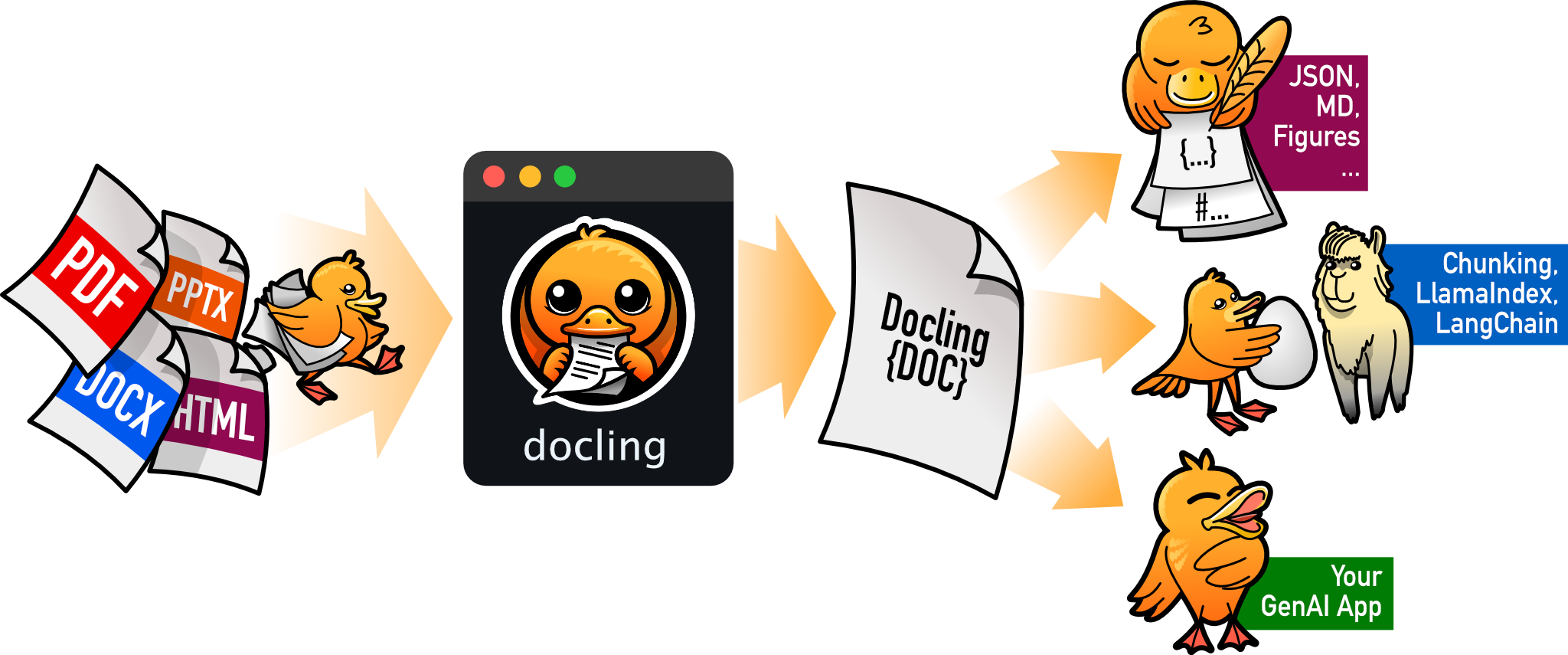
docling
docling-project·Python
把 PDF、DOCX、HTML 等文档解析成结构化 Markdown 或 JSON,方便喂给大模型和 RAG 流程。
文档解析+4文档解析 / OCR
70385+1455.3kv2.149.02026-11-10 16:54 UTC

Umi-OCR
hiroi-sora·Python
开源免费的离线 OCR 软件,支持截图、批量图片和 PDF 识别,可排除水印与页眉页脚,还能扫描或生成二维码,内置多国语言库。
离线OCR+4文档解析 / OCR
48566+714.7kv2.1.52025-11-20 14:58 UTC