仅支持 macOS 11.0 及以上,Windows 和 Linux 无法使用;App Store 版本需付费购买,免费可从 GitHub Releases 或 Homebrew 安装;CLI 需通过应用内路径 /Applications/TRex.app/Contents/MacOS/cli/trex 调用,未安装应用则不可用。
brew install --cask trex 硬件要求按 README 说明
README 未说明硬件要求;仅支持 macOS Big Sur (11.0) 及以上系统,全部功能离线运行,无需联网。
macOS 菜单栏 OCR 工具,框选屏幕任意区域即可把文字复制进剪贴板
macOS 上的屏幕文字识别工具,框选屏幕任意区域即可提取其中的文字并复制到剪贴板,省去手动重打的麻烦。
核心能力
- 框选屏幕区域后自动 OCR 识别并写入剪贴板
- 识别二维码与条形码并可直接打开其中的 URL
- 支持自定义全局快捷键与识别语言、自定义词表
- 提供 CLI 工具与 trex:// URL scheme 供脚本调用
- 可触发 Shortcuts 快捷指令等自动化动作
容易踩的坑
内容由模型根据 README 生成,可能不完整或不准确,以官方文档为准。看原文 README
- v2.0.1-beta.4pre-release2026-11-08 · 2026-11-08 02:31 UTC
查看更新说明
TRex v2.0.1 Beta 4 Release Notes
This beta improves screen selection on macOS 27 and prevents unsupported fast OCR from copying incorrect text.
Fixes
- Fixed frozen-screen selection causing other windows to animate or flicker on macOS 27. (#107)
- Restored the crosshair when entering or moving within frozen selection windows, including windows on other displays. Confirmation on a physical multi-monitor setup is still pending. (#112, #110)
- Prevented fast OCR fallback from returning Latin garbage for Arabic and other unsupported languages. When the accurate model fails, TRex now reports failure or uses a configured alternative instead of accepting incorrect fast-model output. (#111)
- Clarified the English language entry as American English. (#108)
- Fixed missing release notes in the Sparkle update window.
Improvements
- Updated supported-language discovery to Apple's modern Vision API on macOS 15 and later, while preserving existing language choices and macOS 14 compatibility. (#113)
Known Issues
- Apple's accurate OCR model can still stall intermittently. The Vision API update is not a fix for this issue. For Arabic, enable Tesseract in Settings and select/download Arabic; the reported sample was recognized correctly with that engine. (#106)
- The multi-monitor crosshair fix has automated regression coverage and single-display interaction testing, but still needs confirmation on a physical multi-monitor setup. (#110)
Requires macOS 14 or later. Includes support for Apple Silicon and Intel Macs.
- v2.0.1-beta.3pre-release2026-09-29 · 2026-09-29 16:13 UTC
查看更新说明
TRex v2.0.1 Beta 3 Release Notes
This beta fixes recording keyboard shortcuts on macOS 26 and macOS 27.
Fixes
- Fixed the shortcut recorder in Settings → Shortcuts not capturing or saving shortcuts on macOS 26 and 27, where the control could also get stuck in the recording state. The KeyboardShortcuts library is updated to 3.1, which contains the upstream fix. Existing saved shortcuts are unaffected and load unchanged.
- v2.0.1-beta.2pre-release2026-09-27 · 2026-09-27 17:22 UTC
查看更新说明
TRex v2.0.1 Beta 2 Release Notes
This beta fixes OCR on macOS 27, restores the command-line workflow, and makes Tesseract recognition work correctly for every language.
Fixes
- Fixed OCR failing or stalling on macOS 27: recognition now uses Apple's modern Vision API on macOS 15 and later, retries at the fast level when the accurate model fails, bounds every attempt with a timeout, and falls back to a configured Tesseract or AI engine instead of leaving the app stuck.
- Fixed Tesseract reporting success while leaving the clipboard empty. The underlying image-handling bug in TesseractSwift is fixed upstream in 1.2.1, and recognition failures are now reported as errors instead of silent empty results. This also makes Bengali, Greek, and other Tesseract-only languages recognize correctly.
- Fixed the
trexcommand-line tool never exiting after a capture, which broke Alfred and scripting integrations. The CLI now exits with a proper status code, prints recognized text even when the clipboard write fails, and no longer races Shortcuts automation on exit. - Fixed failed clipboard writes erasing the previous clipboard contents. The previous contents are restored when possible, without triggering macOS pasteboard privacy prompts on automatic captures.
- Fixed empty captures clearing the clipboard. Empty recognition results now still run table and document detection on the captured image before the capture is treated as empty.
- Fixed watch mode repeatedly re-running OCR and AI requests on unchanged frames whose recognition produced no text.
- Fixed OCR captures appearing unresponsive while recognition was running.
- Fixed empty automation and capture history inputs being processed.
Improvements
- Capture failures now show a notification instead of failing silently.
- The Tesseract language list distinguishes languages that are installed from those available to download.
Testing
- Added regression coverage for CLI exit behavior, Vision failure recovery and repeated recognition on macOS 27, Cyrillic support through the modern Vision API, clipboard restoration policy, watch-mode whitespace handling, padded-row and grayscale Tesseract recognition, empty-result recovery, and Bengali and Greek language exposure.
- v2.0.1-beta.1pre-release2026-07-12 · 2026-07-12 00:46 UTC
查看更新说明
TRex v2.0.1 Beta 1 Release Notes
This beta focuses on update reliability, OCR correctness, and safer handling of captured content.
Improvements
- Production releases are now also published to the beta update feed, so users on the beta train continue receiving the newest eligible build.
- OCR engine routing, automatic language detection, custom words, and fallback behavior are more consistent across Vision, Tesseract, and LLM providers.
- LLM requests now use fresh sessions for each capture, validate custom endpoints, enforce image-size limits, and support Apple Foundation Models on macOS 26.
- Table output handles uneven rows, escaped Markdown, and embedded line breaks in CSV and TSV more reliably.
- App Store builds now normalize embedded frameworks and exclude unavailable third-party LLM controls and initialization.
- Onboarding, settings, capture history, menu behavior, accessibility labels, and drag-and-drop feedback have been refined for macOS.
Fixes
- Fixed Unicode text before a URL causing incorrect URL detection ranges.
- Fixed empty Vision results clearing the clipboard or capture history.
- Fixed OCR timeouts waiting indefinitely for operations that ignored cancellation.
- Fixed concurrent Tesseract requests racing through the shared engine.
- Fixed watch mode repeatedly processing blank captures and accepting unsafe output paths.
- Fixed temporary-file collisions and incomplete cleanup in the CLI, Shortcuts, and CLI installer.
- Fixed the CLI installer accepting invalid downloads and preserving stale executable permissions.
- Fixed release signing and notarization cleanup paths that could leave sensitive temporary files behind.
- Fixed screen-coordinate conversion on displays with different scale factors.
Testing
- Added regression coverage for OCR engine replacement, Unicode URL detection, watch-mode paths, table formatting, timeouts, LLM session isolation, endpoint validation, and image preprocessing.
- v2.0.0最新正式版2026-02-13 · 2026-02-13 18:38 UTC
TRex v2.0.0 Release Notes
✨ New Features
Table Detection
- Vision-based detection: Uses macOS 26+ document recognition for table extraction
- LLM fallback: Falls back to AI-based table detection on older systems
- Multiple formats: Export tables as Markdown, CSV, or plain text
- Menu bar toggle: Quick access to table detection settings
LLM Integration
- AI-powered OCR: Use OpenAI, Anthropic, Ollama, or Apple Intelligence for vision-based text recognition
- Smart post-processing: Automatically format, correct, or transform captured text with LLM
- Separate provider configuration: Choose different providers for OCR vs post-processing
- On-device processing: Apple Intelligence runs locally with no API calls (macOS 15.1+)
- Network-aware fallback: Automatically falls back to built-in OCR when offline
Multi-Region Capture
- Batch selection: Select multiple screen regions in a single capture session
- Combined results: OCR results from all regions are merged together
- Optional LLM processing: Post-process combined text with AI
- Up to 50 regions: Capture complex layouts in one go
Watch Mode
- Continuous monitoring: Monitor a screen region and automatically capture when content changes
- Interactive region selection: Draw regions with a visual overlay
- Floating control panel: Start, pause, and reselect regions on the fly
- Multiple output modes: Append to clipboard, write to file, or stream notifications
- Smart detection: SHA256-based change detection with configurable polling interval
- URL scheme support: Trigger watch mode via
trex://watch
Capture History
- Persistent history: All OCR captures saved with thumbnails
- Quick access: Last 5 captures available in menu bar submenu
- History window: Browse all captures via
trex://showHistory - Configurable storage: Set max entries (1–10,000)
- One-click copy: Quickly copy any previous capture to clipboard
🐛 Bug Fixes
CLI Improvements
- Fixed CLI not exiting after stdin EOF (#61)
- Added back Intel Support
- Improved temp file handling with UUID-based paths
Language Recognition
- Added Turkish (tr-TR) to Vision OCR fallback language sets (#62)
- Fixed language code normalization to handle underscore format (#65)
UI Fixes
- Fixed Quick Setup content overflow with scrollable language grid (#63)
- Added confirmation dialog when hiding menu bar icon with recovery instructions (#60)
🔗 Links
https://github.com/user-attachments/assets/c45cf6de-26a4-4d5a-b6f0-e5e15dc836a3
用户点评
登录用户的真实使用记录,可按版本和硬件筛选共 0 条
还没有人点评。第一个说出真实体验的人最有价值。



TRex 🦖
TRex captures any text right into your Clipboard with magic of OCR.
But what is OCR anyway? Imagine you have a PDF file or a Web page where you can't select the text, image with text on it, or even a YouTube video. Forget retyping it manually; with TRex, you can extract text from anywhere, and it is as easy as taking a screenshot.
TRex lives in the menu bar and available right where you need it the most:

To use TRex:
- Invoke "Capture" either through the menu bar or with a global configurable shortcut
- Select an area of the screen you want to extract text from, just like taking a screenshot
- There is no third step - extracted text is in your clipboard
Demo:

Please note, text editing application on the right is not part of TRex, this is Tot. TRex is designed to be invisible and doesn't have any UI beyond the menu bar app and preferences.
Use cases
TRex can help you to copy text from:
- A PDF with non-selectable text
- A screenshot
- YouTube video
- Zoom call screen sharing
- ... and more!
If you can see it on your screen - TRex can copy it.
How to get TRex
App Store
Buy TRex from the App Store
GitHub
Download from GitHub Releases
Homebrew
Install from Homebrew
brew install --cask trex
Runs on macOS Big Sur (11.0) and up.
Features
Every feature in TRex works offline, no internet is needed.
- Text recognition (OCR)
- Read QR Codes and barcodes
- Handy macOS menu bar app, with option to hide it
- Configurable global shortcuts
- Configurable recognition language
- Custom words list
- CLI tool
/Applications/TRex.app/Contents/MacOS/cli/trex - Automation actions
- Run a Shortcut from Shortcuts.app
- Open URLs found in QR codes
- Detect and open URLs found in captured text
- Trigger a user defined URL scheme (for integration with other apps)
- URL scheme support
trex://capturetrigger capture from screentrex://captureclipboardtrigger capture from clipboardtrex://captureautomationtrigger screen capture and run automationtrex://captureclipboardautomationtrigger capture from clipboard and run automationtrex://shortcut?name=set Shortcut assigned to "Run Shortcut" automation actiontrex://showPreferencesopen app preferences
Integrations
Alfred

Raycast
Download the TRex repository as a ZIP, then:
- Unzip the download.
- Open Raycast Settings → Script Commands.
- Click Add Script Directory and select
Resources/Raycast/TRex Commandsfrom the unzipped folder. - Search Raycast for “Capture Text” to run or assign shortcuts to the TRex commands.
You can also browse the command files or read Raycast's Script Commands guide.

Acknowledgements
Portions of this software utilize the following copyrighted material, the use of which is hereby acknowledged:
- LaunchAtLogin - Copyright (c) Sindre Sorhus [email protected] (sindresorhus.com)
- KeyboardShortcuts - Copyright (c) Sindre Sorhus [email protected] (sindresorhus.com)
More Apps
If you enjoy TRex you may like these as well:
PaddleOCR
PaddlePaddle·Python
轻量级 OCR 工具包,能把图片和 PDF 转成结构化数据,支持 100 多种语言,方便接入 LLM 和 RAG 流程。
OCR+4文档解析 / OCR
92532+14612kv3.7.02026-09-16 03:31 UTC

MinerU
opendatalab·Python
把 PDF、Office 等复杂文档转成 LLM 可直接用的 Markdown/JSON,内置版面分析和 OCR,专为 RAG 与 Agent 工作流准备语料。
文档解析+4文档解析 / OCR
83449+1946.9kmineru-4.1.7-released2026-11-10 17:04 UTC
tesseract
tesseract-ocr·C++
老牌开源 OCR 引擎,用 LSTM 识别图片中的文字,支持上百种语言,适合做文档扫描和文本提取。
OCR引擎+4文档解析 / OCR
77445+4611k5.5.42026-11-09 11:40 UTC
docling
docling-project·Python
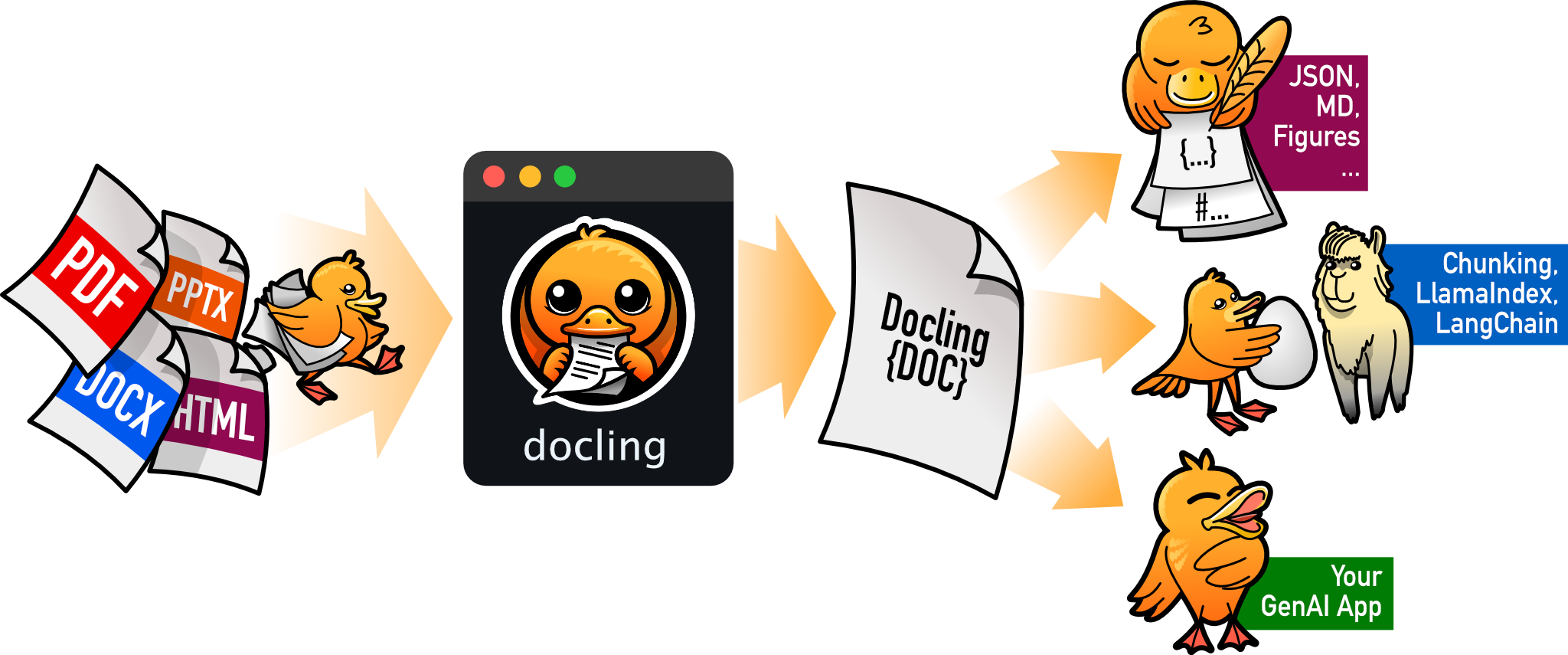
把 PDF、DOCX、HTML 等文档解析成结构化 Markdown 或 JSON,方便喂给大模型和 RAG 流程。
文档解析+4文档解析 / OCR
70385+1455.3kv2.149.02026-11-10 16:54 UTC