需先按文档在 Jetson 上装好 JetPack 或运行 Docker 容器,不能直接 pip 安装;预训练模型需另行下载;训练部分依赖 PyTorch,与 TensorRT 推理是两套流程。

jetson-inference
dusty-nvMIT长期未更新面向 NVIDIA Jetson 嵌入式设备的深度学习推理部署指南,用 TensorRT 加速图像识别等视觉任务,配套教程和预训练模型开箱即用。
Hello AI World guide to deploying deep-learning inference networks and deep vision primitives with TensorRT and NVIDIA Jetson.
model-mirror-190618发布于 2019-06-18 18:27 UTC9,036star +2 / 7 天3,118fork同步于 2026-11-10 23:32 UTC
参见 docs/jetpack-setup-2.md 配置 JetPack;或按 docs/aux-docker.md 运行 Docker 容器;或按 docs/building-repo-2.md 从源码构建 硬件要求按 README 说明
面向 NVIDIA Jetson 设备,README 提到 JetPack 6 已支持 Orin 设备;未给出具体显存数值。
需要 CUDA
在 NVIDIA Jetson 上用 TensorRT 跑优化后的视觉 DNN 推理,并支持 PyTorch 迁移学习
面向 NVIDIA Jetson 嵌入式设备的深度学习推理部署指南,用 TensorRT 加速图像识别等视觉任务,配套教程和预训练模型开箱即用。
核心能力
- 用 TensorRT 在 GPU 上运行优化后的网络,提供 C++ 与 Python 接口
- 覆盖 imageNet 分类、detectNet 检测、segNet 分割、poseNet 姿态、actionNet 动作识别
- 支持从实时摄像头流推理,并提供 WebRTC 网页应用示例
- 支持 ROS/ROS2 的 DNN 推理节点
- 提供 PyTorch 迁移学习流程,可采集自有数据集训练并部署
容易踩的坑
内容由模型根据 README 生成,可能不完整或不准确,以官方文档为准。看原文 README
- model-mirror-190618Model Download Mirror最新正式版2019-06-18 · 2019-06-18 18:27 UTC
This release contains mirror downloads of the DNN models used by the repo.
During the build process, the
jetson-inferencerepo will automatically attempt to download the models for you.The primary site storing the models is on Box.com. However, users from China may be unable to access Box.com, so if your system is unable to download the models from their primary location, you can grab the models that you wish to download below.
For each model that you wish to use for inferencing at runtime, download the associated archive found below to your
<jetson-inference>/data/networksdirectory, and then extract it with the following command:cd <jetson-inference>/data/networks/ tar -zxvf <model-archive-name>.tar.gzBeforehand, clone the repo like normal. This release page is not meant for storing a version of the code.
用户点评
登录用户的真实使用记录,可按版本和硬件筛选共 0 条
还没有人点评。第一个说出真实体验的人最有价值。
Deploying Deep Learning
Welcome to our instructional guide for inference and realtime vision DNN library for NVIDIA Jetson devices. This project uses TensorRT to run optimized networks on GPUs from C++ or Python, and PyTorch for training models.
Supported DNN vision primitives include imageNet for image classification, detectNet for object detection, segNet for semantic segmentation, poseNet for pose estimation, and actionNet for action recognition. Examples are provided for streaming from live camera feeds, making webapps with WebRTC, and support for ROS/ROS2.
Follow the Hello AI World tutorial for running inference and transfer learning onboard your Jetson, including collecting your own datasets, training your own models with PyTorch, and deploying them with TensorRT.
Table of Contents
- Hello AI World
- Jetson AI Lab
- Video Walkthroughs
- API Reference
- Code Examples
- Pre-Trained Models
- System Requirements
- Change Log
> JetPack 6 is now supported on Orin devices (developer.nvidia.com/jetpack) > Check out the Generative AI and LLM tutorials on Jetson AI Lab! > See the Change Log for the latest updates and new features.
Hello AI World
Hello AI World can be run completely onboard your Jetson, including live inferencing with TensorRT and transfer learning with PyTorch. For installation instructions, see System Setup. It's then recommended to start with the Inference section to familiarize yourself with the concepts, before diving into Training your own models.
System Setup
Inference
- Image Classification
- Object Detection
- Semantic Segmentation
- Pose Estimation
- Action Recognition
- Background Removal
- Monocular Depth
Training
- Transfer Learning with PyTorch
- Classification/Recognition (ResNet-18)
- Object Detection (SSD-Mobilenet)
WebApp Frameworks
Appendix
Jetson AI Lab
The Jetson AI Lab has additional tutorials on LLMs, Vision Transformers (ViT), and Vision Language Models (VLM) that run on Orin (and in some cases Xavier). Check out some of these:
NanoOWL - Open Vocabulary Object Detection ViT (container:
nanoowl)
Live Llava on Jetson AGX Orin (container:
local_llm)
Live Llava 2.0 - VILA + Multimodal NanoDB on Jetson Orin (container:
local_llm)
Realtime Multimodal VectorDB on NVIDIA Jetson (container:
nanodb)
Video Walkthroughs
Below are screencasts of Hello AI World that were recorded for the Jetson AI Certification course:
| Description | Video |
|---|---|
| Hello AI World SetupDownload and run the Hello AI World container on Jetson Nano, test your camera feed, and see how to stream it over the network via RTP. | <img src=https://github.com/dusty-nv/jetson-inference/raw/master/docs/images/thumbnail_setup.jpg width="750"> |
| Image Classification InferenceCode your own Python program for image classification using Jetson Nano and deep learning, then experiment with realtime classification on a live camera stream. | <img src=https://github.com/dusty-nv/jetson-inference/raw/master/docs/images/thumbnail_imagenet.jpg width="750"> |
| Training Image Classification ModelsLearn how to train image classification models with PyTorch onboard Jetson Nano, and collect your own classification datasets to create custom models. | <img src=https://github.com/dusty-nv/jetson-inference/raw/master/docs/images/thumbnail_imagenet_training.jpg width="750"> |
| Object Detection InferenceCode your own Python program for object detection using Jetson Nano and deep learning, then experiment with realtime detection on a live camera stream. | <img src=https://github.com/dusty-nv/jetson-inference/raw/master/docs/images/thumbnail_detectnet.jpg width="750"> |
| Training Object Detection ModelsLearn how to train object detection models with PyTorch onboard Jetson Nano, and collect your own detection datasets to create custom models. | <img src=https://github.com/dusty-nv/jetson-inference/raw/master/docs/images/thumbnail_detectnet_training.jpg width="750"> |
| Semantic SegmentationExperiment with fully-convolutional semantic segmentation networks on Jetson Nano, and run realtime segmentation on a live camera stream. | <img src=https://github.com/dusty-nv/jetson-inference/raw/master/docs/images/thumbnail_segnet.jpg width="750"> |
API Reference
Below are links to reference documentation for the C++ and Python libraries from the repo:
jetson-inference
| C++ | Python | |
|---|---|---|
| Image Recognition | imageNet | imageNet |
| Object Detection | detectNet | detectNet |
| Segmentation | segNet | segNet |
| Pose Estimation | poseNet | poseNet |
| Action Recognition | actionNet | actionNet |
| Background Removal | backgroundNet | actionNet |
| Monocular Depth | depthNet | depthNet |
jetson-utils
These libraries are able to be used in external projects by linking to libjetson-inference and libjetson-utils.
Code Examples
Introductory code walkthroughs of using the library are covered during these steps of the Hello AI World tutorial:
Additional C++ and Python samples for running the networks on images and live camera streams can be found here:
| C++ | Python | |
|---|---|---|
| Image Recognition | imagenet.cpp | imagenet.py |
| Object Detection | detectnet.cpp | detectnet.py |
| Segmentation | segnet.cpp | segnet.py |
| Pose Estimation | posenet.cpp | posenet.py |
| Action Recognition | actionnet.cpp | actionnet.py |
| Background Removal | backgroundnet.cpp | backgroundnet.py |
| Monocular Depth | depthnet.cpp | depthnet.py |
note: see the Array Interfaces section for using memory with other Python libraries (like Numpy, PyTorch, ect)
These examples will automatically be compiled while Building the Project from Source, and are able to run the pre-trained models listed below in addition to custom models provided by the user. Launch each example with --help for usage info.
Pre-Trained Models
The project comes with a number of pre-trained models that are available to use and will be automatically downloaded:
Image Recognition
| Network | CLI argument | NetworkType enum |
|---|---|---|
| AlexNet | alexnet | ALEXNET |
| GoogleNet | googlenet | GOOGLENET |
| GoogleNet-12 | googlenet-12 | GOOGLENET_12 |
| ResNet-18 | resnet-18 | RESNET_18 |
| ResNet-50 | resnet-50 | RESNET_50 |
| ResNet-101 | resnet-101 | RESNET_101 |
| ResNet-152 | resnet-152 | RESNET_152 |
| VGG-16 | vgg-16 | VGG-16 |
| VGG-19 | vgg-19 | VGG-19 |
| Inception-v4 | inception-v4 | INCEPTION_V4 |
Object Detection
| Model | CLI argument | NetworkType enum | Object classes |
|---|---|---|---|
| SSD-Mobilenet-v1 | ssd-mobilenet-v1 | SSD_MOBILENET_V1 | 91 (COCO classes) |
| SSD-Mobilenet-v2 | ssd-mobilenet-v2 | SSD_MOBILENET_V2 | 91 (COCO classes) |
| SSD-Inception-v2 | ssd-inception-v2 | SSD_INCEPTION_V2 | 91 (COCO classes) |
| TAO PeopleNet | peoplenet | PEOPLENET | person, bag, face |
| TAO PeopleNet (pruned) | peoplenet-pruned | PEOPLENET_PRUNED | person, bag, face |
| TAO DashCamNet | dashcamnet | DASHCAMNET | person, car, bike, sign |
| TAO TrafficCamNet | trafficcamnet | TRAFFICCAMNET | person, car, bike, sign |
| TAO FaceDetect | facedetect | FACEDETECT | face |
| Model | CLI argument | NetworkType enum | Object classes |
|---|---|---|---|
| DetectNet-COCO-Dog | coco-dog | COCO_DOG | dogs |
| DetectNet-COCO-Bottle | coco-bottle | COCO_BOTTLE | bottles |
| DetectNet-COCO-Chair | coco-chair | COCO_CHAIR | chairs |
| DetectNet-COCO-Airplane | coco-airplane | COCO_AIRPLANE | airplanes |
| ped-100 | pednet | PEDNET | pedestrians |
| multiped-500 | multiped | PEDNET_MULTI | pedestrians, luggage |
| facenet-120 | facenet | FACENET | faces |
Semantic Segmentation
| Dataset | Resolution | CLI Argument | Accuracy | Jetson Nano | Jetson Xavier |
|---|---|---|---|---|---|
| Cityscapes | 512x256 | fcn-resnet18-cityscapes-512x256 | 83.3% | 48 FPS | 480 FPS |
| Cityscapes | 1024x512 | fcn-resnet18-cityscapes-1024x512 | 87.3% | 12 FPS | 175 FPS |
| Cityscapes | 2048x1024 | fcn-resnet18-cityscapes-2048x1024 | 89.6% | 3 FPS | 47 FPS |
| DeepScene | 576x320 | fcn-resnet18-deepscene-576x320 | 96.4% | 26 FPS | 360 FPS |
| DeepScene | 864x480 | fcn-resnet18-deepscene-864x480 | 96.9% | 14 FPS | 190 FPS |
| Multi-Human | 512x320 | fcn-resnet18-mhp-512x320 | 86.5% | 34 FPS | 370 FPS |
| Multi-Human | 640x360 | fcn-resnet18-mhp-512x320 | 87.1% | 23 FPS | 325 FPS |
| Pascal VOC | 320x320 | fcn-resnet18-voc-320x320 | 85.9% | 45 FPS | 508 FPS |
| Pascal VOC | 512x320 | fcn-resnet18-voc-512x320 | 88.5% | 34 FPS | 375 FPS |
| SUN RGB-D | 512x400 | fcn-resnet18-sun-512x400 | 64.3% | 28 FPS | 340 FPS |
| SUN RGB-D | 640x512 | fcn-resnet18-sun-640x512 | 65.1% | 17 FPS | 224 FPS |
- If the resolution is omitted from the CLI argument, the lowest resolution model is loaded
- Accuracy indicates the pixel classification accuracy across the model's validation dataset
- Performance is measured for GPU FP16 mode with JetPack 4.2.1,
nvpmodel 0(MAX-N)
| Network | CLI Argument | NetworkType enum | Classes |
|---|---|---|---|
| Cityscapes (2048x2048) | fcn-alexnet-cityscapes-hd | FCN_ALEXNET_CITYSCAPES_HD | 21 |
| Cityscapes (1024x1024) | fcn-alexnet-cityscapes-sd | FCN_ALEXNET_CITYSCAPES_SD | 21 |
| Pascal VOC (500x356) | fcn-alexnet-pascal-voc | FCN_ALEXNET_PASCAL_VOC | 21 |
| Synthia (CVPR16) | fcn-alexnet-synthia-cvpr | FCN_ALEXNET_SYNTHIA_CVPR | 14 |
| Synthia (Summer-HD) | fcn-alexnet-synthia-summer-hd | FCN_ALEXNET_SYNTHIA_SUMMER_HD | 14 |
| Synthia (Summer-SD) | fcn-alexnet-synthia-summer-sd | FCN_ALEXNET_SYNTHIA_SUMMER_SD | 14 |
| Aerial-FPV (1280x720) | fcn-alexnet-aerial-fpv-720p | FCN_ALEXNET_AERIAL_FPV_720p | 2 |
Pose Estimation
| Model | CLI argument | NetworkType enum | Keypoints |
|---|---|---|---|
| Pose-ResNet18-Body | resnet18-body | RESNET18_BODY | 18 |
| Pose-ResNet18-Hand | resnet18-hand | RESNET18_HAND | 21 |
| Pose-DenseNet121-Body | densenet121-body | DENSENET121_BODY | 18 |
Action Recognition
| Model | CLI argument | Classes |
|---|---|---|
| Action-ResNet18-Kinetics | resnet18 | 1040 |
| Action-ResNet34-Kinetics | resnet34 | 1040 |
Recommended System Requirements
- Jetson Nano Developer Kit with JetPack 4.2 or newer (Ubuntu 18.04 aarch64).
- Jetson Nano 2GB Developer Kit with JetPack 4.4.1 or newer (Ubuntu 18.04 aarch64).
- Jetson Orin Nano Developer Kit with JetPack 5.0 or newer (Ubuntu 20.04 aarch64).
- Jetson Xavier NX Developer Kit with JetPack 4.4 or newer (Ubuntu 18.04 aarch64).
- Jetson AGX Xavier Developer Kit with JetPack 4.0 or newer (Ubuntu 18.04 aarch64).
- Jetson AGX Orin Developer Kit with JetPack 5.0 or newer (Ubuntu 20.04 aarch64).
- Jetson TX2 Developer Kit with JetPack 3.0 or newer (Ubuntu 16.04 aarch64).
- Jetson TX1 Developer Kit with JetPack 2.3 or newer (Ubuntu 16.04 aarch64).
The Transfer Learning with PyTorch section of the tutorial speaks from the perspective of running PyTorch onboard Jetson for training DNNs, however the same PyTorch code can be used on a PC, server, or cloud instance with an NVIDIA discrete GPU for faster training.
Extra Resources
In this area, links and resources for deep learning are listed:
- ros_deep_learning - TensorRT inference ROS nodes
- NVIDIA AI IoT - NVIDIA Jetson GitHub repositories
- Jetson eLinux Wiki - Jetson eLinux Wiki
Two Days to a Demo (DIGITS)
note: the DIGITS/Caffe tutorial from below is deprecated. It's recommended to follow the Transfer Learning with PyTorch tutorial from Hello AI World.
- DIGITS Workflow
- DIGITS System Setup
- Setting up Jetson with JetPack
- Building the Project from Source
- Classifying Images with ImageNet
- Using the Console Program on Jetson
- Coding Your Own Image Recognition Program
- Running the Live Camera Recognition Demo
- Re-Training the Network with DIGITS
- Downloading Image Recognition Dataset
- Customizing the Object Classes
- Importing Classification Dataset into DIGITS
- Creating Image Classification Model with DIGITS
- Testing Classification Model in DIGITS
- Downloading Model Snapshot to Jetson
- Loading Custom Models on Jetson
- Locating Objects with DetectNet
- Detection Data Formatting in DIGITS
- Downloading the Detection Dataset
- Importing the Detection Dataset into DIGITS
- Creating DetectNet Model with DIGITS
- Testing DetectNet Model Inference in DIGITS
- Downloading the Detection Model to Jetson
- DetectNet Patches for TensorRT
- Detecting Objects from the Command Line
- Multi-class Object Detection Models
- Running the Live Camera Detection Demo on Jetson
- Semantic Segmentation with SegNet
raylib
raysan5·C
用 C 写的轻量级游戏编程库,封装 OpenGL 等底层图形接口,让开发者不用折腾窗口、输入和渲染细节,专注写游戏逻辑,支持桌面、移动端和嵌入式平台。
游戏编程库+4IoT / 固件入门
35626+443.4k6.22026-11-10 08:11 UTC
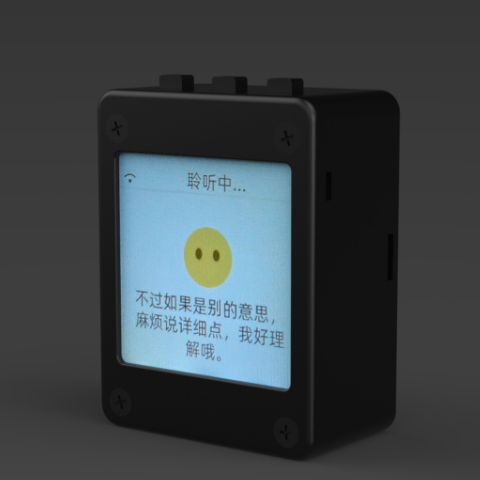
xiaozhi-esp32
78·C++
基于 MCP 协议、跑在 ESP32 上的聊天机器人固件,让单片机也能接入大模型对话与工具调用。
聊天机器人+4IoT / 固件进阶
33009+1677.8kv2.5.22026-11-07 04:14 UTC
DeepSpeech
mozilla·C++
DeepSpeech is an open source embedded (offline, on-device) speech-to-text engine which can run in real time on devices ranging from a Raspberry Pi 4 to high power GPU servers.
IoT / 固件
267724.1k2025-06-19 12:52 UTC
Tasmota
arendst·C
给 ESP8266/ESP32 设备刷的替代固件,通过网页配置、OTA 升级和定时/规则自动化,用 MQTT、HTTP、串口或 KNX 实现完全本地控制。
ESP32+4IoT / 固件进阶
24977+75.2kv16.0.02026-11-10 16:33 UTC