需先 ade login 或设置 ADE_API_KEY 才能调用 parse/extract;CI、cron 或 agent 环境中 ade 可能不在 PATH,需用 ~/.ade/bin/ade 绝对路径;卸载时不要删除整个 ~/.ade,否则会丢掉已消耗额度的结果。
ade-cli
landing-aiApache-2.0活跃维护LandingAI 官方命令行工具,在终端里解析 PDF 等文档,并按自定义 schema 抽取结构化数据,省去写代码调接口的麻烦。
The official CLI for Agentic Document Extraction (ADE) by LandingAI — parse documents and extract schema-shaped data from your terminal
v1.0.5发布于 2026-08-07 04:01 UTC2,424star257fork同步于 2026-11-10 11:44 UTC
curl -fsSL https://raw.githubusercontent.com/landing-ai/ade-cli/main/scripts/install.sh | sh
ade login
ade parse -d invoice.pdf 硬件要求按 README 说明
README 未说明;解析与抽取在云端完成,本地只需能运行自包含二进制,无需 Python 或 uv。
LandingAI 官方 ADE 命令行工具,在终端把文档解析成 Markdown 并按 schema 抽取字段
LandingAI 官方命令行工具,在终端里解析 PDF 等文档,并按自定义 schema 抽取结构化数据,省去写代码调接口的麻烦。
核心能力
- 用 ade parse 把含表格图表的文档转成带 grounding 的 Markdown 与元素
- 用 ade extract 按 schema 抽取字段并给出页码与框选证据
- 结果存本地 ~/.ade,重复执行相同命令不消耗额度
- ade find 与 ade crop 在本地检索元素并导出区域 PNG
- 所有命令支持 --json 输出稳定结构,便于脚本与 agent 调用
容易踩的坑
内容由模型根据 README 生成,可能不完整或不准确,以官方文档为准。看原文 README
- v1.0.5最新正式版2026-08-07 · 2026-08-07 04:01 UTC
What's Changed
- feat: organization selection for browser OAuth logins via x-org-id (ADR-0009) by @yuanwen-tian in https://github.com/landing-ai/ade-cli/pull/183
- chore: bump version to 1.0.5 by @yuanwen-tian in https://github.com/landing-ai/ade-cli/pull/184
Full Changelog: https://github.com/landing-ai/ade-cli/compare/v1.0.4...v1.0.5
- v1.0.42026-08-06 · 2026-08-06 07:11 UTC
查看更新说明
What's Changed
- feat: live production integration suite gates the release (macOS + Windows) by @yuanwen-tian in https://github.com/landing-ai/ade-cli/pull/176
- fix: auto-download URL-sourced documents on view/crop with notice and progress by @yuanwen-tian in https://github.com/landing-ai/ade-cli/pull/177
- chore: bump version to 1.0.4 by @yuanwen-tian in https://github.com/landing-ai/ade-cli/pull/179
Full Changelog: https://github.com/landing-ai/ade-cli/compare/v1.0.3...v1.0.4
- v1.0.32026-08-05 · 2026-08-05 08:54 UTC
查看更新说明
What's Changed
- fix: v1.0.2 QA sweep — pending item id, Windows piped login, URL preview messaging, extract hint, WinError 87, path backslashes by @yuanwen-tian in https://github.com/landing-ai/ade-cli/pull/173
- chore: bump version to 1.0.3 by @yuanwen-tian in https://github.com/landing-ai/ade-cli/pull/174
Full Changelog: https://github.com/landing-ai/ade-cli/compare/v1.0.2...v1.0.3
- v1.0.22026-08-04 · 2026-08-04 08:28 UTC
查看更新说明
What's Changed
- fix: Windows hardening — history clear lock unlink, UTF-8 stdio, atomic-write retry by @yuanwen-tian in https://github.com/landing-ai/ade-cli/pull/163
- fix: QA bug sweep — run/job rename, empty-schema gate, --json on Click errors, crop fixes, stale marking by @yuanwen-tian in https://github.com/landing-ai/ade-cli/pull/159
- chore: bump version to 1.0.2 by @yuanwen-tian in https://github.com/landing-ai/ade-cli/pull/164
Full Changelog: https://github.com/landing-ai/ade-cli/compare/v1.0.1...v1.0.2
- v1.0.12026-08-03 · 2026-08-03 08:46 UTC
查看更新说明
What's Changed
- fix: render nullable union types in the viewer schema panel by @yuanwen-tian in https://github.com/landing-ai/ade-cli/pull/146
- fix: extract --schema parses long inline JSON instead of crashing with OSError by @yuanwen-tian in https://github.com/landing-ai/ade-cli/pull/147
- feat: make browser OAuth a default login method (delete the ADE_OAUTH gate) by @yuanwen-tian in https://github.com/landing-ai/ade-cli/pull/151
- fix: keep every history list column on-screen (wide-schema params blowup) by @yuanwen-tian in https://github.com/landing-ai/ade-cli/pull/148
- feat: ade update — self-update command, periodic update nudge, unknown-model hint by @yuanwen-tian in https://github.com/landing-ai/ade-cli/pull/149
- chore: bump version to 1.0.1 by @yuanwen-tian in https://github.com/landing-ai/ade-cli/pull/152
New Contributors
- @yuanwen-tian made their first contribution in https://github.com/landing-ai/ade-cli/pull/146
Full Changelog: https://github.com/landing-ai/ade-cli/compare/v1.0.0...v1.0.1
用户点评
登录用户的真实使用记录,可按版本和硬件筛选共 0 条
还没有人点评。第一个说出真实体验的人最有价值。
ade-cli


Agentic Document Extraction (ADE), from your terminal. Run ade parse to
turn documents with tables, figures, and charts into grounded Markdown and
elements, and ade extract to pull schema-shaped fields with page-and-box
evidence. Both save to a local store at ~/.ade, so re-running an identical
command consumes no credits.
CLI documentation · Playground · Get an API key
Install
Each release ships self-contained binaries for macOS, Linux, and Windows
(arm64 and x86_64). No Python or uv needed.
macOS / Linux
curl -fsSL https://raw.githubusercontent.com/landing-ai/ade-cli/main/scripts/install.sh | sh
Windows (PowerShell)
irm https://raw.githubusercontent.com/landing-ai/ade-cli/main/scripts/install.ps1 | iex
Windows (CMD)
curl -fsSL https://raw.githubusercontent.com/landing-ai/ade-cli/main/scripts/install.cmd -o install.cmd && install.cmd && del install.cmd
To develop or install from source, see CONTRIBUTING.md.
First run
Log in once per machine, parse a document, then extract the fields you want
from it. The parse summary prints the job item ID that extract takes.
ade login
ade parse -d invoice.pdf
ade extract JOB_ITEM_ID --schema schema.json
The CLI Quickstart walks through the same three steps with a sample document and a sample schema, and ends in the viewer that shows where each extracted value came from.
Commands
Every command takes --json for one stable JSON object on stdout. Run
ade help COMMAND for its flags and result shape, or see the
CLI Reference.
| command | what it does |
|---|---|
ade parse | Parse a document into Markdown, elements, and grounding |
ade extract | Pull schema-shaped fields from a parse, with per-field evidence |
ade find | Search a parse's elements locally, with no API call |
ade crop | Save an element's region of the page as a PNG |
ade view | Build and open a self-contained HTML viewer for a job item |
ade history list | List stored job items, newest first |
ade history clear | Delete stored job items |
ade login / ade auth login | Log in with your browser or an API key |
ade auth status | Show how you are authenticated and where |
ade auth org list / switch / clear | Choose which organization your runs act in |
ade logout / ade auth logout | Log out of one environment, or all of them |
ade version | Print the version and install mode |
ade update | Self-update to the latest release |
ade help | Print the whole command surface, including --json result shapes |
The documentation covers what these tables cannot: how job items work and why re-runs are free (CLI Concepts), parsing and extraction in depth, searching and cropping evidence, authentication and organizations, and scripting the CLI.
For agents
Agents are first-class callers. Running ade help --json returns the entire
shipped surface in one call: every command, flag, result shape, topic, exit
state, and the store layout. Every command then takes --json and emits one
stable object whose shape is published per verb, and the full result is always
on stdout rather than only in a store file.
SKILL.md ships the agent contract: the loop, the conventions, and
the sharp edges.
A process that is already running keeps the environment it started with, so
ade may not be on the PATH inside CI, cron, or an agent harness. Call the
absolute path instead: ~/.ade/bin/ade on macOS and Linux, or
%USERPROFILE%\.ade\bin\ade.exe on Windows. For credentials, set
ADE_API_KEY.
Managing your install
| macOS and Linux | Windows | |
|---|---|---|
| App | ~/.ade/bin/ade | %USERPROFILE%\.ade\bin\ade.exe |
| Store | ~/.ade | %USERPROFILE%\.ade |
| Reaches your PATH via | a symlink in ~/.local/bin | a user PATH entry |
Set ADE_HOME to move the app and the store, ADE_CLI_VERSION to pin a
version, and ADE_CLI_INSTALL_DIR to change the destination.
Run ade update to self-update, with --yes to skip the confirmation. For a
uv or pipx install it points at uv tool upgrade ade-cli instead. The CLI
mentions new releases on stderr once a day. Set ADE_NO_UPDATE_CHECK=1 to turn
that off.
To uninstall, remove the app directory, and on macOS and Linux the
~/.local/bin/ade symlink too. Never delete all of .ade: the rest of that
directory holds results that already consumed credits.
Project history
This repository was agentic-doc, the original Agentic Document Extraction
SDK. That SDK is preserved unchanged, and no longer developed, on the
legacy branch. Since
2026-07-31 this repository ships the ADE CLI.
License
PaddleOCR
PaddlePaddle·Python
轻量级 OCR 工具包,能把图片和 PDF 转成结构化数据,支持 100 多种语言,方便接入 LLM 和 RAG 流程。
OCR+4文档解析 / OCR
92516+13012kv3.7.02026-09-16 03:31 UTC

MinerU
opendatalab·Python
把 PDF、Office 等复杂文档转成 LLM 可直接用的 Markdown/JSON,内置版面分析和 OCR,专为 RAG 与 Agent 工作流准备语料。
文档解析+4文档解析 / OCR
83425+1706.9kmineru-4.1.7-released2026-11-10 11:15 UTC
tesseract
tesseract-ocr·C++
老牌开源 OCR 引擎,用 LSTM 识别图片中的文字,支持上百种语言,适合做文档扫描和文本提取。
OCR引擎+4文档解析 / OCR
77437+3811k5.5.42026-11-09 11:40 UTC
docling
docling-project·Python
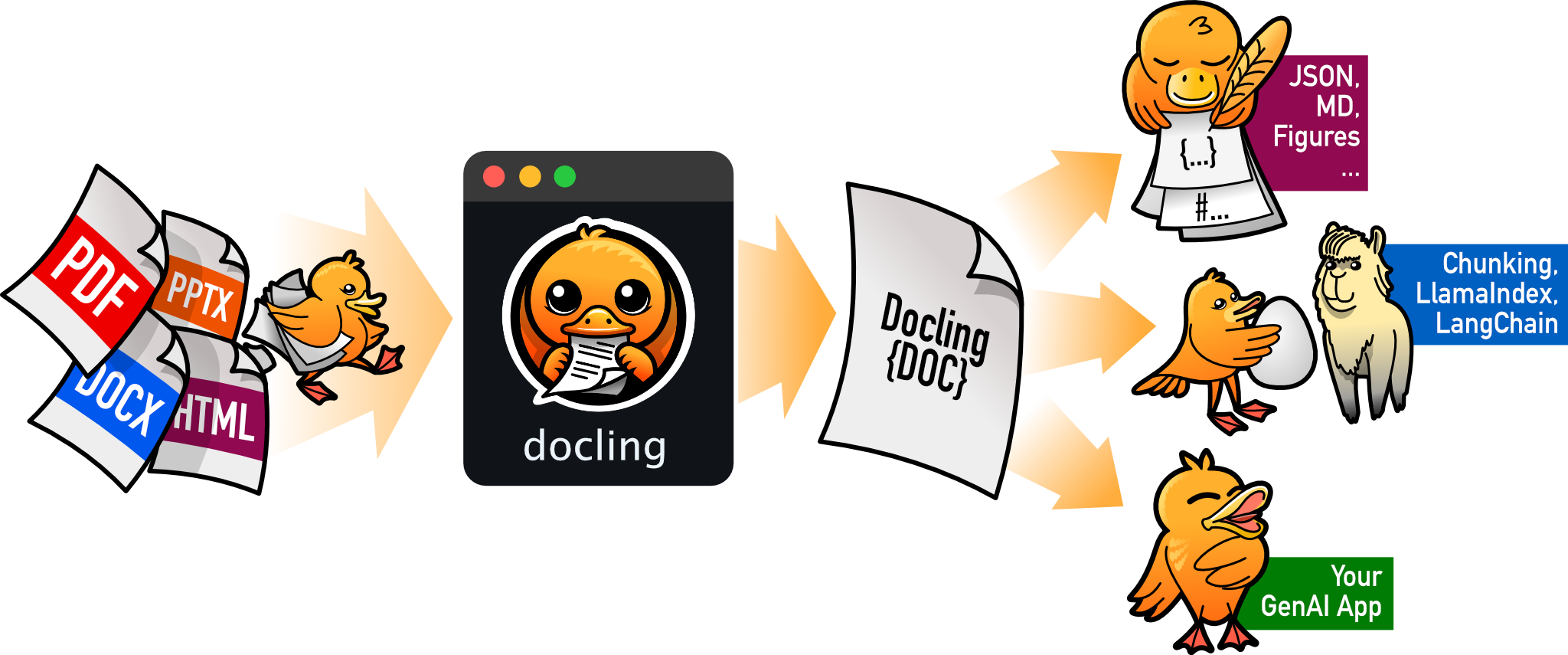
把 PDF、DOCX、HTML 等文档解析成结构化 Markdown 或 JSON,方便喂给大模型和 RAG 流程。
文档解析+4文档解析 / OCR
70364+1245.3kv2.149.02026-11-10 07:57 UTC