DeepL 和 Yandex 自 1.1.0 起改用官方 API,必须自行申请并填入 API key,只有 Google 免配置可用;EasyOCR 首次使用需下载模型包,下载失败可挂 VPN 重试;游戏需用无边框或窗口模式,全屏模式下翻译浮层无法正常显示。
Translumo
ramjkeApache-2.0活跃维护实时屏幕翻译工具,能识别游戏画面、视频硬字幕和静态文本中的文字并即时翻译,适合玩外语游戏或看无字幕视频时使用。
Advanced real-time screen translator for games, hardcoded subtitles in videos, static text and etc.
v.1.1.0发布于 2026-09-22 08:15 UTC5,912star +7 / 7 天368fork同步于 2026-11-10 17:36 UTC
下载 Translumo_1.1.0.zip 解压后运行 Translumo.exe 硬件要求按 README 说明
Windows OCR 需 Windows 10 2004(build 19041)及以上或 Windows 11、DirectX 11 兼容 GPU、2 GB 内存;EasyOCR 需支持 CUDA 11.8 的 NVIDIA GPU(GTX 750、8xxM、9xx 系列或更新)、8 GB 内存、至少 5 GB 空闲存储。
需要 CUDA
实时屏幕翻译工具,专为游戏硬字幕和静态文本设计,框选区域即可翻译
实时屏幕翻译工具,能识别游戏画面、视频硬字幕和静态文本中的文字并即时翻译,适合玩外语游戏或看无字幕视频时使用。
核心能力
- 同时运行多个 OCR 引擎,用机器学习模型打分选最优结果
- 集成 Windows OCR 与 EasyOCR 两种识别引擎
- 支持 Google、DeepL、Yandex 三种翻译服务
- 用 Alt+Q 框选屏幕区域,按 ~ 键启动实时翻译
- 识别语言覆盖英俄日简中韩,翻译语言支持三十余种
容易踩的坑
内容由模型根据 README 生成,可能不完整或不准确,以官方文档为准。看原文 README
- v.1.1.0Translumo v1.1.0最新正式版2026-09-22 · 2026-09-22 08:15 UTC
All three translators broke this year, each in its own way. Google moved its endpoint and started answering 404. DeepL went behind Cloudflare. Yandex now shows a captcha instead of the page. This release fixes Google, moves DeepL and Yandex onto their official APIs, and drops the engines that had no working path left.
EasyOCR was also killing the whole app on .NET 8. That one is fixed too.
DeepL and Yandex need an API key now
There is no way around this. The old endpoints are closed, so both translators go through the official API, and that means a key.
DeepL. Grab a free key at deepl.com/pro-api, which gives you 500,000 characters a month, and paste it into Languages → DeepL API key. Paid keys work as well. Translumo picks the right endpoint on its own.
Yandex. In the Yandex Cloud console, create an API key for a service account with the
ai.translate.userrole, then paste it into Languages → Yandex API key.The key field only appears once you select that translator, so it stays out of the way the rest of the time.
Google Translate still needs no setup at all, and it is now the default on a fresh install.
One side effect worth mentioning: the browser window that used to ask you to pass a Yandex captcha is gone. Nothing scrapes the website anymore.
EasyOCR no longer takes the app down with it
Switching EasyOCR off, or changing the recognition language while it was running, killed Translumo instantly. The embedded Python interpreter was being shut down in a way .NET 8 refuses to allow. You can now toggle it as often as you want.
The interface follows your Windows theme
Translumo reads your light/dark setting and matches it. Change the theme while the app is open and it switches straight away.
The side navigation needed the work anyway. Some of it was white text on a light background, which was close to unreadable.
Controls across the settings window also got evened out: same heights, same corner radius, same spacing. The oversized number spinners are gone, replaced by a normal compact input you can type into.
Interface language is picked automatically
On a fresh install Translumo now takes the interface language from your Windows locale instead of always starting in English. Switching it by hand was broken too, and silently did nothing in some cases. Both fixed.
Settings save as you change them
Until now settings were only written when the app closed cleanly. Crash, or kill it from Task Manager, and everything you changed that session was gone. Not anymore.
Errors show up instead of closing the app
An unexpected error used to terminate Translumo, leaving nothing but a line in the log. Now you get a message telling you what went wrong and the app keeps running.
You can translate with the settings window open
The settings window no longer blocks translation, and opening it no longer stops a translation that is already running.
Papago, Tesseract and the proxy list are gone
Papago's endpoint returns 404, and its official API needs a paid Naver Cloud account for a short list of languages Google already handles.
Tesseract lost to WindowsOCR on every text we tried, and dropping it makes the download smaller.
Proxies existed to spread requests across the unofficial endpoints. With API keys they have nothing left to do.
If your settings still point at Papago or Tesseract, they get migrated on first launch and the rest of your settings stay as they were.
New Contributors
- @lucifdch made their first contribution in https://github.com/ramjke/Translumo/pull/242
- @thanhkeke97 made their first contribution in https://github.com/ramjke/Translumo/pull/236
- @no1d made their first contribution in https://github.com/ramjke/Translumo/pull/295
- @Koonnti made their first contribution in https://github.com/ramjke/Translumo/p
- v.1.0.2Translumo v1.0.22025-09-15 · 2025-09-15 08:34 UTC
查看更新说明
This release improves error reporting so you can understand why an issue occurs and what to do next.
- Show an error on startup if the Translumo folder path contains non-Latin characters.
- Display more detailed translator errors with recommendations (e.g., switch translator, use a proxy, or change VPN location).
Full Changelog: https://github.com/ramjke/Translumo/compare/v.1.0.1...v.1.0.2
- v.1.0.1Translumo v1.0.12025-09-14 · 2025-09-14 05:12 UTC
查看更新说明
The new release adds support for additional translation languages, improves the translation window UI, and fixes an issue affecting streamers after v1.0.0.
New translation languages
- Bulgarian
- Czech
- Danish
- Estonian
- Finnish
- Hungarian
- Lithuanian
- Latvian
- Dutch
- Romanian
- Slovak
- Slovenian
- Swedish
- Ukrainian
Also, Arabic is now supported for DeepL translation engine.
Added Exclude from Capture toggle
For streamers: you can now untoggle Exclude from Capture in the Translumo settings. Disabling this option allows the translation window to appear inside screen recording programs, such as OBS or Virtual Desktop Streamer App.
UI improvements
- Added text padding for a cleaner and more readable translation window.
- Overlay selection is now more noticeable.
Full Changelog: https://github.com/ramjke/Translumo/compare/v.1.0.0...v.1.0.1
- v.1.0.0Translumo v1.0.02025-09-13 · 2025-09-13 05:30 UTC
查看更新说明
Finally! Translumo 1.0.0
This update opens a new stage in Translumo’s development.
Translumo has a new maintainer now. Most errors have been fixed, new languages you requested have been added, Translumo is now antivirus-friendly, and it no longer requires admin rights to work. Most excitingly, you can now safely overlap the selected area with the translation window with no issues.New Project Maintainer
The maintainer of Translumo is now @ramjke. The previous maintainer, @Danily07, gave me full repository rights, and I’ll do my best to make Translumo great again.
I already have extensive experience developing an on-screen dictionary and translator called Lookupper, and I have many solutions I want to bring into Translumo. It should be mentioned that Lookupper is my commercial closed-source project, so I included a link to it in Translumo. You can support me by buying Lookupper Pro, which allows me to keep Translumo free for everyone.New Text Replacement Feature
When the Exclude from Capture option is enabled in Settings, you can place the translation window directly over the selection area without causing unexpected symbols in the translation output. This is because the Translumo OCR engine will ignore the content of the translation window.
Made Antivirus-Friendly
Borrowing from Lookupper, I integrated a system in Translumo to handle OCR and TTS language capabilities. With this system, you no longer need to run Translumo as admin to install new language capabilities. This also allowed us to remove the Microsoft.PowerShell.SDK dependency, which not only slightly decreases the file size but also makes all antiviruses happy.
No More Annoying Taskbar Icon Jumping
There is no taskbar icon for the Translumo translation window anymore. No icon—nothing will jump.
New Translation Languages
- Belarusian
- Indonesian by @glavenusio in PR #180
- Persian (فارسی) by @MjavadH in PR #141
- Polish by @MixeroTN in PR #131
Improved Material Design Controls
The user interface and controls have been made more intuitive, following Material Design guidelines.
Text-to-Speech (TTS) is No Longer Experimental
TTS is now tested and officially released. I also sped it up, so it will no longer be annoyingly slow like before.
Easy to Fork and Contribute
Translumo’s code is now very easy to work with and build thanks to the new
binaries_extract.bat. Moreover,components.zipis now friendly for case-sensitive filesystems.New Contributors
- @glavenusio — PR #180
- @MjavadH — PR #141
- @MixeroTN — PR #131
- @Irvingouj — PR #153
- @QvixoteRoux — PR #152
- @ramjke — PR #225
Full Changelog: v0.9.6 → v1.0.0
- v.0.9.6Translumo v0.9.62024-02-20 · 2024-02-20 20:22 UTC
查看更新说明
The update deliveries hotfix for critical text detection error, which occurred in case of recent installation of EasyOCR module. If you have encountered with the issue, please download full version for installation from scratch.
Changelog (en)
- Fixed EasyOCR text detection error / #97
- Added Greek and Portuguese (Brazilian) translation languages / #95 #87
Обновление содержит хотфикс ошибки "Text detection is failed (EasyOCR)", которая возникает, если пользователь устанавливал EasyOCR модуль недавно. Если вы столкнулись с проблемой на прошлой версии, используйте полный архив с приложением для установки с нуля.
Changelog (ru)
- Исправлена ошибка распознавания текста c EasyOCR / #97
- Добавлены Греческий и Португальский (Бразильский) языки перевода / #95 #87
用户点评
登录用户的真实使用记录,可按版本和硬件筛选共 0 条
还没有人点评。第一个说出真实体验的人最有价值。


Sibling Project
This project has a sibling called Lookupper — a screen dictionary for language learning. It is similar to Translumo but built for a different purpose. Lookupper is built to help you learn a language, not just depend on a translator forever.
Lookupper is commercial project with a free version. If you find it useful and decide to grab the Pro version, you'll also be supporting the development of both Lookupper and Translumo.
Download Translumo
Direct download link to the latest version:
Translumo_1.1.0.zip
After downloading, unzip the archive and run Translumo.exe.
Version 1.1.0 moves DeepL and Yandex onto their official APIs, so both now need an API key. Google Translate still works with no setup. The full list of changes is on the Releases page.
Main Features
-
High text recognition precision
Translumo allows combining multiple OCR engines simultaneously. It uses a machine learning model to score each OCR result and selects the best one. -
Game oriented
Designed for real-time translation in PC games, but works anywhere on the screen with any application. -
Low latency
Several optimizations reduce system impact and minimize latency between text appearance and translation. -
Integrated modern OCR engines: Windows OCR (recommended), EasyOCR
-
Available translators: Google Translate (works out of the box), DeepL (needs a free API key), Yandex Translate (needs a Yandex Cloud API key).
-
Supported recognition languages: English, Russian, Japanese, Chinese (Simplified), Korean.
-
Supported translation languages: English, Russian, Japanese, Chinese (Simplified), Korean, French, Spanish, German, Portuguese, Italian, Vietnamese, Thai, Turkish, Arabic, Greek, Brazilian Portuguese, Polish, Belarusian, Persian, Indonesian, Bulgarian, Czech, Danish, Estonian, Finnish, Hungarian, Lithuanian, Latvian, Dutch, Romanian, Slovak, Slovenian, Swedish, Ukrainian.
System Requirements
Minimal requirements to use Windows OCR
- Windows 10 version 2004 (build 19041) or later, or Windows 11
- DirectX 11 compatible GPU
- 2 GB RAM
Minimal requirements to use EasyOCR
- NVIDIA GPU with CUDA SDK 11.8 support (GTX 750, 8xxM, 9xx series or newer)
- 8 GB RAM
- At least 5 GB of free storage space
How to Use

- Open the Settings (Alt+G)
- Select languages: source language for OCR and translation language
- Select text recognition engines (see Usage Tips for recommended modes)
- Define the capture area: press Alt+Q and select an area on the screen
- Run translation (press ~)
Which OCR Engine to Use
WindowsOCR is fast, and for most text it is all you need.
EasyOCR is worth turning on when the text uses an unusual font or sits on a busy background — it copes with that noticeably better. In exchange it is slower and needs an Nvidia GPU.
Select Minimum Capture Area
Reducing the capture area decreases the chance of picking up random letters from the background. Larger frames take longer to process.
Set Up the DeepL API Key
DeepL works through its official API, so it needs a key. Create one for free at deepl.com/pro-api — the free plan covers 500,000 characters per month — then paste it into Languages -> DeepL API key. The field only appears when DeepL is selected as the translator. Both free and paid keys work; Translumo picks the right endpoint automatically.
Set Up the Yandex API Key
Yandex Translate also works through its official API. Create an API key in the Yandex Cloud console for a service account with the ai.translate.user role, then paste it into Languages -> Yandex API key. The field only appears when Yandex is selected as the translator.
Use Borderless or Windowed Modes in Games (Not Fullscreen)
These modes are required for correct translation overlay display. If your game does not support them, use tools like Borderless Gaming.
FAQ
Q: I get "Failed to capture screen" or nothing happens after translation starts
A: Ensure the target window is active. Restart Translumo or reopen the target window if needed.
Q: Borderless/windowed mode is set, but the translation window is under the game
A: With the game running and focused, press the hotkey (Alt+T by default) to hide and show the translation window.
Q: EasyOCR package download failed
A: Try reinstalling while connected to a VPN.
Q: DeepL does not translate
A: Check the API key in Languages -> DeepL API key. "The API key was rejected" means the key is wrong or expired; "translation quota exceeded" means the monthly character limit for that key is used up.
Q: Yandex does not translate
A: Check the API key in Languages -> Yandex API key. "The API key was rejected" means the key is wrong; "no access to the translate service" means the service account is missing the ai.translate.user role.
Q: Hotkeys don't work
A: Other applications may be intercepting hotkeys.
Build
Visual Studio 2022 and .NET 8 SDK are required.
-
Clone the repository (the master branch always corresponds to the latest release):
git clone https://github.com/ramjke/Translumo.git
Note: During the build, binaries_extract.bat will automatically download and extract models and Python binaries (~400 MB) to the target output directory.
Credits
Alternative Solutions
- Lookupper — on-screen dictionary and translator for language learning.
- ScreTran — simple screen translator.
- ScreenTranslator - screen capture, OCR and translation tool.
PaddleOCR
PaddlePaddle·Python
轻量级 OCR 工具包,能把图片和 PDF 转成结构化数据,支持 100 多种语言,方便接入 LLM 和 RAG 流程。
OCR+4文档解析 / OCR
92532+14612kv3.7.02026-09-16 03:31 UTC

MinerU
opendatalab·Python
把 PDF、Office 等复杂文档转成 LLM 可直接用的 Markdown/JSON,内置版面分析和 OCR,专为 RAG 与 Agent 工作流准备语料。
文档解析+4文档解析 / OCR
83449+1946.9kmineru-4.1.7-released2026-11-10 17:04 UTC
tesseract
tesseract-ocr·C++
老牌开源 OCR 引擎,用 LSTM 识别图片中的文字,支持上百种语言,适合做文档扫描和文本提取。
OCR引擎+4文档解析 / OCR
77445+4611k5.5.42026-11-09 11:40 UTC
docling
docling-project·Python
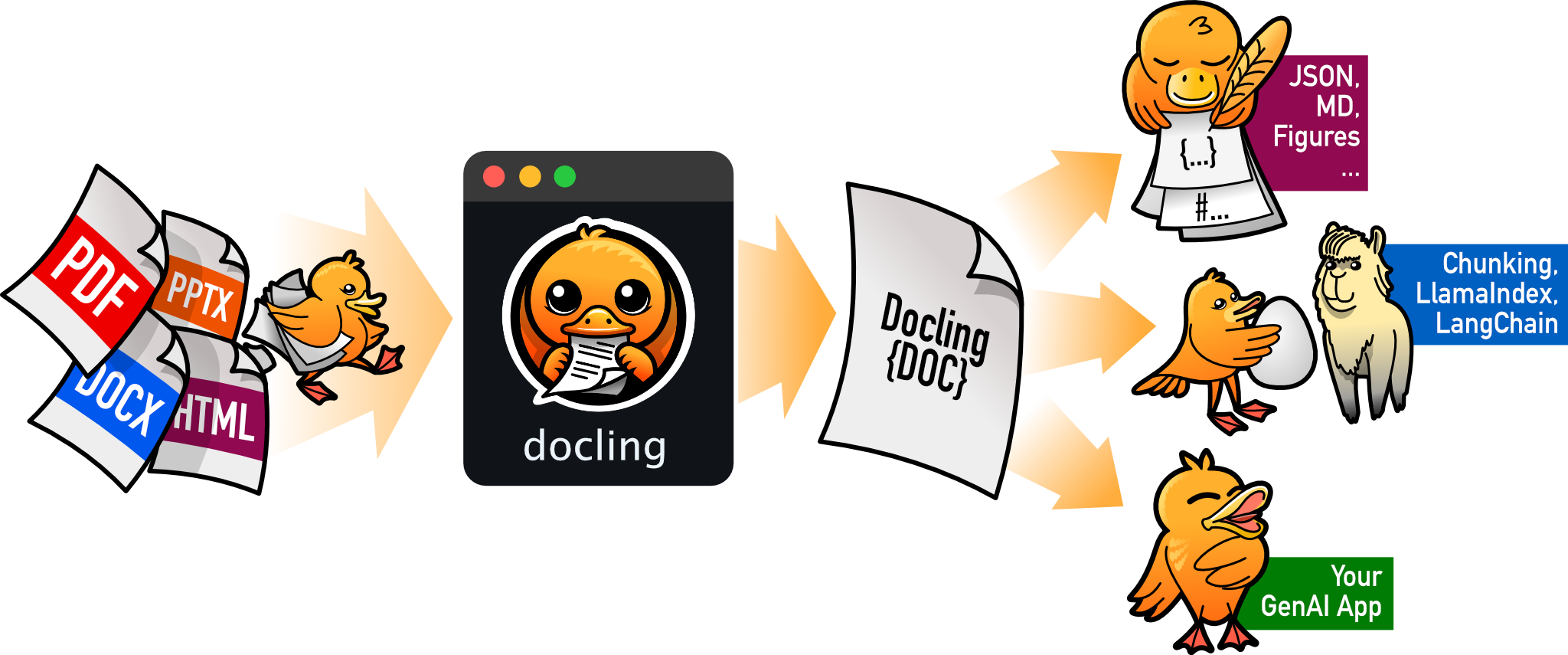
把 PDF、DOCX、HTML 等文档解析成结构化 Markdown 或 JSON,方便喂给大模型和 RAG 流程。
文档解析+4文档解析 / OCR
70385+1455.3kv2.149.02026-11-10 16:54 UTC