DOCX、XLSX、PPTX 和图片格式需要先经 LibreOffice 或 Rust 图像库转换,环境依赖要提前装好;Markdown 重建是纯启发式规则,密集表格、多栏和扫描件效果有限,官方建议这类文档改用 LlamaParse;提取内嵌图片需显式加 --extract-images,--image-output-dir 依赖它才生效。
liteparse
run-llamaApache-2.0活跃维护用 Rust 写的高性能开源文档解析器,能从 PDF 等文档中快速提取文本和 OCR 识别结果,适合给 RAG 和检索流程做预处理。
A fast, helpful, and open-source document parser
wasm-v2.18.0发布于 2026-11-04 04:07 UTC13,028star +20 / 7 天898fork同步于 2026-11-10 23:29 UTC
pip install liteparse
lit parse document.pdf --format markdown -o output.md 硬件要求按 README 说明
README 未说明显存要求;核心解析不依赖 ML 模型、LLM 或 GPU,可在本地 CPU 运行;支持 Linux、macOS(Intel/ARM)、Windows。
纯 CPU 可运行支持 Apple Silicon
本地跑的轻量 PDF 解析器,快速抽取带坐标的文本并输出 Markdown 或 JSON
用 Rust 写的高性能开源文档解析器,能从 PDF 等文档中快速提取文本和 OCR 识别结果,适合给 RAG 和检索流程做预处理。
核心能力
- 用 PDFium 做空间文本解析,每页约 2-5ms
- 内置 Tesseract OCR,也可接入 EasyOCR、PaddleOCR 等 HTTP OCR 服务
- 输出 Markdown、JSON、纯文本,并保留文本包围盒
- 提供复杂度检测,先判断文档是否需要 OCR 或更重的解析
- Python 和 Node.js 支持 worker 池并行解析,并设置单次解析超时
容易踩的坑
内容由模型根据 README 生成,可能不完整或不准确,以官方文档为准。看原文 README
- node-v2.18.0Node.js v2.18.02026-11-04 · 2026-11-04 04:24 UTC
查看更新说明
What's Changed
- Resolve open Dependabot alerts (restore patched lockfiles) by @logan-markewich in https://github.com/run-llama/liteparse/pull/527
- fix: improve garble, deskew, math detection by @logan-markewich in https://github.com/run-llama/liteparse/pull/537
- Add opt-in per-glyph advance widths to raw text items by @SebasGarcia08 in https://github.com/run-llama/liteparse/pull/532
- fix(ocr): stop dropping figure OCR text as chart-like by @logan-markewich in https://github.com/run-llama/liteparse/pull/539
- fix: prefer unified ideographs over CJK radicals in reverse cmap by @jaeminbird in https://github.com/run-llama/liteparse/pull/530
- fix(markdown): keep the text table runs drop from their span by @CeamKrier in https://github.com/run-llama/liteparse/pull/531
- chore(deps): bump pypdf from 6.21.2 to 6.21.4 in /dataset_eval_utils by @dependabot[bot] in https://github.com/run-llama/liteparse/pull/540
New Contributors
- @SebasGarcia08 made their first contribution in https://github.com/run-llama/liteparse/pull/532
- @jaeminbird made their first contribution in https://github.com/run-llama/liteparse/pull/530
- @CeamKrier made their first contribution in https://github.com/run-llama/liteparse/pull/531
Full Changelog: https://github.com/run-llama/liteparse/compare/crates-v2.17.0...node-v2.18.0
- python-v2.18.0Python v2.18.02026-11-04 · 2026-11-04 04:24 UTC
查看更新说明
What's Changed
- Resolve open Dependabot alerts (restore patched lockfiles) by @logan-markewich in https://github.com/run-llama/liteparse/pull/527
- fix: improve garble, deskew, math detection by @logan-markewich in https://github.com/run-llama/liteparse/pull/537
- Add opt-in per-glyph advance widths to raw text items by @SebasGarcia08 in https://github.com/run-llama/liteparse/pull/532
- fix(ocr): stop dropping figure OCR text as chart-like by @logan-markewich in https://github.com/run-llama/liteparse/pull/539
- fix: prefer unified ideographs over CJK radicals in reverse cmap by @jaeminbird in https://github.com/run-llama/liteparse/pull/530
- fix(markdown): keep the text table runs drop from their span by @CeamKrier in https://github.com/run-llama/liteparse/pull/531
- chore(deps): bump pypdf from 6.21.2 to 6.21.4 in /dataset_eval_utils by @dependabot[bot] in https://github.com/run-llama/liteparse/pull/540
New Contributors
- @SebasGarcia08 made their first contribution in https://github.com/run-llama/liteparse/pull/532
- @jaeminbird made their first contribution in https://github.com/run-llama/liteparse/pull/530
- @CeamKrier made their first contribution in https://github.com/run-llama/liteparse/pull/531
Full Changelog: https://github.com/run-llama/liteparse/compare/crates-v2.17.0...python-v2.18.0
- crates-v2.18.0Crates & CLI v2.18.02026-11-04 · 2026-11-04 04:19 UTC
查看更新说明
What's Changed
- Resolve open Dependabot alerts (restore patched lockfiles) by @logan-markewich in https://github.com/run-llama/liteparse/pull/527
- fix: improve garble, deskew, math detection by @logan-markewich in https://github.com/run-llama/liteparse/pull/537
- Add opt-in per-glyph advance widths to raw text items by @SebasGarcia08 in https://github.com/run-llama/liteparse/pull/532
- fix(ocr): stop dropping figure OCR text as chart-like by @logan-markewich in https://github.com/run-llama/liteparse/pull/539
- fix: prefer unified ideographs over CJK radicals in reverse cmap by @jaeminbird in https://github.com/run-llama/liteparse/pull/530
- fix(markdown): keep the text table runs drop from their span by @CeamKrier in https://github.com/run-llama/liteparse/pull/531
- chore(deps): bump pypdf from 6.21.2 to 6.21.4 in /dataset_eval_utils by @dependabot[bot] in https://github.com/run-llama/liteparse/pull/540
New Contributors
- @SebasGarcia08 made their first contribution in https://github.com/run-llama/liteparse/pull/532
- @jaeminbird made their first contribution in https://github.com/run-llama/liteparse/pull/530
- @CeamKrier made their first contribution in https://github.com/run-llama/liteparse/pull/531
Full Changelog: https://github.com/run-llama/liteparse/compare/crates-v2.17.0...crates-v2.18.0
- wasm-v2.18.0WASM v2.18.0最新正式版2026-11-04 · 2026-11-04 04:07 UTC
What's Changed
- Resolve open Dependabot alerts (restore patched lockfiles) by @logan-markewich in https://github.com/run-llama/liteparse/pull/527
- fix: improve garble, deskew, math detection by @logan-markewich in https://github.com/run-llama/liteparse/pull/537
- Add opt-in per-glyph advance widths to raw text items by @SebasGarcia08 in https://github.com/run-llama/liteparse/pull/532
- fix(ocr): stop dropping figure OCR text as chart-like by @logan-markewich in https://github.com/run-llama/liteparse/pull/539
- fix: prefer unified ideographs over CJK radicals in reverse cmap by @jaeminbird in https://github.com/run-llama/liteparse/pull/530
- fix(markdown): keep the text table runs drop from their span by @CeamKrier in https://github.com/run-llama/liteparse/pull/531
- chore(deps): bump pypdf from 6.21.2 to 6.21.4 in /dataset_eval_utils by @dependabot[bot] in https://github.com/run-llama/liteparse/pull/540
New Contributors
- @SebasGarcia08 made their first contribution in https://github.com/run-llama/liteparse/pull/532
- @jaeminbird made their first contribution in https://github.com/run-llama/liteparse/pull/530
- @CeamKrier made their first contribution in https://github.com/run-llama/liteparse/pull/531
Full Changelog: https://github.com/run-llama/liteparse/compare/crates-v2.17.0...wasm-v2.18.0
- wasm-v2.17.0WASM v2.17.02026-10-22 · 2026-10-22 22:25 UTC
查看更新说明
What's Changed
- chore(deps): bump lopdf from 0.38.0 to 0.42.0 by @dependabot[bot] in https://github.com/run-llama/liteparse/pull/515
- fix: improve rendering for forms nesting by @logan-markewich in https://github.com/run-llama/liteparse/pull/517
- fix: pair two-level borderless headers and keep wrapped row labels by @moah0911 in https://github.com/run-llama/liteparse/pull/490
- feat(ocr): add Indra OCR server (ocr/indraocr) by @gun29may in https://github.com/run-llama/liteparse/pull/508
- fix: split a text run on a backward jump even when the run is short by @cestercian in https://github.com/run-llama/liteparse/pull/506
- Table extraction fixes + faster figure clustering by @apeshimam-hebbia in https://github.com/run-llama/liteparse/pull/507
- Don't end ruled tables at a lone mid-table note row by @logan-markewich in https://github.com/run-llama/liteparse/pull/518
- fix(markdown): stop dropping text the text output keeps by @mkh09353 in https://github.com/run-llama/liteparse/pull/509
- fix(node): batch-parse output collisions, unsupported extensions, --version by @OsamaAnsar in https://github.com/run-llama/liteparse/pull/514
New Contributors
- @gun29may made their first contribution in https://github.com/run-llama/liteparse/pull/508
- @cestercian made their first contribution in https://github.com/run-llama/liteparse/pull/506
- @OsamaAnsar made their first contribution in https://github.com/run-llama/liteparse/pull/514
Full Changelog: https://github.com/run-llama/liteparse/compare/crates-v2.16.0...wasm-v2.17.0
用户点评
登录用户的真实使用记录,可按版本和硬件筛选共 0 条
还没有人点评。第一个说出真实体验的人最有价值。
LiteParse
 |
 |
 |
 |
 |
 |
Docs
English | 简体中文
Looking for LiteParse V1? Follow this link to the old code
LiteParse is a standalone OSS PDF parsing tool focused exclusively on fast and light parsing. It provides high-quality spatial text parsing with bounding boxes, without proprietary LLM features or cloud dependencies. Everything runs locally on your machine.
Hitting the limits of local parsing? For complex documents (dense tables, multi-column layouts, charts, handwritten text, or scanned PDFs), you'll get significantly better results with LlamaParse, our cloud-based document parser built for production document pipelines. LlamaParse handles the hard stuff so your models see clean, structured data and markdown.
Overview
- Fast Text Parsing: Spatial text parsing using PDFium, ~2-5ms per page
- Flexible OCR System:
- Built-in: Tesseract (zero setup, bundled with the library)
- HTTP Servers: Plug in any OCR server (EasyOCR, PaddleOCR, custom)
- Standard API: Simple, well-defined OCR API specification
- Complexity Detection: Cheaply check whether a document needs OCR or heavier parsing — route, reject, or estimate cost before a full parse
- Screenshot Generation: Generate high-quality page screenshots for LLM agents
- Multiple Output Formats: Markdown, JSON, and Text
- Markdown Output: Structured Markdown with headings, tables, lists, images, and links — great for feeding LLMs and RAG pipelines
- Bounding Boxes: Precise text positioning information
- Multi-language: Use from Rust, Node.js/TypeScript, Python, or the browser (WASM)
- Worker Pool Mode (Python & Node.js): Parse in persistent worker processes for true parallelism (PDFium otherwise serializes concurrent parses) and hard per-parse timeouts — rogue documents are killed, identified by name, and never stall the pipeline
- Multi-platform: Linux, macOS (Intel/ARM), Windows
flowchart LR
      subgraph Input["Input Formats"]
          direction TB
          PDF["PDF"]
          DOCX["DOCX"]
          XLSX["XLSX"]
          PPTX["PPTX"]
          IMG["Images"]
      end

      subgraph Core["Rust Core"]
          direction TB
          CONV["Format Conversion\nLibreOffice / Rust image + resvg + usvg crates"]
          EXTRACT["Text Extraction\nPDFium C library"]
          OCR["Selective OCR\nTesseract / HTTP / Custom"]
          MERGE["OCR Merge\nNative text + OCR results"]
          PROJ["Grid Projection\nSpatial layout reconstruction"]
          CONV --> EXTRACT
          EXTRACT --> OCR --> MERGE --> PROJ
          EXTRACT --> MERGE
      end

      subgraph Output[" Output "]
          direction TB
          JSON["Structured JSON\ntext + bounding boxes"]
          TEXT["Plain Text\nlayout-preserved"]
          SCREEN["Screenshots\nPNG rendering"]
      end

      subgraph Bindings["Language Bindings"]
          direction TB
          NAPI["Node.js / TypeScript\nnapi-rs"]
          PYO3["Python\nPyO3"]
          WASM["Browser / WASM\nwasm-bindgen"]
          CLI["CLI\ncargo / npm / pip"]
          NAPI ~~~ PYO3 ~~~ WASM ~~~ CLI
      end

      PDF --> EXTRACT
      DOCX & XLSX & PPTX & IMG --> CONV
      PROJ --> JSON & TEXT & SCREEN
      JSON & TEXT & SCREEN --> Bindings

      style Input fill:#F5F5F5,color:#000000,stroke:#37D7FA,stroke-width:2px
      style Core fill:#F5F5F5,color:#000000,stroke:#3E18F9,stroke-width:2px
      style Output fill:#F5F5F5,color:#000000,stroke:#FF8705,stroke-width:2px
      style Bindings fill:#F5F5F5,color:#000000,stroke:#FF8DF2,stroke-width:2px

      style PDF fill:#96E7F9,color:#000000,stroke:#37D7FA,stroke-width:1px
      style DOCX fill:#96E7F9,color:#000000,stroke:#37D7FA,stroke-width:1px
      style XLSX fill:#96E7F9,color:#000000,stroke:#37D7FA,stroke-width:1px
      style PPTX fill:#96E7F9,color:#000000,stroke:#37D7FA,stroke-width:1px
      style IMG fill:#96E7F9,color:#000000,stroke:#37D7FA,stroke-width:1px

      style CONV fill:#92AEFF,color:#000000,stroke:#4B72FE,stroke-width:1px
      style EXTRACT fill:#92AEFF,color:#000000,stroke:#4B72FE,stroke-width:1px
      style OCR fill:#92AEFF,color:#000000,stroke:#4B72FE,stroke-width:1px
      style MERGE fill:#92AEFF,color:#000000,stroke:#4B72FE,stroke-width:1px
      style PROJ fill:#4B72FE,color:#FFFFFF,stroke:#3E18F9,stroke-width:2px

      style JSON fill:#FFBD74,color:#000000,stroke:#FF8705,stroke-width:1px
      style TEXT fill:#FFBD74,color:#000000,stroke:#FF8705,stroke-width:1px
      style SCREEN fill:#FFBD74,color:#000000,stroke:#FF8705,stroke-width:1px

      style NAPI fill:#FFBFF8,color:#000000,stroke:#FF8DF2,stroke-width:1px
      style PYO3 fill:#FFBFF8,color:#000000,stroke:#FF8DF2,stroke-width:1px
      style WASM fill:#FFBFF8,color:#000000,stroke:#FF8DF2,stroke-width:1px
      style CLI fill:#FFBFF8,color:#000000,stroke:#FF8DF2,stroke-width:1px
Benchmarks
LiteParse is measured on multiple public Doc→Markdown benchmarks. All numbers below were produced on this machine from one command (see Reproducing), with every tool at its latest release as of 2026-09-09. LiteParse and the "model-free" competitors use no ML model at all (no LLM, no layout model, no GPU). All tested methods have permissive licenses and can be run locally with minimal dependencies.
| Benchmark | Metric | LiteParse | + Tesseract OCR | + PaddleOCR | Best other model-free tool |
|---|---|---|---|---|---|
| ParseBench (2,049 docs) | Overall (mean of 5 categories) | 0.364 | 0.380 | 0.389 | pdf-inspector 0.283 |
| opendataloader-bench (200 docs) | Overall (NID + TEDS + MHS) | 0.886 | 0.896 | 0.901 | opendataloader 0.842 |
| olmOCR-bench (1,403 pages) | % tests passed | 39.6 | 41.1 | 42.2 | pdf-inspector 33.7 |
Rule-based scoring, no LLM judge. Each column is ParseBench's canonical per-category metric (Tables = GriTS/TRM composite; the others are rule pass-rates). Overall is the mean of the five, as on the ParseBench leaderboard.
| Pipeline | Overall | Tables | Charts | Content Faithfulness | Semantic Formatting | Visual Grounding |
|---|---|---|---|---|---|---|
| LiteParse + PaddleOCR | 0.389 | 0.430 | 0.013 | 0.787 | 0.402 | 0.314 |
| LiteParse + Tesseract | 0.380 | 0.428 | 0.012 | 0.751 | 0.399 | 0.307 |
| LiteParse (no OCR) | 0.364 | 0.424 | 0.013 | 0.700 | 0.385 | 0.297 |
| pdf-inspector 1.19 | 0.283 | 0.277 | 0.017 | 0.598 | 0.426 | 0.099 |
| opendataloader 2.5.7 | 0.277 | 0.349 | 0.006 | 0.663 | 0.258 | 0.110 |
| markitdown 0.1.7 | 0.185 | 0.158 | 0.020 | 0.652 | 0.001 | 0.110 |
Notes:
- Visual Grounding scores layout blocks with bounding boxes (
lit parse --extract-blocks). - Charts is near zero for every tool here — none reconstruct chart data.
NID = reading-order similarity, TEDS = table structure, MHS = heading hierarchy. Overall is the harness's own mean.
| Engine | Overall | NID | TEDS | MHS |
|---|---|---|---|---|
| LiteParse + PaddleOCR | 0.901 | 0.932 | 0.832 | 0.840 |
| LiteParse + Tesseract | 0.896 | 0.928 | 0.829 | 0.828 |
| LiteParse (no OCR) | 0.886 | 0.917 | 0.818 | 0.821 |
| nutrient (commercial) | 0.885 | 0.925 | 0.708 | 0.819 |
| opendataloader 2.5.7 | 0.842 | 0.912 | 0.483 | 0.757 |
| markitdown 0.1.7 | 0.589 | 0.844 | 0.273 | 0.000 |
Notes:
- nutrient has no runnable parser in this harness (commercial)
- The corpus is native-text PDFs, so OCR gains come from embedded figures and a handful of scanned pages.
Score = average of per-category pass rates. The two math categories require LaTeX output and are 0% for every tool here; they still count in the average.
| Engine | Overall | baseline | headers_footers | multi_column | table_tests | long_tiny_text | old_scans | arxiv_math | old_scans_math |
|---|---|---|---|---|---|---|---|---|---|
| LiteParse + PaddleOCR | 42.2 | 99.9 | 48.7 | 69.1 | 54.0 | 46.4 | 19.4 | 0.0 | 0.0 |
| LiteParse + Tesseract | 41.1 | 99.9 | 52.1 | 66.2 | 54.1 | 42.5 | 13.9 | 0.0 | 0.0 |
| LiteParse (no OCR) | 39.6 | 99.9 | 55.8 | 66.3 | 52.5 | 29.2 | 13.3 | 0.0 | 0.0 |
| pdf-inspector 1.19 | 33.7 | 82.9 | 62.1 | 49.7 | 43.6 | 17.6 | 13.3 | 0.0 | 0.0 |
| opendataloader 2.5.7 | 32.5 | 86.9 | 36.6 | 63.7 | 24.9 | 34.8 | 13.3 | 0.0 | 0.0 |
| markitdown 0.1.7 | 28.7 | 86.8 | 38.8 | 39.3 | 19.9 | 31.2 | 13.3 | 0.0 | 0.0 |
Notes:
- headers_footers expects letterhead and footer text to be absent. OCR recovers that text from logo and address images on single-page documents, where the repeated-header filter cannot fire, so the OCR rows score lower there by design. We chose not to drop text by page position. pdf-inspector 1.19 refuses scanned and image-based pages outright (192 of the 1,403), which is why it tops this category while scoring nothing on those pages elsewhere.
- old_scans is largely cursive handwriting; Tesseract cannot read it, PaddleOCR partially can.
- Same scorer for every tool. Each benchmark's own evaluator, unmodified. The ground truth in
all three corpora is plain text, so every tool including LiteParse runs with hyperlink syntax
off (
--no-links); everything else is the defaultlit parse --format markdown. - OCR modes. No OCR is
--no-ocr. Tesseract is the built-in engine with no setup. PaddleOCR is the PP-OCRv5 mobile detector and English recognizer served over the OCR HTTP API byocr/rapidocr, which runs the PaddleOCR models on ONNX Runtime — the same models asocr/paddleocr, just 20–40× faster per page on CPU-only machines. - Competitors are the free converters we could run locally, each at its latest release on 2026-09-09: markitdown 0.1.7, opendataloader-pdf 2.5.7 (its non-hybrid mode), pdf-inspector 1.19.0. Each benchmark's own runner for the tool is used as-is. Numbers from public leaderboards or LLM-assisted modes are not mixed in.
- Machine: Apple M2 Max, 12 cores, 32 GB. LiteParse rows: v2.14.4 (2026-09-09).
Reproducing the benchmarks
./run_benchmarks.sh --liteparse-only                # all three benches, no OCR
./run_benchmarks.sh --liteparse-only --ocr=tesseract
( cd ocr/rapidocr && uv run server.py ) &           # then:
./run_benchmarks.sh --liteparse-only --ocr=paddle
./run_benchmarks.sh --competitors-only              # re-run the free competitors only
./run_benchmarks.sh                                 # everything
Results and a SUMMARY.md land in bench_results/latest/.
Installation
Install via your preferred package manager. All versions (except WASM) ship with the same lit CLI.
| Language | Install | Library Docs |
|---|---|---|
| Node.js / TypeScript | npm i -g @llamaindex/liteparse | Node.js README |
| Python | pip install liteparse | Python README |
| Rust | cargo install liteparse (CLI) / cargo add liteparse (lib) | Rust README (crates.io) |
| Browser (WASM) | npm i @llamaindex/liteparse-wasm | WASM README |
Agent Skill
You can use liteparse as an agent skill, downloading it with the skills CLI tool:
npx skills add run-llama/llamaparse-agent-skills --skill liteparse
Or copy-pasting the SKILL.md file to your own skills setup.
See the Agent Skill guide for requirements and usage patterns.
CLI Usage
The CLI is the same across all installations (npm, pip, cargo install).
Parse Files
# Basic parsing
lit parse document.pdf

# Parse to Markdown — headings, tables, lists, images, links
lit parse document.pdf --format markdown -o output.md

# Parse with specific format
lit parse document.pdf --format json -o output.json

# Parse specific pages
lit parse document.pdf --target-pages "1-5,10,15-20"

# Parse without OCR
lit parse document.pdf --no-ocr

# Include page-scoped vector path data in JSON
lit parse document.pdf --format json --extract-vector-graphics

# Include rich per-item PDF text metadata
lit parse document.pdf --format json --extract-text-metadata

# Include page annotations in structured JSON
lit parse document.pdf --format json --extract-annotations

# Include AcroForm widget fields and values (repairs orphaned widgets in memory)
lit parse document.pdf --format json --extract-form-fields

# Parse a remote PDF
curl -sL https://example.com/report.pdf | lit parse -
Markdown Output
LiteParse can render documents directly to Markdown. This means reconstructing headings, tables, lists, images, and links from the spatial layout. This is ideal for feeding documents to LLMs and RAG pipelines. This mode is purely heuristics and rule-based, so complex documents may not render perfectly, but it will be fast.
# Render to Markdown
lit parse document.pdf --format markdown -o output.md

# Strip images instead of emitting placeholders
lit parse document.pdf --format markdown --image-mode off

# Extract embedded images to disk and reference them from the markdown
lit parse document.pdf --format markdown --image-mode embed --extract-images --image-output-dir ./images

# Extract image bytes and metadata without changing Markdown image handling
lit parse document.pdf --format json --extract-images

# Emit link text as plain text (no [text](https://github.com/run-llama/liteparse/blob/HEAD/url) syntax)
lit parse document.pdf --format markdown --no-links

# Include tagged-PDF logical structure in JSON
lit parse document.pdf --format json --extract-structure-tree

# Include the classified layout blocks (with bounding boxes) in JSON
lit parse document.pdf --format json --extract-blocks
Image handling is controlled by --image-mode:
| Mode | Behavior |
|---|---|
placeholder (default) | Emits  references in reading order |
off | Strips images entirely |
embed | Emits the same image references as placeholder |
--extract-images is the only option that enables embedded-image extraction.
--image-output-dir requires it and writes the extracted bytes to disk. JSON output
contains each image's name, path, page bbox, intrinsic pixel dimensions, rotation,
format, and duplicate relationship; pixel bytes are never embedded in JSON. Identical
image resources reuse the same output file.
Library callers can opt in with extract_images: true (Rust), extractImages: true
(Node/WASM), or extract_images=True (Python). It defaults to false. Markdown image
mode controls presentation only; placeholder refs are still discovered without bytes.
Markdown reconstruction quality varies with document complexity. For the hardest documents (dense tables, multi-column layouts, scans), LlamaParse remains the most accurate option.
Vector Graphics
Vector path output is opt-in because path-heavy PDFs can produce large payloads.
Enable it with --extract-vector-graphics, Rust/Python
extract_vector_graphics = true, or JavaScript/WASM
extractVectorGraphics: true. Each page then includes vector_graphics
(vectorGraphics in JavaScript) with:
shapes: path bounding box, stroke/fill paint state and ARGB colors, and whether the path contains a Bezier curve.lines: compatible horizontal/vertical segments merged using stroke width and paint colors, with top-left 72-DPI viewport coordinates.
The representation follows LlamaParse PDFium path extraction; LiteParse calls
the shape rectangle bbox rather than PDFium's coords, and uses width /
height rather than w / h. The field is absent (or None/undefined) by
default. Diagonal and curved segments are represented by their parent shape but
are not emitted as lines.
Tagged PDF structure tree
Enable --extract-structure-tree (Rust/Python extract_structure_tree,
JavaScript/WASM extractStructureTree) to add a page-scoped structure_tree.
It preserves every root and recursively exposes element type, ID, actual/alternate
text, title, typed scalar attributes, marked-content IDs, children, and referenced
link annotations. The field is absent by default; enabled untagged pages contain
roots: [].
Layout blocks
The Markdown renderer works by classifying each page into blocks — headings,
paragraphs, list items, tables, code, rules, figures — and then rendering them.
Enable --extract-blocks (Rust/Python extract_blocks, JavaScript/WASM
extractBlocks) to get that decomposition as data instead of only as rendered
text, with the coordinates the classifier used.
Each page gains a blocks array in reading order — the same order, and the same
blocks, the Markdown output is built from. Every block carries:
kind: one ofheading,paragraph,list_item,code,table,grid_fallback,rule,figure.bbox: the region it occupies, in the same top-left 72-DPI viewport space astext_items. This is the union of every source line that fed the block, so a wrapped heading or a multi-line paragraph reports its whole band.- Kind-specific fields, omitted when they don't apply:
textandlevelfor headings;ordered/markerfor list items;linesandlangfor code;headerandrowsfor tables;id/formatfor figures.
Table cells are objects, not bare strings — each has text and its own bbox,
so a cell can be mapped back to the region of the page it was read from. For
ruled tables that box is the drawn grid cell; for borderless tables it is the
extent of the spans the cell was built from. Cells that exist only to square off
a ragged grid carry no bbox, since they have no ink behind them.
{
  "kind": "table",
  "bbox": { "x": 72.0, "y": 310.5, "width": 468.0, "height": 96.0 },
  "header": [
    { "text": "Territory Code", "bbox": { "x": 72.0, "y": 310.5, "width": 120.0, "height": 24.0 } },
    { "text": "Factor",         "bbox": { "x": 192.0, "y": 310.5, "width": 96.0, "height": 24.0 } }
  ],
  "rows": [
    [
      { "text": "001", "bbox": { "x": 72.0, "y": 334.5, "width": 120.0, "height": 24.0 } },
      { "text": "1.25", "bbox": { "x": 192.0, "y": 334.5, "width": 96.0, "height": 24.0 } }
    ]
  ]
}
Document metadata, content bounds, and XFA packets
Parse results (Rust/Node/Python APIs) carry the document's /Info creator
and producer entries when present; these are API-only and never appear in
CLI JSON output. Enable extract_document_metadata (JavaScript/WASM
extractDocumentMetadata) to add doc_meta/docMeta, a provenance object
with the /Info creation/modification dates, PDF version and encryption
permissions, signature state, incremental-save markers, trailer ID comparison,
the document catalog's XMP packet (capped at 64 KiB, with xmp_truncated
when it was cut), and source file size. It is off by default because it
streams the whole source file once; it is absent for inputs converted from a
non-PDF format, where the facts would describe the intermediate PDF rather
than your file. xmp needs a structural parse of the document, so it is
skipped (left absent) for sources over 16 MiB and in WASM builds — the other
fields are unaffected.
Enable --extract-content-bounds (Rust/Python
extract_content_bounds, JavaScript/WASM extractContentBounds) to add a
per-page content_bounds: the union bbox of the page's top-level content
objects in viewport coords (absent for empty pages). Enable
--extract-xfa-packets (Rust/Python extract_xfa_packets, JavaScript/WASM
extractXfaPackets) to add xfa_packets with each raw XFA packet's index,
name, byte length, and XML content; non-XFA documents yield an empty list.
All of these are off by default, so default JSON output is unchanged.
Screenshot raster signals
Screenshots draw AcroForm field appearances (filled values, checkbox states)
on top of the page raster, so form data is visible in the render and to OCR.
Each screenshot result reports is_solid_fill (blank page after render), and
with detect_screenshot_rects (Node detectScreenshotRects) also rects:
solid same-color rectangles and lines found in the raster in viewport coords,
which covers scanned/flattened pages that carry no vector paths.
Check Complexity
Before committing to a full parse, check whether a document actually needs OCR or heavier processing. This is a cheap, text-layer-only pass — useful for routing documents to different pipelines, rejecting ones you can't handle, or estimating cost.
# Print the complexity verdict and per-page JSON
lit is-complex document.pdf

# Use as a shell predicate — only parse with --no-ocr when the document is simple
lit is-complex document.pdf --quiet && lit parse document.pdf --no-ocr

# List the pages that need OCR
lit is-complex document.pdf --compact | jq '[.[] | select(.needs_ocr) | .page_number]'
It always prints per-page JSON to stdout, a human-readable verdict to stderr, and
exits non-zero when any page needs OCR. Each page carries a needs_ocr verdict and a
list of reasons (scanned, no-text, sparse-text, embedded-images, garbled,
vector-text, annotation-text).
Batch Parsing
Parse an entire directory of documents:
lit batch-parse ./input-directory ./output-directory
Generate Screenshots
Screenshots are essential for LLM agents to extract visual information that text alone cannot capture.
# Screenshot all pages
lit screenshot document.pdf -o ./screenshots

# Screenshot specific pages
lit screenshot document.pdf --target-pages "1,3,5" -o ./screenshots

# Custom DPI
lit screenshot document.pdf --dpi 300 -o ./screenshots
CLI Reference
Parse Command
lit parse [OPTIONS] <file>

Options:
  -o, --output <file>          Output file path
      --format <format>        Output format: json|text|markdown [default: text]
      --no-ocr                 Disable OCR
      --ocr-language <lang>    OCR language, Tesseract format [default: eng]
      --ocr-server-url <url>   HTTP OCR server URL (uses Tesseract if not provided)
      --tessdata-path <path>   Path to tessdata directory
      --max-pages <n>          Max pages to parse [default: 1000]
      --target-pages <pages>   Pages to parse (e.g., "1-5,10,15-20")
      --dpi <dpi>              Rendering DPI [default: 150]
      --image-mode <mode>      Markdown image handling: off|placeholder|embed [default: placeholder]
      --extract-images         Extract embedded image bytes and metadata
      --image-output-dir <dir> Write extracted images; requires --extract-images
      --extract-text-metadata  Include rich PDF text metadata in text items
      --extract-vector-graphics Include page vector shapes and merged H/V lines
      --no-links               Emit link anchor text as plain text (no [text](https://github.com/run-llama/liteparse/blob/HEAD/url)) in markdown
      --keep-headers-footers   Keep running headers/footers in markdown (skip repeated-line stripping)
      --extract-annotations    Include PDF annotations in page output
      --extract-form-fields    Include AcroForm widget fields and values
      --preserve-small-text    Keep very small text
      --password <password>    Password for encrypted documents
      --num-workers <n>        Concurrent OCR workers [default: CPU cores - 1]
  -q, --quiet                  Suppress progress output
  -h, --help                   Print help
Batch Parse Command
lit batch-parse [OPTIONS] <input-dir> <output-dir>

Options:
      --format <format>        Output format: json|text|markdown [default: text]
      --no-ocr                 Disable OCR
      --ocr-language <lang>    OCR language [default: eng]
      --ocr-server-url <url>   HTTP OCR server URL
      --tessdata-path <path>   Path to tessdata directory
      --max-pages <n>          Max pages per file [default: 1000]
      --dpi <dpi>              Rendering DPI [default: 150]
      --recursive              Recursively search input directory
      --extension <ext>        Only process files with this extension (e.g., ".pdf")
      --password <password>    Password for encrypted documents
      --num-workers <n>        Concurrent OCR workers
  -q, --quiet                  Suppress progress output
  -h, --help                   Print help
Screenshot Command
lit screenshot [OPTIONS] <file>

Options:
  -o, --output-dir <dir>       Output directory [default: ./screenshots]
      --target-pages <pages>   Pages to screenshot (e.g., "1,3,5" or "1-5")
      --dpi <dpi>              Rendering DPI [default: 150]
      --password <password>    Password for encrypted documents
  -q, --quiet                  Suppress progress output
  -h, --help                   Print help
Is-Complex Command
lit is-complex [OPTIONS] <file>

Options:
      --compact                Emit dense, whitespace-free JSON instead of pretty-printed
      --max-pages <n>          Max pages to check [default: 1000]
      --target-pages <pages>   Pages to check (e.g., "1-5,10,15-20")
      --password <password>    Password for encrypted documents
  -q, --quiet                  Suppress the stderr verdict
  -h, --help                   Print help
Prints per-page JSON to stdout and a COMPLEX/SIMPLE verdict to stderr; exits non-zero
when any page needs OCR, so it composes as a shell predicate.
OCR Setup
Default: Tesseract
Tesseract is bundled and works out of the box:
lit parse document.pdf                    # OCR enabled by default
lit parse document.pdf --ocr-language fra # Specify language
lit parse document.pdf --no-ocr           # Disable OCR
For offline or air-gapped environments, set TESSDATA_PREFIX to a directory containing pre-downloaded .traineddata files:
export TESSDATA_PREFIX=/path/to/tessdata
lit parse document.pdf --ocr-language eng
Or pass the path directly:
lit parse document.pdf --tessdata-path /path/to/tessdata
Optional: HTTP OCR Servers
For higher accuracy or better performance, you can use an HTTP OCR server. We provide ready-to-use example wrappers for popular OCR engines:
You can integrate any OCR service by implementing the simple LiteParse OCR API specification (see OCR_API_SPEC.md).
The API requires:
- POST
/ocrendpoint - Accepts
fileandlanguageparameters - Returns JSON:
{ results: [{ text, bbox: [x1,y1,x2,y2], confidence }] }
Multi-Format Input Support
LiteParse supports automatic conversion of various document formats to PDF before parsing.
Supported Input Formats
Office Documents (via LibreOffice)
- Word:
.doc,.docx,.docm,.odt,.rtf,.pages - PowerPoint:
.ppt,.pptx,.pptm,.odp,.key - Spreadsheets:
.xls,.xlsx,.xlsm,.ods,.csv,.tsv,.numbers
Install LibreOffice for automatic conversion:
# macOS
brew install --cask libreoffice

# Ubuntu/Debian
apt-get install libreoffice

# Windows
choco install libreoffice-fresh
On Windows, you may need to add LibreOffice's program directory (usually
C:\Program Files\LibreOffice\program) to your PATH.
Images (native support)
- Formats:
.jpg,.jpeg,.png,.gif,.bmp,.tiff,.webp,.svg
![NOTE]
As of v2.8.0,
imagemagickis no longer required to convert images to PDF. Conversion is natively handled by the rust code.
Environment Variables
| Variable | Description |
|---|---|
TESSDATA_PREFIX | Path to a directory containing Tesseract .traineddata files. Used for offline/air-gapped environments. |
Development
The project is a Rust workspace with the core library and language-specific binding crates.
crates/
├── liteparse/          # Core library + CLI binary
├── liteparse-napi/     # Node.js bindings (napi-rs)
├── liteparse-python/   # Python bindings (PyO3)
├── liteparse-wasm/     # WASM bindings (wasm-bindgen)
├── pdfium/             # PDFium Rust wrapper
└── pdfium-sys/         # PDFium FFI bindings
packages/
├── node/               # npm package (TS wrapper + native binary)
├── python/             # PyPI package (Python wrapper + native binary)
└── wasm/               # WASM npm package
Building
# Build the CLI
cargo build --release -p liteparse

# Build Node.js bindings
cd packages/node && npm run build

# Build Python bindings
cd packages/python && maturin develop --release

# Build WASM
cd packages/wasm && npm run build
We provide a fairly rich AGENTS.md/CLAUDE.md that we recommend using to help with development + coding agents.
License
Apache 2.0
Credits
Built on top of:
PaddleOCR
PaddlePaddle·Python
轻量级 OCR 工具包,能把图片和 PDF 转成结构化数据,支持 100 多种语言,方便接入 LLM 和 RAG 流程。
OCR+4文档解析 / OCR
92537+14612kv3.7.02026-09-16 03:31 UTC

MinerU
opendatalab·Python
把 PDF、Office 等复杂文档转成 LLM 可直接用的 Markdown/JSON,内置版面分析和 OCR,专为 RAG 与 Agent 工作流准备语料。
文档解析+4文档解析 / OCR
83452+1946.9kmineru-4.1.7-released2026-11-10 17:04 UTC
tesseract
tesseract-ocr·C++
老牌开源 OCR 引擎,用 LSTM 识别图片中的文字,支持上百种语言,适合做文档扫描和文本提取。
OCR引擎+4文档解析 / OCR
77449+4611k5.5.42026-11-10 18:26 UTC
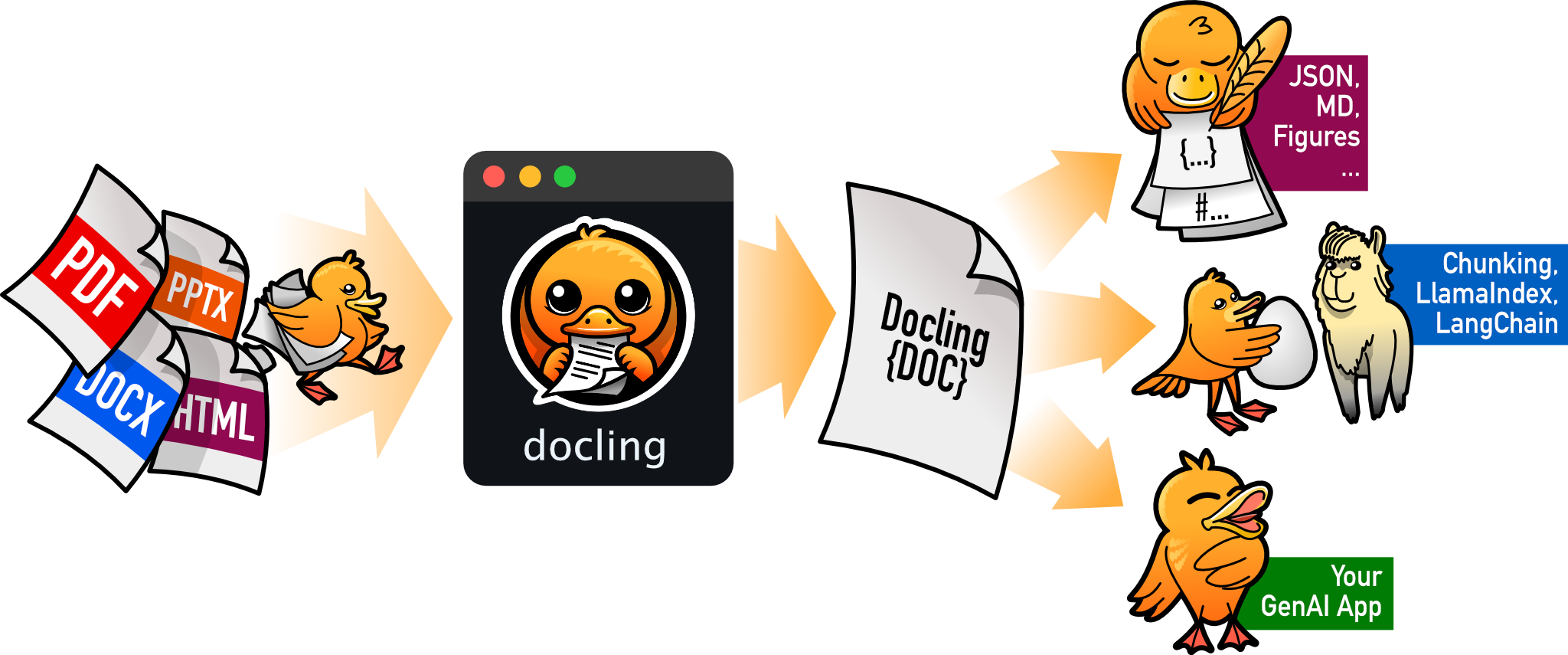
docling
docling-project·Python
把 PDF、DOCX、HTML 等文档解析成结构化 Markdown 或 JSON,方便喂给大模型和 RAG 流程。
文档解析+4文档解析 / OCR
70395+1455.3kv2.149.02026-11-10 17:59 UTC