最新版要求 macOS 13.0+,旧系统需回退到 2.7.2 版本;OpenAI、Gemini、DeepL 等服务需自行准备账号或 API Key;Apple 词典和系统翻译需按文档单独配置才能使用
Easydict
tisfengGPL-3.0活跃维护一款简洁优雅的 macOS 词典翻译应用,支持划词查询、离线 OCR 识别,并聚合有道、苹果词典、OpenAI、DeepL、Google 等十余种翻译服务。
一个简洁优雅的词典翻译 macOS App。开箱即用,支持离线 OCR 识别,支持有道词典,🍎 苹果系统词典,🍎 苹果系统翻译,OpenAI,Gemini,DeepL,Google,Bing,腾讯,百度,阿里,小牛,彩云和火山翻译。A concise and elegant Dictionary and Translator macOS App for looking up words and translating text.
2.26.0发布于 2026-10-27 14:49 UTC15,273star +34 / 7 天810fork同步于 2026-11-10 17:26 UTC
brew install --cask easydict 硬件要求按 README 说明
macOS 13.0+ 的 Mac 应用;更老的系统需使用 2.7.2 版本。README 未提及 GPU 或显存要求。
macOS 上的简洁词典翻译 App,划词、截图 OCR 和多服务聚合翻译一站搞定
一款简洁优雅的 macOS 词典翻译应用,支持划词查询、离线 OCR 识别,并聚合有道、苹果词典、OpenAI、DeepL、Google 等十余种翻译服务。
核心能力
- 自动识别输入语言,开箱即用无需配置
- 鼠标划词弹出查询图标,快捷键选中即译
- 截图 OCR 翻译,静默模式直接把识别结果复制到剪贴板
- 聚合 20+ 词典、翻译、AI、本地模型和 CLI 服务同时查询
- 支持 Apple 系统词典与系统翻译,可选 52 种翻译语言
容易踩的坑
内容由模型根据 README 生成,可能不完整或不准确,以官方文档为准。看原文 README
- 2.27.0pre-release2026-11-09 · 2026-11-09 01:39 UTC
查看更新说明
🐞 fix: prevent a query window crash after background OCR
What's Changed
- Prevent a crash when a query window opens after the background OCR model reloads by @tisfeng in commit.
- Render LaTeX formulas and improve Markdown tables and lists in translation results by @MoonMao42 in #1375
- Add Tencent TokenHub as a translation provider by @Jerry23011 in #1346
- Retry OCR with a fallback when Apple Vision stalls on macOS 27 by @hengstchon in #1382
- Improve QR code detection during screenshot recognition by @tisfeng in commit.
- Keep the current app focused during screenshot capture by @tisfeng in focus fix.
- Prevent stale selection popups when dragging in another app or in Control Center by @MoonMao42 in #1325
New Contributors
- @hengstchon made their first contribution in #1382
Full Changelog: 2.26.0...2.27.0
- 2.26.0pre-release最新正式版2026-10-27 · 2026-10-27 14:49 UTC
🐞 fix: prevent crashes during repeated translations
What's Changed
- Prevent crashes during repeated queries and mixed-language detection, and improve overlapping Bing and DeepL requests by @MoonMao42 in #1368
- Add an Urdu interface with right-to-left layout support by @AlleyNawaz in #1374
- Refresh built-in AI model lists and fix translation errors with newer Claude models by @xxxxxthhh in #1371
- Use provider defaults for AI response temperature and remove the temperature setting by @tisfeng in commit
- Restore local images, audio and styles in Apple Dictionary results, and improve copying and reading result text by @MoonMao42 in #1355
- Allow Bing service validation without entering an optional cookie by @tisfeng in commit
- Make Translate Clipboard query text immediately, while clipboard images follow the OCR auto-query setting by @tisfeng in commit and commit
- Remove the retired GitHub Models service by @tisfeng in #1373
- Remove the retired Tencent Translate service by @Jerry23011 in #1345
New Contributors
- @xxxxxthhh made their first contribution in #1371
- @AlleyNawaz made their first contribution in #1374
Full Changelog: 2.25.0...2.26.0
- 2.25.02026-10-19 · 2026-10-19 13:33 UTC
查看更新说明
🐞 fix: stabilize query window resizing and text rendering
What's Changed
- Add Anki Connect integration by @XbuLee in #1241
- Update the DeepL client version to restore translation compatibility by @codexss in #1336
- Fetch the DeepL Web App version dynamically by @tisfeng in #1341
- Migrate Gemini to the OpenAI format by @Jerry23011 in #1342
- Support absolute paths for Apple Dictionary audio by @KurodaKayn in #1351
- Include prereleases in the latest version when beta updates are enabled by @Aurora-NICExq in #1358
- Allow forced text selection in Warp by @Lilien86 in #1343
- Move the Apple Translate offline setting from Advanced to Services by @Jerry23011 in #1340
- Stabilize query window resizing and text rendering by @MoonMao42 in #1327
- Move Anki Connect configuration into a dedicated settings sheet by @tisfeng in commit
- Support Hebrew and Thai in DeepL by @tisfeng in commit
- Fix Brazilian Portuguese mapping in Apple Translate by @joaovitoras in #1361
New Contributors
- @XbuLee made their first contribution in #1241
- @codexss made their first contribution in #1336
- @Lilien86 made their first contribution in #1343
Full Changelog: 2.24.0...2.25.0
- 2.24.02026-09-27 · 2026-09-27 17:51 UTC
查看更新说明
✨ feat: add GitHub Copilot CLI translation
What's Changed
- Add GitHub Copilot CLI translation with dynamic model selection by @tisfeng in #1332
- Save queried words to a local vocabulary notebook by @crossoverJie in #1319
- Restore QR code payload recognition during OCR by @yaobii-lab in #1277
- Fix input translation clearing and add Vietnamese support for DeepL by @Aurora-NICExq in #1324
- Add pronunciation to Youdao English word lookups by @ricolalemon in #1300
- Update the app icon design for macOS 27 by @Keldos-Li in #1274
- Reorder service groups in settings by @tisfeng in commit
New Contributors
- @Aurora-NICExq made their first contribution in #1324
- @crossoverJie made their first contribution in #1319
Full Changelog: 2.23.0...2.24.0
- 2.23.02.23.0 ✨ feat: add ChatGPT login and on-demand components2026-09-19 · 2026-09-19 13:00 UTC
查看更新说明
What's Changed
- fix(selection): allow shortcut queries without forced text capture by @hyperdai in #1285
- feat(favorites): add one-click clearing for favorites and history by @mrasong in #1270
- fix(selection): keep the selection icon hidden in Sublime Text and Terminal when appropriate by @hyperdai in #1284
- fix(selection): skip automatic text capture when the screenshot overlay is frontmost by @hyperdai in #1290
- feat(query): reverse-translate completed results by @yaobii-lab in #1276
- feat(claude-code): configure Claude Code CLI models and reasoning effort by @choykarl in #1293
- feat(release): inject release notes into the appcast description by @mrasong in #1283
- refactor(openai): migrate streaming semantics to the MacPaw SDK by @tisfeng in #1305
- feat(codex): add ChatGPT login and on-demand component installation by @massif-01 in #1303
- fix(codex): reuse the managed translation App Server by @tisfeng in #1317
- fix(dictionary): handle missing Apple Dictionary resource URLs by @tisfeng in #1320
- fix(selection): support text selection in Zen Browser by @byueng in #1289
- fix(service): prevent the 15-second network timeout from interrupting long LLM chats by @ricolalemon in #1301
New Contributors
- @massif-01 made their first contribution in #1303
- @byueng made their first contribution in #1289
- @ricolalemon made their first contribution in #1301
Full Changelog: 2.22.0...2.23.0
用户点评
登录用户的真实使用记录,可按版本和硬件筛选共 0 条
还没有人点评。第一个说出真实体验的人最有价值。
Easydict
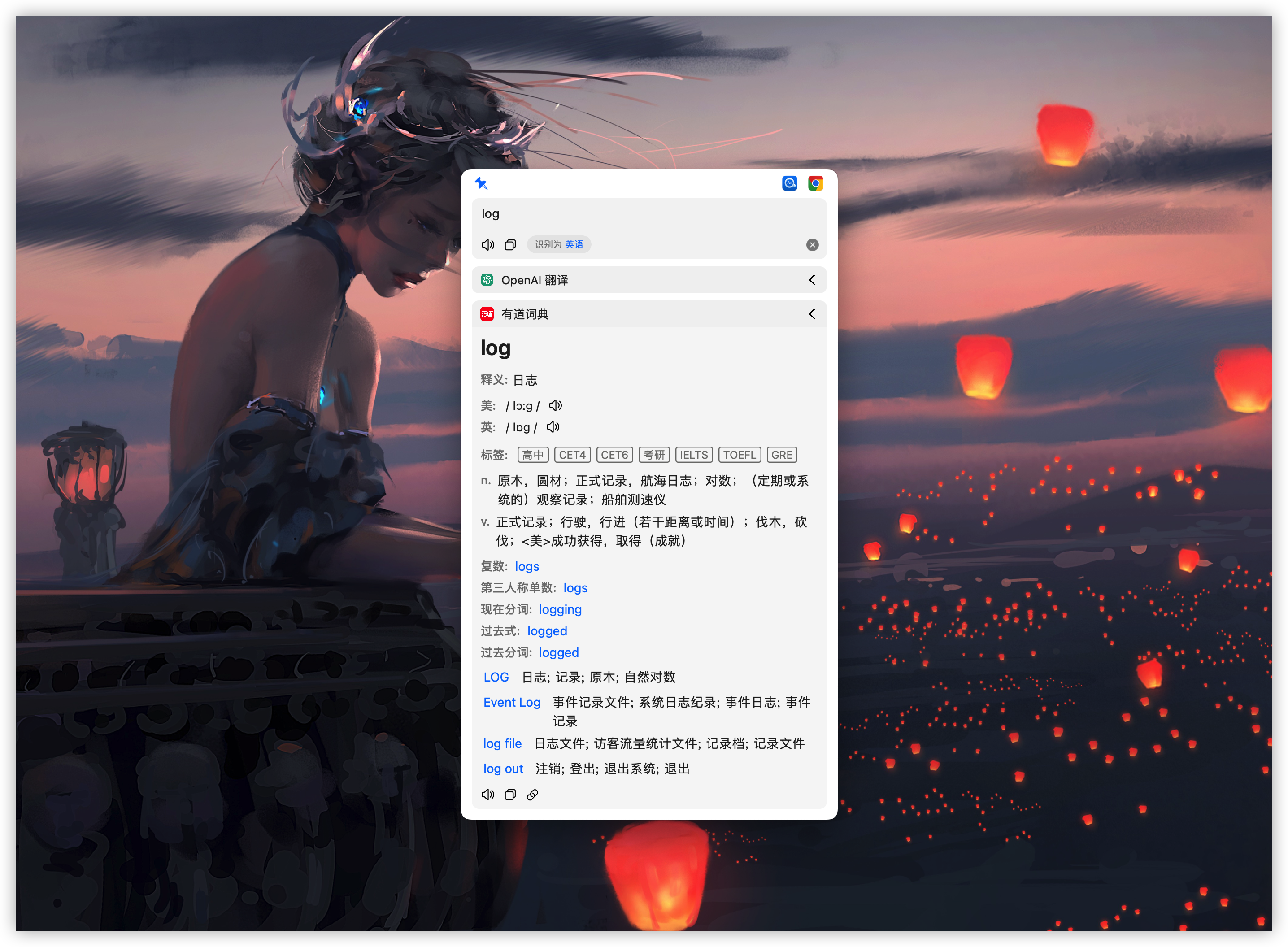
Easydict is a concise and easy-to-use translation dictionary macOS App that allows you to easily and elegantly look up words or translate text.
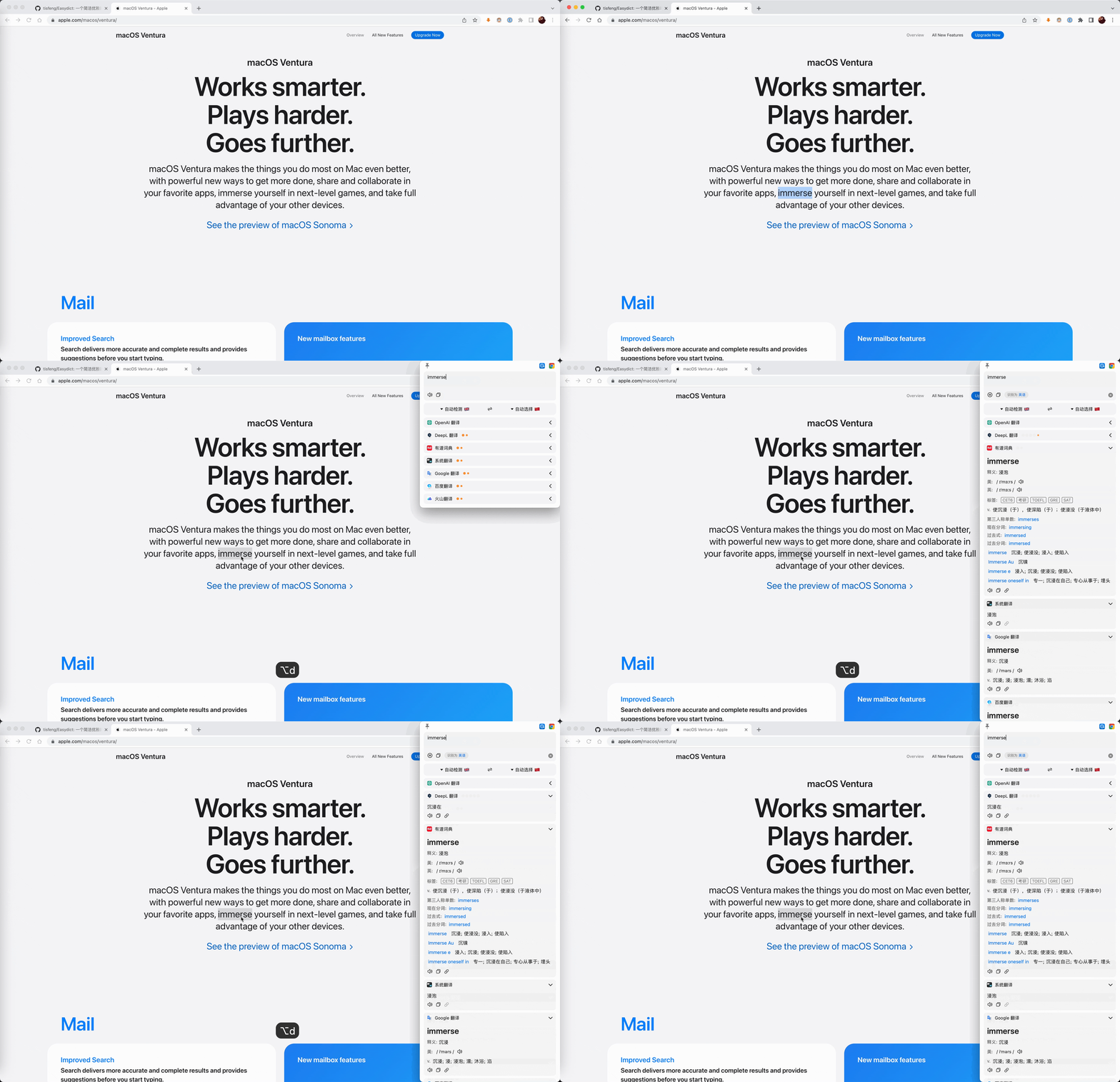
Easydict is ready to use out of the box, can automatically recognize the language of the input text, supports input translate, select translate, and OCR screenshot translate, and can query multiple translation services results at the same time.
Supported services: 20+ dictionary, translation, AI, local-model, and CLI services, including Apple Dictionary, MDict, Apple Translate, OpenAI, Gemini, Claude, DeepSeek, Ollama, Claude Code, Codex CLI, DeepL, Google, and Bing. See the services overview for the complete list and access requirements.
Features
- 🚀 Out of the box, automatic language recognition
- 🖱️ Auto select with mouse and shortcut key
- 📸 OCR screenshot translation and silent screenshot OCR
- 🔊 Multiple TTS voice services
- 📚 Support 🍎 Apple Dictionary and Apple Translate
- 🌐 Support 20+ dictionary, translation, AI, local-model, and CLI services
- 🗣️ Support 52 selectable translation languages
If you like this app, please consider giving it a Star ⭐️, thanks! (^-^)
Contributing
Contributions through issues and pull requests are welcome. Read the Chinese contribution guide for the development workflow and pull request requirements.
AI Coding
We welcome contributions assisted by programming agents such as Codex and
Claude. Prefer the latest available GPT or Claude model suitable for complex
coding tasks, and carefully review and test the final changes. See the Chinese
contribution guide for the Agent workflow and
review requirements.
Issue/PR Triage Notes
The maintainer has been quite busy recently and usually only has time to triage issues on weekends. PRs (especially bugfix PRs) are prioritized. Also, due to an overloaded inbox and notifications, some messages may not be seen or replied to promptly. Thanks for your understanding.
Installation
Homebrew Installation (Recommended)
brew install --cask easydict
Manual Installation
Download the latest release.
[!NOTE] Latest version supports macOS 13.0+, for older systems please use 2.7.2
Usage
| Ways | Description | Preview |
|---|---|---|
| Input Translate | Press the input translate shortcut key (default ⌥ + A), enter the text to be translated, and Enter key to translate | 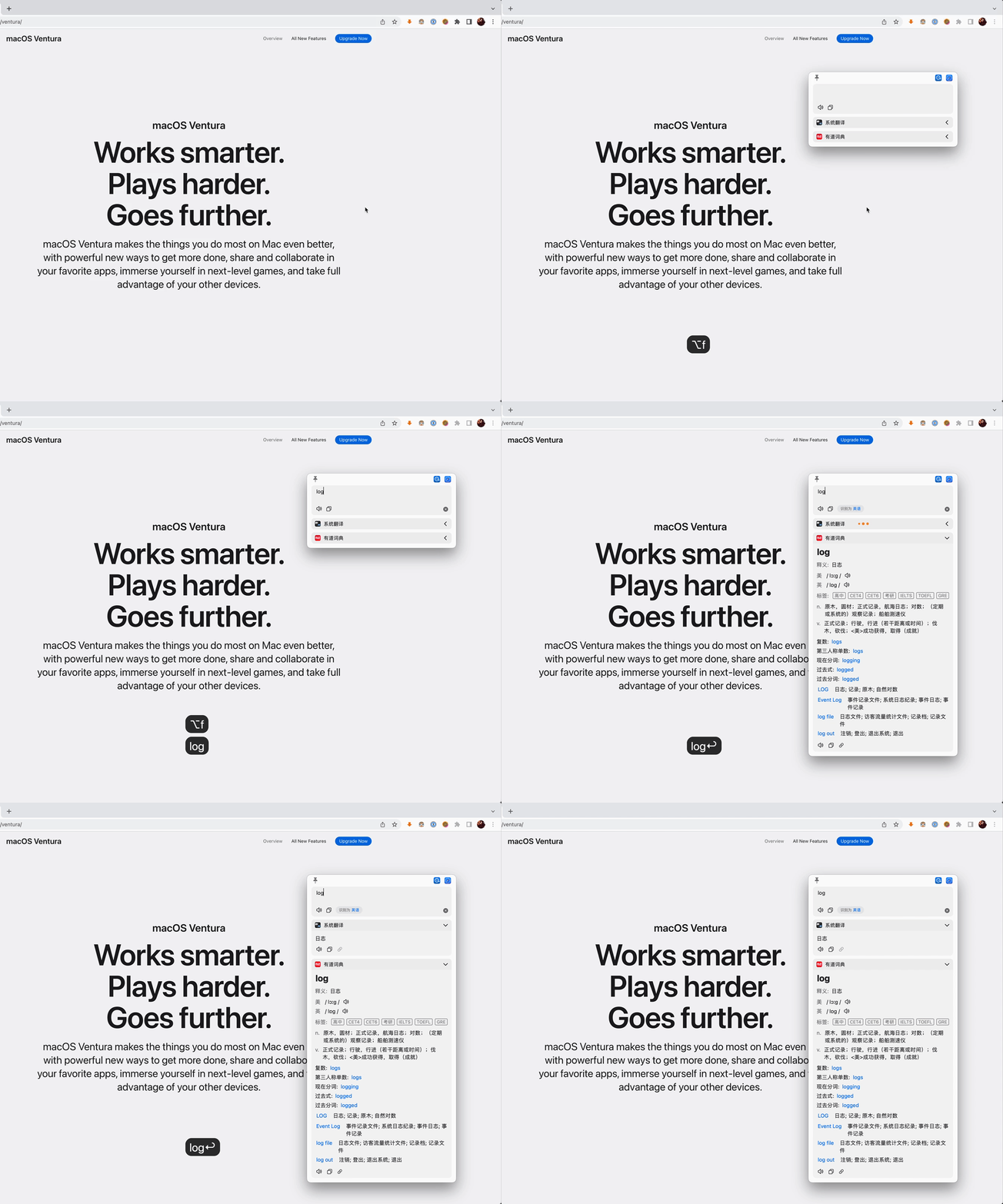 |
| Mouse Select Translate | The query icon is automatically displayed after the word is selected, and the mouse hovers over it to query | 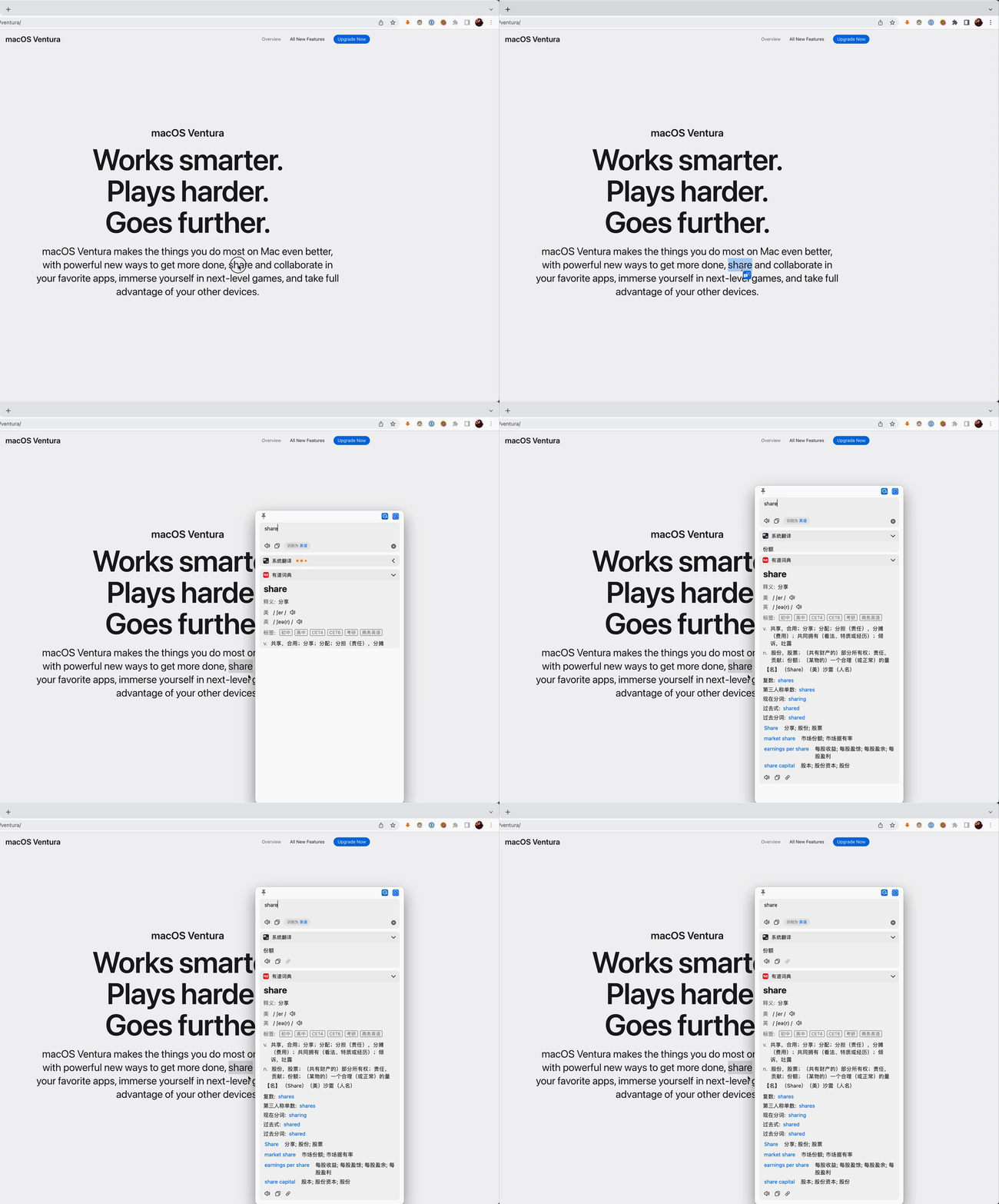 |
| Shortcut Select Translate | After selecting the text to be translated, press the shortcut key (default ⌥ + D) | 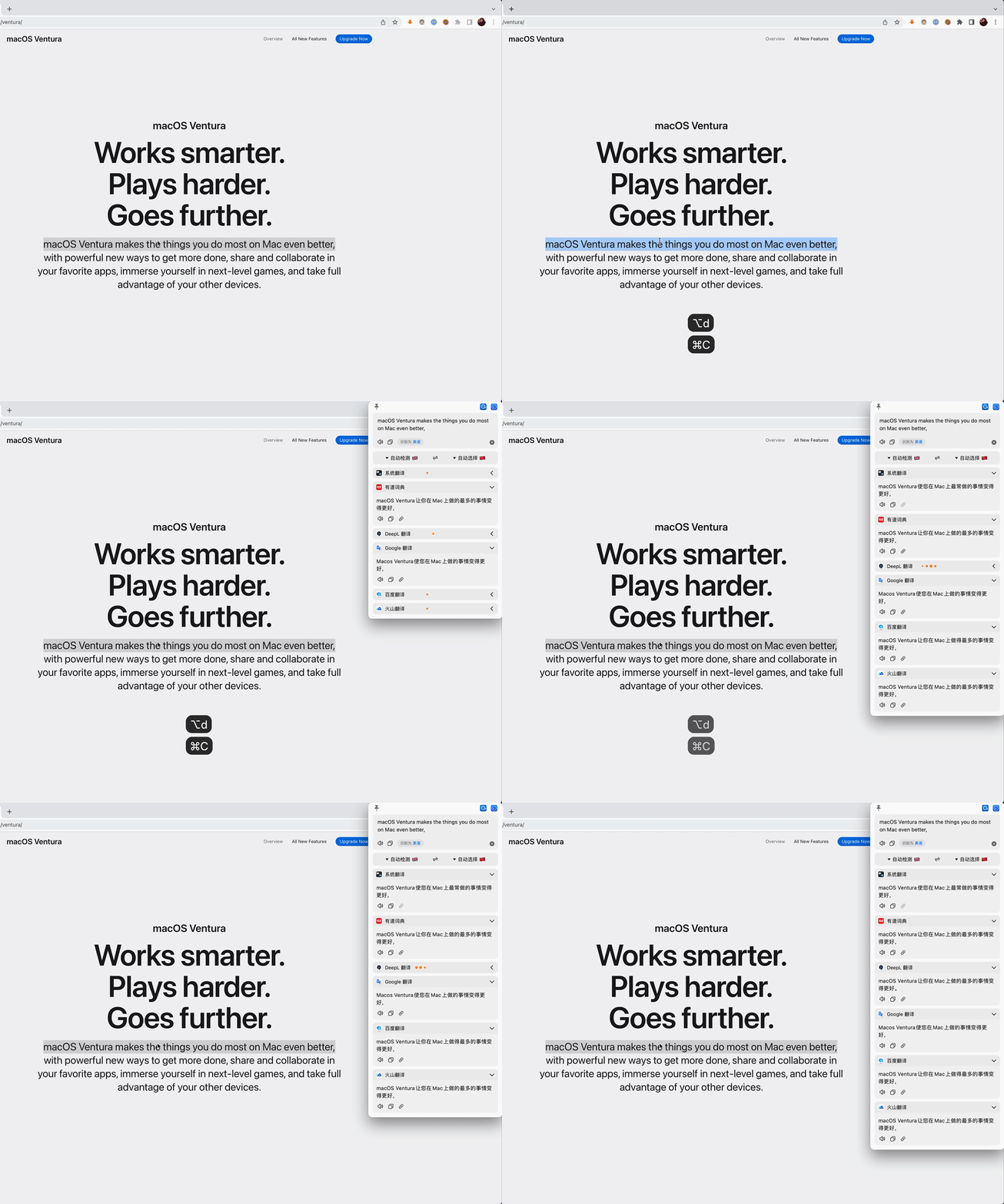 |
| Screenshot Translate | Press the screenshot translate shortcut key (default ⌥ + S) to capture the area to be translated | 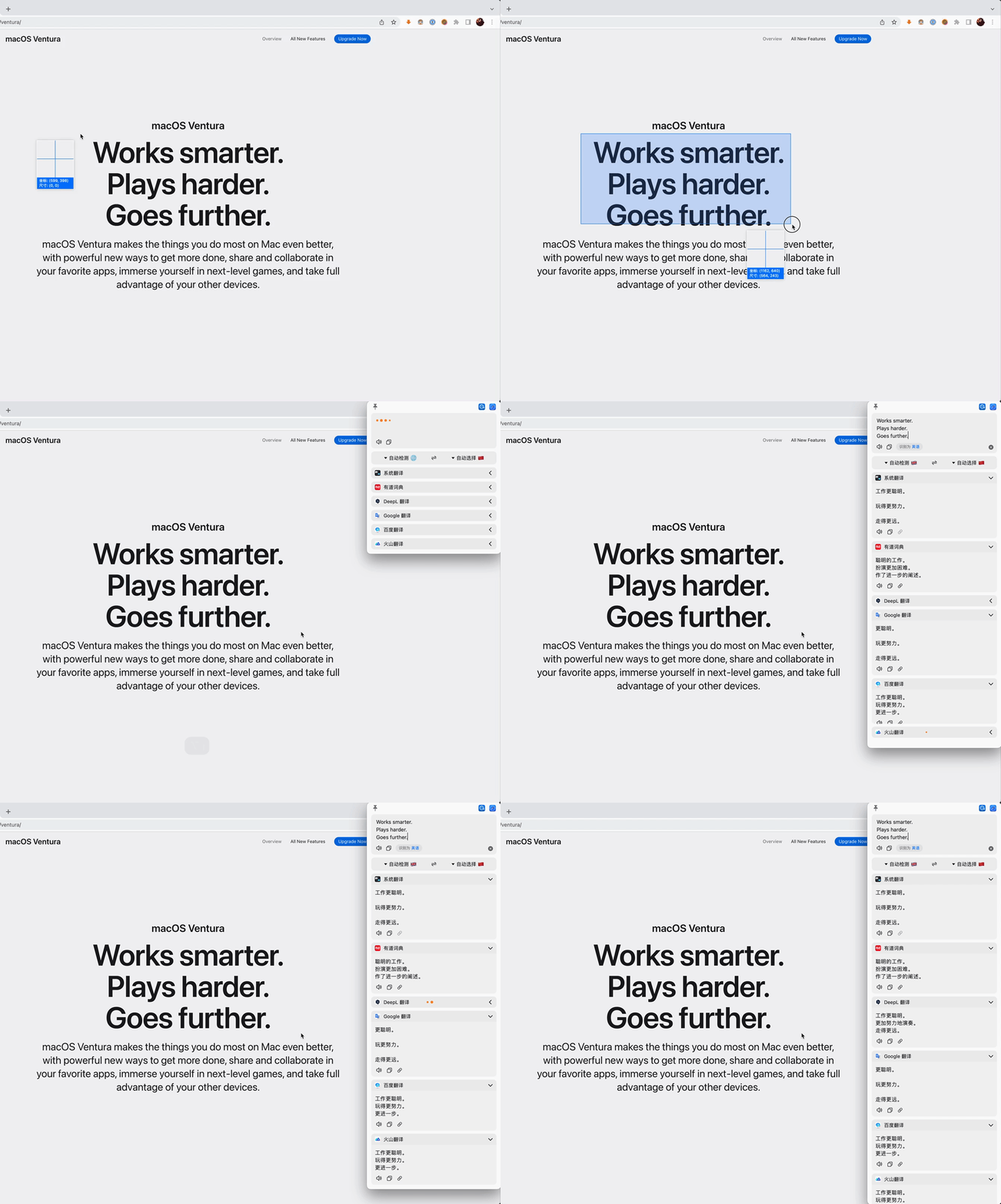 |
| Silent Screenshot OCR | Press the Silent Screenshot shortcut key(default ⌥ + ⇧ + S)to capture the area, the OCR results will be copied directly to the clipboard |
Documentation
- 📖 Complete Usage Guide - Detailed features, configuration and tips
- 🌐 Services Overview - Complete service list and access requirements
- 🔧 Developer Build Guide - Build and run from source code
- 🍎 How to use Apple Dictionary
- 📚 How to use MDict
- 🍎 How to use Apple Translate
- 🌍 How to translate Easydict
Acknowledgements
- This project was inspired by saladict and Bob, and the initial version was made based on Bob (GPL-3.0). Easydict has made many improvements and optimizations on the original project, and many features and UI are referenced from Bob.
- Screenshot feature is based on isee15's Capture-Screen-For-Multi-Screens-On-Mac, and optimized on this project.
- Select text feature is referenced from PopClip.
Statement
Easydict is licensed under the GPL-3.0 open source license, which is for learning and communication only. Anyone can get this product and source code for free. If you believe that your legal rights have been violated, please contact the author immediately. You can use the source code freely, but you must attach the corresponding license and copyright.
Sponsor
Easydict is a free and open source project, currently mainly developed and maintained by the author. If you like this project and find it helpful, you can consider sponsoring this project to support it, so that it can go further.
Thanks to @CanglongCl for providing the Apple Developer account, which solved the app signature issue, allowing more people to use Easydict conveniently.
Thanks to all sponsors for their generous support. For details, please see the Sponsor List.
Star History
PaddleOCR
PaddlePaddle·Python
轻量级 OCR 工具包,能把图片和 PDF 转成结构化数据,支持 100 多种语言,方便接入 LLM 和 RAG 流程。
OCR+4文档解析 / OCR
92532+14612kv3.7.02026-09-16 03:31 UTC

MinerU
opendatalab·Python
把 PDF、Office 等复杂文档转成 LLM 可直接用的 Markdown/JSON,内置版面分析和 OCR,专为 RAG 与 Agent 工作流准备语料。
文档解析+4文档解析 / OCR
83449+1946.9kmineru-4.1.7-released2026-11-10 17:04 UTC
tesseract
tesseract-ocr·C++
老牌开源 OCR 引擎,用 LSTM 识别图片中的文字,支持上百种语言,适合做文档扫描和文本提取。
OCR引擎+4文档解析 / OCR
77445+4611k5.5.42026-11-09 11:40 UTC

docling
docling-project·Python
把 PDF、DOCX、HTML 等文档解析成结构化 Markdown 或 JSON,方便喂给大模型和 RAG 流程。
文档解析+4文档解析 / OCR
70385+1455.3kv2.149.02026-11-10 16:54 UTC