首次构建需下载约 2.5GB 的 ML 模型,耗时 5-10 分钟;使用 Gemini 必须先在 .env 填 GOOGLE_AI_API_KEY,否则要切到 Ollama;KG 嵌入维度必须与所选模型匹配,默认 3072 对应 Gemini。
NexusRAG
LeDat98更新放缓把向量检索、知识图谱和交叉编码器重排揉在一起的混合 RAG 系统,支持 Docling 解析文档、图片表格理解、流式对话和行内引用,可接 Gemini 或本地 Ollama。
Hybrid RAG system combining vector search, knowledge graph (LightRAG), and cross-encoder reranking — with Docling document parsing, visual intelligence (image/table captioning), agentic streaming chat, and inline citations. Powered by Gemini or local Ollama models.
暂无版本530star113fork同步于 2026-11-07 07:31 UTC
git clone https://github.com/LeDat98/NexusRAG.git
cd NexusRAG
cp .env.example .env
docker compose up -d 硬件要求按 README 说明
README 给出系统要求:内存最低 4GB、推荐 8GB 以上,磁盘最低 5GB。Docling 解析含公式增强时约占 18-20GB 显存,切到 Marker 约 2-4GB 显存。未说明支持的 GPU 厂商与型号。
支持 Apple Silicon有 Docker 镜像
把向量检索、知识图谱和交叉编码器重排合成一条 RAG 流水线,带引用和图片表格理解
把向量检索、知识图谱和交叉编码器重排揉在一起的混合 RAG 系统,支持 Docling 解析文档、图片表格理解、流式对话和行内引用,可接 Gemini 或本地 Ollama。
核心能力
- 用 Docling 或 Marker 解析文档,保留标题层级与页码
- 图片和表格由视觉模型生成描述后并入向量检索
- 向量召回与 LightRAG 实体查找并行,再用交叉编码器重排
- 自动生成带页码和标题路径的引用 ID
- 内置 MCP 服务,可接入 Cursor 或 Claude Desktop
容易踩的坑
内容由模型根据 README 生成,可能不完整或不准确,以官方文档为准。看原文 README
暂无 release 数据(可能没有发版,或尚未同步)。
用户点评
登录用户的真实使用记录,可按版本和硬件筛选共 0 条
还没有人点评。第一个说出真实体验的人最有价值。
NexusRAG
Hybrid Knowledge Base with Agentic Chat, Citations & Knowledge Graph






Upload documents. Ask questions. Get cited answers.
NexusRAG combines vector search, knowledge graph, and cross-encoder reranking into one seamless RAG pipeline — powered by Gemini, local Ollama, or fully offline sentence-transformers.
Features · Quick Start · Model Recommendations · Tech Stack
Architecture

Showcase
https://github.com/user-attachments/assets/fa845fab-dcc3-4a64-86ac-6dda2c073156
Beyond Traditional RAG
Most RAG systems follow a simple pipeline: split text → embed → retrieve → generate. NexusRAG goes further at every stage:
| Aspect | Traditional RAG | NexusRAG |
|---|---|---|
| Document Parsing | Plain text extraction, structure lost | Docling or Marker: preserves headings, page boundaries, formulas, layout — switchable via config |
| Images & Tables | Ignored entirely | Extracted, captioned by vision LLM, embedded as searchable vectors |
| Chunking | Fixed-size splits, breaks mid-sentence | Hybrid semantic + structural chunking (respects headings, tables) |
| Embeddings | Single model for everything | Dual-model: BAAI/bge-m3 (1024d, search) + KG embedding (Gemini 3072d / Ollama / sentence-transformers) |
| Retrieval | Vector similarity only | 3-way parallel: Vector over-fetch + KG entity lookup + Cross-encoder rerank |
| Knowledge | No entity awareness | LightRAG graph: entity extraction, relationship mapping, multi-hop traversal |
| Context | Raw chunks dumped to LLM | Structured assembly: KG insights → cited chunks → related images/tables |
| Citations | None or manual | Auto-generated 4-char IDs with page number and heading path |
| Page awareness | Lost after chunking | Preserved end-to-end: chunk → citation → document viewer navigation |
Features
NexusRAG supports two document parsers, switchable via NEXUSRAG_DOCUMENT_PARSER env config:
| Feature | Docling (default) | Marker |
|---|---|---|
| Math/Formula | Basic (known LaTeX issues) | Superior LaTeX via Surya |
| GPU footprint | ~18-20GB VRAM (formula enrichment) | ~2-4GB VRAM |
| Formats | PDF, DOCX, PPTX, HTML | PDF, DOCX, PPTX, XLSX, HTML, EPUB |
| Chunking | HybridChunker (semantic + structural) | Heading-aware + page-based |
| Image extraction | Via Docling pipeline | Via Marker pipeline |
| Table extraction | Structured export | Markdown tables |
Both parsers share the same output contract (ParsedDocument) — downstream pipeline (dedup, embedding, KG, retrieval) works identically regardless of parser choice.
Common features across both parsers:
- Structural preservation — Heading hierarchy, page boundaries, paragraph grouping
- Multi-format — PDF, DOCX, PPTX, TXT with consistent output
- Page-aware metadata — Every chunk carries its page number, heading path, and references to images/tables on the same page
- LLM captioning — Images and tables captioned by vision/text LLM for semantic search
# Switch parser in .env
NEXUSRAG_DOCUMENT_PARSER=marker   # or "docling" (default)
| Stage | Technology | Details |
|---|---|---|
| Vector Embedding | BAAI/bge-m3 | 1024-dim multilingual bi-encoder (100+ languages) |
| KG Embedding | Gemini / Ollama / sentence-transformers | Configurable: Gemini (3072d), Ollama, or local sentence-transformers (e.g. bge-m3 1024d) |
| Vector Search | ChromaDB | Cosine similarity, over-fetch top-20 candidates |
| Knowledge Graph | LightRAG | Entity/relationship extraction, keyword-to-entity matching |
| Reranking | BAAI/bge-reranker-v2-m3 | Cross-encoder joint scoring — encodes (query, chunk) pairs together |
| Generation | Gemini / Ollama | Agentic streaming chat with function calling |
Why two embedding models? Vector search needs speed (local bge-m3, 1024-dim). Knowledge graph extraction needs semantic richness for entity recognition — choose Gemini Embedding (3072-dim, cloud), Ollama, or sentence-transformers (fully local, no API needed). Each model is optimized for its role.
Retrieval flow:
- Parallel retrieval — Vector over-fetch (top-20) + KG entity lookup run simultaneously
- Cross-encoder reranking — All 20 candidates scored jointly with the query through a transformer (far more precise than cosine similarity alone)
- Filtering — Keep top-8 above relevance threshold (0.15), with fallback to top-3 if all below
- Media discovery — Find images and tables on the same pages as retrieved chunks
Images and tables are embedded into chunk vectors — not stored separately. When the parser extracts an image on page 5, its LLM-generated caption is appended to the text chunks on that page before embedding. This means searching for "revenue chart" finds chunks that contain the chart description, without needing a separate image search index.
Image Pipeline
- Parser (Docling or Marker) extracts images from PDF/DOCX/PPTX (up to 50 per document)
- Vision LLM (Gemini Vision or Ollama multimodal) generates captions: specific numbers, labels, trends
- Captions appended to page chunks:
[Image on page 5]: Graph showing 12% revenue growth YoY - Chunk is embedded → image becomes vector-searchable through its description
- During retrieval, images on matched pages are surfaced as
[IMG-p4f2]references
Table Pipeline
- Parser exports tables as structured Markdown (preserving rows, columns, dimensions)
- Text LLM summarizes each table: purpose, key columns, notable values (max 500 chars)
- Summaries appended to page chunks:
[Table on page 5 (3x4)]: Annual sales by region - Table summaries injected back into document Markdown as blockquotes for the document viewer
Enhance RAG accuracy and organization by attaching custom key-value metadata during document upload:
- Metadata Filtering — Perform hybrid search (semantic + metadata filtering) to narrow down the search space and prevent hallucinations.
- Flexible Organization — Tag documents with attributes like
year,category, orauthorwithout needing separate workspaces. - Optimized Retrieval — Pre-filtering in ChromaDB reduces processing time and latency during vector search.
- Supported Endpoints — Pass
custom_metadata(list of key-values) in the upload API, andmetadata_filterin query/chat APIs.
Every answer is grounded in source documents with 4-character citation IDs (e.g., [a3z1]):
- Inline citations — Clickable badges embedded directly in the answer text
- Source cards — Each citation shows filename, page number, heading path, and relevance score
- Cross-navigation — Click a citation to jump to the exact section in the document viewer
- Image references — Visual content cited separately as
[IMG-p4f2]with page tracking - Strict grounding — The LLM is instructed to only cite sources that directly support claims, max 3 per sentence
Interactive force-directed graph built from extracted entities and relationships:
- Entity types — Person, Organization, Product, Location, Event, Technology, Financial Metric, Date, Regulation (configurable)
- Force simulation — Repulsion + spring forces + center gravity with real-time physics
- Pan & zoom — Mouse drag, scroll wheel (0.3x-3x), keyboard reset
- Node interaction — Click to select, hover to highlight connected edges, drag to reposition
- Entity scaling — Node radius proportional to connectivity (degree)
- Query modes — Naive, Local (multi-hop), Global (summary), Hybrid (default)
- No extra services — LightRAG uses file-based storage (NetworkX + NanoVectorDB), zero Docker overhead
Switch between cloud and local models with a single environment variable:
Gemini (Cloud)
| Model | Best For | Thinking |
|---|---|---|
gemini-2.5-flash | General chat, fast responses | Budget-based (auto) |
gemini-3.1-flash-lite | High throughput, cost-effective Recommended default | Level-based: minimal / low / medium / high |
Extended thinking is automatically configured — Gemini 2.5 uses thinking_budget_tokens, Gemini 3.x uses thinking_level.
Ollama (Local / Self-hosted)
| Model | Parameters | Tool Calling | Recommendation |
|---|---|---|---|
gemma4:e4b | 4.5B effective (8B total) | Native | Recommended default — best quality/size ratio, 128K context, vision + thinking + native tool calling |
gemma4:e2b | 2.3B effective (5.1B total) | Native | Ultra-lightweight, fast responses. Needs thinking enabled for reliable tool calls |
qwen3.5:9b | 9B | Native | Good multilingual support, solid tool calling |
qwen3.5:4b | 4B | Native | Lightweight, works on 8GB RAM. May miss some tool calls |
gemma3:12b | 12B | Prompt-based | Best balance of quality and speed for older Ollama versions |
Tip: Gemma 4 models require Ollama v0.20.0+. NexusRAG auto-detects native tool calling support — models that support it use Ollama's native tools API (more reliable), others fall back to prompt-based tool calling automatically.
Tip: For Knowledge Graph extraction, larger models (12B+) produce significantly better entity/relationship quality. Smaller models (4B) may extract zero entities on complex documents.
Provider switching — Comment/uncomment blocks in .env:
# Cloud (Gemini)
LLM_PROVIDER=gemini
GOOGLE_AI_API_KEY=your-key

# Local (Ollama) — uncomment to switch
# LLM_PROVIDER=ollama
# OLLAMA_MODEL=gemma4:e4b
KG Embedding Providers
The Knowledge Graph embedding model is configured separately from the chat LLM:
| Provider | Config | API Required | Dimension |
|---|---|---|---|
| Gemini (default) | KG_EMBEDDING_PROVIDER=gemini | Google AI API key | 3072 |
| Ollama | KG_EMBEDDING_PROVIDER=ollama | Ollama server | Varies |
| sentence-transformers | KG_EMBEDDING_PROVIDER=sentence_transformers | None (fully local) | Model-dependent (e.g. 1024 for bge-m3) |
# Fully local KG embeddings — no API or external service needed
KG_EMBEDDING_PROVIDER=sentence_transformers
KG_EMBEDDING_MODEL=BAAI/bge-m3
KG_EMBEDDING_DIMENSION=1024
Tip:
sentence_transformersreuses the sameBAAI/bge-m3model already downloaded for vector search — zero extra disk space, zero API costs, fully offline.
The chat system uses a semi-agentic architecture with real-time SSE streaming:
- Agent steps — Visual timeline: Analyzing → Retrieving → Generating → Done (with live timers)
- Extended thinking — Gemini/Ollama reasoning displayed in a collapsible panel
- Function calling — 3-tier: Native (Gemini), Native (Ollama — Gemma 4, Qwen 3.5), or prompt-based fallback (older models). Auto-detected via probe
- Force-search mode — Pre-retrieval before LLM generation for guaranteed grounded answers
- Heartbeat — 15s SSE keepalive prevents TCP timeout on slow responses
- Fallback — If Ollama produces empty output, auto-triggers search + retry
- Chat history — Persistent per workspace with message ratings (thumbs up/down)
Theme & Layout
- Dark / Light mode with smooth transition, persisted preference
- Collapsible sidebar with workspace navigation (icon-only mode at narrow width)
- Responsive grid layouts — mobile to desktop
Chat Interface
- Streaming token rendering with memoized paragraph blocks (only active block re-renders)
- Inline citation badges with hover tooltips (source file, page, heading path, relevance %)
- Agent step timeline with spinner animations and elapsed timers
- Thinking panel — scrollable, auto-follow, collapsible after completion
- Code blocks with syntax highlighting (Python, JS, SQL, etc.) and one-click copy
Document Management
- Drag-and-drop upload (PDF, DOCX, PPTX, TXT, MD — up to 50MB)
- Status badges with shimmer animation during processing
- Per-document chips: pages, chunks, images, tables, file size, processing time
Search
- 4 query modes: Hybrid, Vector, Local KG, Global KG
- Adjustable result count (1-20) with slider + direct input
- Document scope filtering (multi-select)
- Relevance score bars with color coding (green / amber / red)
Analytics Dashboard
- Stat cards: documents, indexed, chunks, images, entities, relationships
- Entity type distribution bar with animated widths
- Top entities ranked by connectivity
- Per-document chunk breakdown chart
Micro-interactions
- Framer Motion animations throughout (staggered entrances, layout transitions)
- Loading skeletons, toast notifications, empty state illustrations
- Keyboard shortcuts:
/to focus search,Enterto send,Escapeto cancel
- Multiple isolated knowledge bases, each with its own documents, ChromaDB collection, and KG
- Custom system prompt per workspace (override default Q&A behavior)
- Independent chat history with message persistence and ratings
Evaluation
NexusRAG was evaluated using two complementary methods: 16 hand-crafted tests (rule-based metrics) and 30 RAGAS synthetic tests (LLM-as-judge). Test corpus: TechVina Annual Report 2025 (Vietnamese, 26 chunks) + DeepSeek-V3.2 Technical Paper (English, 57 chunks).

16 tests across 6 categories using 8 rule-based metrics (keyword coverage, refusal accuracy, citation format, language match, etc.) — no LLM judge involved.
| Category | Pass Rate | Avg Score |
|---|---|---|
| Fact Extraction (VI + EN) | 5/5 | 0.93 |
| Table Data | 2/3 | 0.83 |
| Cross-Document Reasoning | 2/2 | 0.89 |
| Anti-Hallucination | 3/3 | 1.00 |
| Multi-turn History | 2/2 | 0.87 |
| Citation Accuracy | 1/1 | 0.85 |
| Overall | 15/16 | 0.89 — EXCELLENT |

30 auto-generated Q&A pairs evaluated by Gemini 2.0 Flash as RAGAS judge. Same questions tested on both models:
| Metric | gemma3:12b (local) | gemini-2.5-flash (cloud) | Winner |
|---|---|---|---|
| Overall score | 0.832 | 0.846 | Gemini |
| Pass rate | 25/30 (83%) | 26/30 (87%) | Gemini |
| Faithfulness | 0.749 | 0.812 | Gemini (+0.063) |
| Factual correctness | 0.773 | 0.749 | gemma3 (+0.024) |
| Context recall | 0.833 | 0.833 | Tie |
| Table extraction | 0.697 | 0.905 | Gemini (+0.208) |
| Avg latency | 3076ms | 3283ms | gemma3 (-207ms) |
| Aspect | Status | Detail |
|---|---|---|
| Anti-hallucination | :green_circle: Strong | Perfect refusal on out-of-scope questions |
| Citation format | :green_circle: Strong | 100% correct format across all tests |
| Cross-doc reasoning | :green_circle: Strong | Successfully synthesizes across multiple sources |
| Table parsing | :yellow_circle: Model-dependent | gemma3 fails complex tables; Gemini handles well |
| Language consistency | :yellow_circle: Model-dependent | gemma3 occasionally responds in wrong language |
| Retrieval coverage | :red_circle: Weak | 5 cases with context_recall = 0 (specific facts missed by retrieval) |
| Faithfulness | :red_circle: Weak | 4 FAIL cases — LLM adds unsupported details when elaborating |
Full evaluation methodology and per-sample results:
rag_evaluation_report.md
Upcoming model benchmarks on the same 30 RAGAS test suite:
| Model | Type | Status |
|---|---|---|
| gemma3:12b | Local (Ollama) | :white_check_mark: Done |
| gemini-2.5-flash | Cloud (Google AI) | :white_check_mark: Done |
| qwen3.5:4b | Local (Ollama) | :hourglass: Planned |
| qwen3.5:9b | Local (Ollama) | :hourglass: Planned |
| gemini-3.1-flash-lite | Cloud (Google AI) | :hourglass: Planned |
Goal: compare cost-efficiency (local 4B/9B) vs cloud quality across faithfulness, table extraction, and multilingual consistency.
Tech Stack
| Technology | Purpose |
|---|---|
| FastAPI | Async web framework with SSE streaming |
| SQLAlchemy 2.0 | Async ORM with PostgreSQL (asyncpg) |
| ChromaDB | Vector store — cosine similarity, per-workspace collections |
| LightRAG | Knowledge graph — entity extraction, multi-hop queries |
| Docling / Marker | Document parsing — PDF, DOCX, PPTX, HTML with structural extraction (switchable via config) |
| sentence-transformers | BAAI/bge-m3 embeddings + BAAI/bge-reranker-v2-m3 reranking |
| google-genai | Gemini API — chat, vision, function calling, extended thinking |
| ollama | Local LLM — tool calling via prompt tags, multimodal support |
| Technology | Purpose |
|---|---|
| React 19 + TypeScript 5.9 | UI framework with strict typing |
| Vite 7 | Dev server and production bundler |
| TailwindCSS 4 | Utility-first styling with dark / light theme |
| Zustand 5 | Lightweight state management |
| React Query 5 | Async data fetching, caching, and mutations |
| Framer Motion 12 | Layout animations, transitions, staggered entrances |
| react-markdown + KaTeX | Rich markdown with LaTeX math rendering |
| Lucide React | Icon library |
| Technology | Purpose |
|---|---|
| PostgreSQL 15 | Document metadata, chat history, workspace config |
| ChromaDB | Vector embeddings (HTTP client, containerized) |
| LightRAG | File-based KG (NetworkX + NanoVectorDB — no extra services) |
| Docker Compose | Full-stack deployment (4 containers) |
| nginx | Production frontend serving + API/SSE reverse proxy |
Quick Start
Option A: Docker (Full Stack)
git clone https://github.com/LeDat98/NexusRAG.git
cd NexusRAG
cp .env.example .env
# Edit .env — set GOOGLE_AI_API_KEY (or switch to Ollama)
docker compose up -d
First build takes ~5-10 minutes (downloads ML models ~2.5GB). Open http://localhost:5174
Option B: Local Development
git clone https://github.com/LeDat98/NexusRAG.git
cd NexusRAG
./setup.sh
The script checks prerequisites, creates venv, installs deps, starts PostgreSQL + ChromaDB, and optionally downloads ML models.
# Terminal 1 — Backend (port 8080)
./run_bk.sh

# Terminal 2 — Frontend (port 5174)
./run_fe.sh
| Resource | Minimum | Recommended |
|---|---|---|
| RAM | 4 GB | 8 GB+ |
| Disk | 5 GB | 10 GB+ |
| Python | 3.10+ | 3.11+ |
| Node.js | 18+ | 22 LTS |
| Docker | 20+ | Latest |
Copy .env.example and configure:
cp .env.example .env
Required
| Variable | Description |
|---|---|
GOOGLE_AI_API_KEY | Google AI API key (required for Gemini provider) |
LLM
| Variable | Default | Description |
|---|---|---|
LLM_PROVIDER | gemini | gemini or ollama |
LLM_MODEL_FAST | gemini-2.5-flash | Model for chat and KG extraction |
LLM_THINKING_LEVEL | medium | Gemini 3.x thinking: minimal / low / medium / high |
LLM_MAX_OUTPUT_TOKENS | 8192 | Max output tokens (includes thinking) |
OLLAMA_HOST | http://localhost:11434 | Ollama server URL |
OLLAMA_MODEL | gemma3:12b | Ollama model name |
KG Embedding
| Variable | Default | Description |
|---|---|---|
KG_EMBEDDING_PROVIDER | gemini | gemini, ollama, or sentence_transformers |
KG_EMBEDDING_MODEL | text-embedding-004 | Model name (provider-specific) |
KG_EMBEDDING_DIMENSION | 3072 | Embedding dimension (must match model) |
RAG Pipeline
| Variable | Default | Description |
|---|---|---|
NEXUSRAG_EMBEDDING_MODEL | BAAI/bge-m3 | Embedding model (1024-dim) |
NEXUSRAG_RERANKER_MODEL | BAAI/bge-reranker-v2-m3 | Cross-encoder reranker |
NEXUSRAG_VECTOR_PREFETCH | 20 | Candidates before reranking |
NEXUSRAG_RERANKER_TOP_K | 8 | Final results after reranking |
NEXUSRAG_ENABLE_KG | true | Enable knowledge graph extraction |
NEXUSRAG_DOCUMENT_PARSER | docling | Document parser: docling (default) or marker (lighter, better math) |
NEXUSRAG_MARKER_USE_LLM | false | Enable LLM-enhanced mode for Marker (better tables, equations) |
NEXUSRAG_ENABLE_IMAGE_EXTRACTION | true | Extract images from documents |
NEXUSRAG_ENABLE_IMAGE_CAPTIONING | true | LLM-caption images for search |
NEXUSRAG_KG_LANGUAGE | Vietnamese | KG extraction language |
Roadmap
- Multimodal Retrieval — Integrate Gemini Embedding 2 (multimodal) for audio and video input retrieval — ask questions about podcasts, lectures, or video content directly
- Marker PDF Parser — Add Marker as an alternative document parser with superior math/formula extraction (LaTeX via Surya), lighter GPU footprint (~2-4GB VRAM vs Docling's ~18-20GB), and switchable via
NEXUSRAG_DOCUMENT_PARSER=markerenv config
MCP Server
NexusRAG includes a Model Context Protocol (MCP) server that exposes its core functionalities:
get_workspace_list: List all knowledge bases.get_document_by_id: Get details for a specific document.query: Query indexed documents using semantic search.
Connecting to the MCP Server
The MCP Server is automatically started by default via docker-compose up -d on port 8000 using the Streamable HTTP transport (latest protocol version).
Cursor / Claude Desktop
You can directly add the NexusRAG MCP server to Cursor or Claude as an SSE connection using the URL:
http://localhost:8000/mcp
(Note: some clients still label this as an SSE connection, but use the /mcp endpoint to connect via Streamable HTTP).
API
All endpoints prefixed with /api/v1. Interactive docs at http://localhost:8080/docs
| Method | Endpoint | Description |
|---|---|---|
GET | /workspaces | List all workspaces |
POST | /workspaces | Create workspace |
PUT | /workspaces/{id} | Update workspace |
DELETE | /workspaces/{id} | Delete workspace + all data |
| Method | Endpoint | Description |
|---|---|---|
POST | /documents/upload/{workspace_id} | Upload file (supports custom_metadata) |
GET | /documents/{id}/markdown | Get parsed content |
GET | /documents/{id}/images | List extracted images |
DELETE | /documents/{id} | Delete document |
| Method | Endpoint | Description |
|---|---|---|
POST | /rag/query/{workspace_id} | Hybrid search (supports metadata_filter) |
POST | /rag/chat/{workspace_id}/stream | Agentic streaming chat (SSE) (supports metadata_filter) |
GET | /rag/chat/{workspace_id}/history | Chat history |
POST | /rag/process/{document_id} | Process document |
GET | /rag/graph/{workspace_id} | Knowledge graph data |
GET | /rag/analytics/{workspace_id} | Full analytics |
Star History
Star History
⭐ If you find NexusRAG useful, please consider giving it a star — it helps others discover the project and motivates continued development!
MIT License © 2026 Le Duc Dat
PaddleOCR
PaddlePaddle·Python
轻量级 OCR 工具包,能把图片和 PDF 转成结构化数据,支持 100 多种语言,方便接入 LLM 和 RAG 流程。
OCR+4文档解析 / OCR
92516+13012kv3.7.02026-09-16 03:31 UTC

MinerU
opendatalab·Python
把 PDF、Office 等复杂文档转成 LLM 可直接用的 Markdown/JSON,内置版面分析和 OCR,专为 RAG 与 Agent 工作流准备语料。
文档解析+4文档解析 / OCR
83425+1706.9kmineru-4.1.7-released2026-11-10 11:15 UTC
tesseract
tesseract-ocr·C++
老牌开源 OCR 引擎,用 LSTM 识别图片中的文字,支持上百种语言,适合做文档扫描和文本提取。
OCR引擎+4文档解析 / OCR
77437+3811k5.5.42026-11-09 11:40 UTC
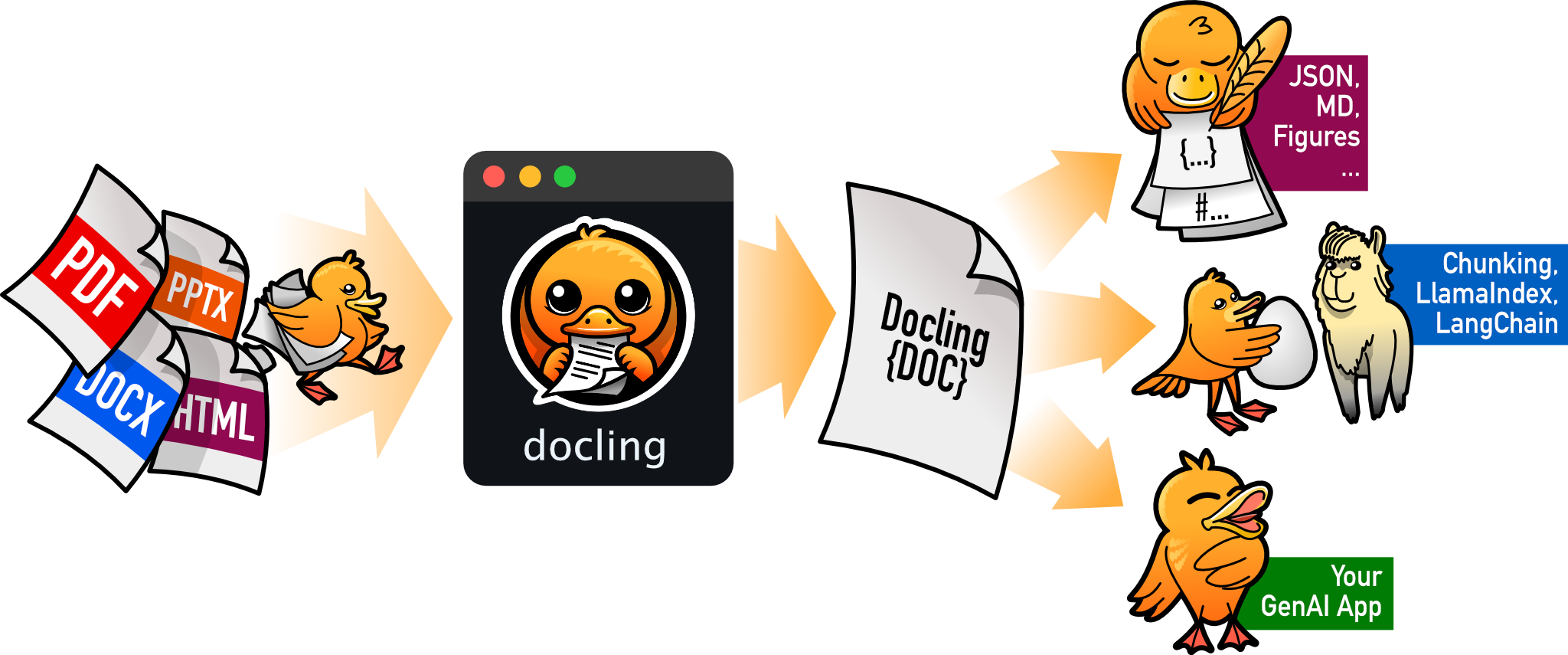
docling
docling-project·Python
把 PDF、DOCX、HTML 等文档解析成结构化 Markdown 或 JSON,方便喂给大模型和 RAG 流程。
文档解析+4文档解析 / OCR
70364+1245.3kv2.149.02026-11-10 07:57 UTC