需 Python 3.11 或更高版本;可视化需额外安装 viz 等可选依赖(如 matplotlib、mplcursors);从 URL 读取网页需单独安装 weasyprint;本地 demo 需额外安装 Streamlit。
doctr
mindeeApache-2.0活跃维护基于深度学习的一站式 OCR 库,把文字检测、文字识别和版面分析串成流水线,支持 PyTorch 训练与微调,适合快速搭建文档解析应用。
docTR (Document Text Recognition) - a seamless, high-performing & accessible library for OCR-related tasks powered by Deep Learning. Ongoing development and maintenance by t2k.
v1.1.0发布于 2026-08-21 13:08 UTC6,427star +4 / 7 天691fork同步于 2026-11-10 05:33 UTC
pip install python-doctr 硬件要求按 README 说明
README 未说明具体显存要求;Docker 镜像基于 CUDA 12.2,宿主机 CUDA 版本需至少 12.2 才能初始化 GPU,并需配置 NVIDIA Container Toolkit。
需要 CUDA有 Docker 镜像
基于 PyTorch 的深度学习 OCR 库,两步完成文档文字检测与识别
基于深度学习的一站式 OCR 库,把文字检测、文字识别和版面分析串成流水线,支持 PyTorch 训练与微调,适合快速搭建文档解析应用。
核心能力
- 两阶段流水线:先检测文字位置再识别字符
- 支持 PDF、图片、网页及多页图片输入
- 可切换 DB/FAST 检测与 CRNN/PARSeq 等识别架构
- 内置版面分析与 KIE 多类别检测预测器
- 结果可导出嵌套 dict 或可视化重建页面
容易踩的坑
内容由模型根据 README 生成,可能不完整或不准确,以官方文档为准。看原文 README
- v1.1.0最新正式版2026-08-21 · 2026-08-21 13:08 UTC
Note: docTR 1.1.0 requires python >= 3.11
[!NOTE] docTR is now a full document understanding toolkit. On top of text detection and recognition, v1.1.0 adds layout analysis, table structure recognition and a reading-order aware export to Markdown / AsciiDoc / HTML / XML - plus a CLI so you can run the whole pipeline without writing a single line of Python.
What's Changed
Breaking Changes 🛠
- The minimum supported Python version was raised from 3.10 to 3.11
- The
opencv-pythonupper bound was relaxed to<6.0.0
New features
- Layout analysis with the new
LW-DETRarchitecture (lw_detr_s,lw_detr_m) by @felixdittrich92 - Table structure recognition with
TableCenterNetand aStarNetbackbone by @felixdittrich92 - Reading order module and new exporters (Markdown / AsciiDoc / HTML / XML) by @felixdittrich92
- Vocab whitelisting to constrain the recognition model to a known character set by @felixdittrich92
doctr-clito run end-to-end OCR from your shell by @simont2k- Layout masking (
ignore_regions) to skip page furniture before detection/recognition by @felixdittrich92 preserve_original_coordsto map boxes back to the original page afterstraighten_pages=Trueby @saad-rd11- New dataset classes (
LayoutDataset,TableStructureDataset), new metrics (ObjectDetectionMetric,TableCellMetric) and new reference scripts for both tasks
✨ Layout Analysis ✨
Layout analysis localizes and classifies the visual elements of a page - not just the words. The new
LW-DETRmodels are trained on 11 classes (Caption,Footnote,Formula,List-item,Page-footer,Page-header,Picture,Section-header,Table,Text,Title) and, unlike most layout detectors, also work on rotated and skewed documents.Left: words found by
db_resnet50+crnn_vgg16_bn. Right: the 18 regions returned bylw_detr_son the same page.Available architectures:
Architecture Input shape # params mAP@[.5:.95] AP@[.5] AP@[.75] sec/it (B: 1) - CPU lw_detr_s(1024, 1024, 3) 15.1 M 66.89 82.83 73.75 0.5 lw_detr_m(1024, 1024, 3) 29.5 M soon soon soon 0.7 Standalone usage
import numpy as np
from doctr.models import layout_predictor

model = layout_predictor("lw_detr_s", pretrained=True)
dummy_img = (255 * np.random.rand(800, 600, 3)).astype(np.uint8)
out = model([dummy_img])
# out[0] -> {"class_names": ["Title", "Text", ...], "boxes": array(...), "scores": array(...)}
Like the detection predictor, it accepts
assume_straight_pages,preserve_aspect_ratioandsymmetric_pad:from doctr.models import layout_predictor predictor = layout_predictor( "lw_detr_s", pretrained=True, assume_straight_pages=False, preserve_aspect_ratio=True )Inside the OCR pipeline
Pass
detect_layout=Trueto theocr_predictor(or thekie_predictor) and the detected regions are attached to every page, exported alongside the rest of the page and rendered by.show():from doctr.io import DocumentFile from doctr.models import ocr_predictor model = ocr_predictor(pretrained=True, detect_layout=True, layout_arch="lw_detr_s") doc = DocumentFile.from_images("path/to/your/doc.jpg") resu - v1.0.12026-02-04 · 2026-02-04 14:45 UTC
查看更新说明
Note: docTR 1.0.1 requires python >= 3.10
What's Changed
Bug Fixes
- [misc] maintenance updates by @felixdittrich92 in https://github.com/mindee/doctr/pull/2037
- [bug] Fix RandomCrop bug & API conftest order updates by @felixdittrich92 in https://github.com/mindee/doctr/pull/2038
Miscellaneous
- [misc] post release v1.0.0 by @felixdittrich92 in https://github.com/mindee/doctr/pull/1986
- Fixed typo in README. by @SteffenSH in https://github.com/mindee/doctr/pull/1994
- Update to support huggingface-hub 1.3.5 by @nik875 in https://github.com/mindee/doctr/pull/2036
New Contributors
- @SteffenSH made their first contribution in https://github.com/mindee/doctr/pull/1994
- @AdemBoukhris457 made their first contribution in https://github.com/mindee/doctr/pull/1993
- @nik875 made their first contribution in https://github.com/mindee/doctr/pull/2036
Full Changelog: https://github.com/mindee/doctr/compare/v1.0.0...v1.0.1
- v1.0.02025-07-09 · 2025-07-09 11:39 UTC
查看更新说明
Note: docTR 1.0.0 requires python >= 3.10
What's Changed
Breaking Change
TensorFlow has been removed as a supported backend. docTR now comes with PyTorch as the default and only deep learning backend.
The installation options
torchandtfhave been removed. You can now install docTR simply with:pip install python-doctrThis will install docTR with PyTorch support by default.
Training script filenames have been updated to remove backend-specific extensions. For example:
recognition/train_pytorch.py → recognition/train.pyNew features
- A new crnn_vgg16_bn checkpoint was added
What's Changed
Breaking Changes 🛠
- [BREAKING] Drop TensorFlow backend by @felixT2K in https://github.com/mindee/doctr/pull/1967
Bug Fixes
- [bug] Fix viptr onnx export issue by @felixT2K in https://github.com/mindee/doctr/pull/1966
- [Fix] Correct condition for image dilation in orientation estimation by @Razlaw in https://github.com/mindee/doctr/pull/1971
Improvements
- [models] New crnn_vgg16_bn checkpoint by @felixdittrich92 in https://github.com/mindee/doctr/pull/1969
- [CI] Add windows to build ci jobs by @felixdittrich92 in https://github.com/mindee/doctr/pull/1981
Miscellaneous
- [misc] post release v0.12.0 by @felixT2K in https://github.com/mindee/doctr/pull/1965
- [misc/quality] Adjust imports by @felixdittrich92 in https://github.com/mindee/doctr/pull/1984
- [misc] Rename reference scripts & corr CI job paths by @felixdittrich92 in https://github.com/mindee/doctr/pull/1985
New Contributors
- @Tanmay20030516 made their first contribution in https://github.com/mindee/doctr/pull/1980
Full Changelog: https://github.com/mindee/doctr/compare/v0.12.0...v1.0.0
- v0.12.02025-06-20 · 2025-06-20 07:43 UTC
查看更新说明
Note: docTR 0.12.0 requires python >= 3.10 Note: docTR 0.12.0 requires either TensorFlow >= 2.15.0 or PyTorch >= 2.0.0
[!WARNING] TensorFlow Backend Deprecation Notice
Using docTR with TensorFlow as a backend is deprecated and will be removed in the next major release (v1.0.0). We recommend switching to the PyTorch backend, which is more actively maintained and supports the latest features and models. Alternatively, you can use OnnxTR, which does not require TensorFlow or PyTorch.
This decision was made based on several considerations:
- Allows better focus on improving the core library
- Frees up resources to develop new features faster
- Enables more targeted optimizations with PyTorch
[!WARNING] This release is the last minor release supporting TensorFlow as backend
What's changed
New features
- A new lightweight recognition model
viptr_tinywas added - New built-in dataset added - COCO-Text V2
- A new custom model loading interface
# NEW
model = vitstr_small(pretrained=False, pretrained_backbone=False)
model.from_pretrained("<PATH_TO>")  # local path or url to .pt or .h5

# Instead of depending on the backend
reco_params = torch.load('<path_to_pt>', map_location="cpu")
reco_model.load_state_dict(reco_params)
# Or with TensorFlow
reco_model.load_weights(..)
What's Changed
Breaking Changes 🛠
- [Feat] Simplify and unify model loading - from_pretrained by @felixdittrich92 in https://github.com/mindee/doctr/pull/1915
- [Build] Add TensorFlow deprecation warnings by @felixdittrich92 in https://github.com/mindee/doctr/pull/1948
New Features
- [datasets] COCO-Text V2 integration by @sarjil77 in https://github.com/mindee/doctr/pull/1888
- [references] Recognition - Allow built-in datasets usage by @sarjil77 in https://github.com/mindee/doctr/pull/1904
- [Feat] PyTorch - VIP backbone and VIPTR recognition module by @lkosh in https://github.com/mindee/doctr/pull/1912
Bug Fixes
- [Fix] Duplicated forward call in rec train scripts by @felixT2K in https://github.com/mindee/doctr/pull/1862
- [Fix] Fix invalid hOCR format & PDF/A compatiblity with the kie preditor by @felixdittrich92 in https://github.com/mindee/doctr/pull/1870
- [CI/CD] Fix conda dependency issue by @felixT2K in https://github.com/mindee/doctr/pull/1937
- [Fix] Fix merge of short strings by @Razlaw in https://github.com/mindee/doctr/pull/1947
- [bug] fix missing import by @felixT2K in https://github.com/mindee/doctr/pull/1958
- Fix: Update min_loss only on improved validation loss to ensure best … by @sneakybatman in https://github.com/mindee/doctr/pull/1961
Improvements
- [Docs] Fix typos by @jk4e in https://github.com/mindee/doctr/pull/1885
- added russian vocab by @Madhavi258 in https://github.com/mindee/doctr/pull/1902
- [FIXED] Add proper Hebrew Unicode chars vocab by @johnlockejrr in https://github.com/mindee/doctr/pull/1909
- [classification] Add PyTorch pretrained VIP checkpoints by @felixdittrich92 in https://github.com/mindee/doctr/pull/1920
- Use OpenCV instead of Shapely to compute area & length by @lachesis in https://github.com/mindee/doctr/pull/1922
- [datasets] feat: add croatian vocabulary by @cyanic-selkie in https://github.com/mindee/doctr/pull/1923
- [docs] Fix VIPTR docstring by @felixT2K in https://github.com/mindee/doctr/pull/1924
- Migrating training scripts to torchrun by @lkosh in https://github.com/mindee/doctr/pull/1933
- [datasets] Massively extend the pre-defined vocabs by @felixdittrich92 in https://github.com/mindee/doctr/pull/1928
- [datasets] Update indic & arabic & other vocabs by @felixdittrich92 in h
- v0.11.02025-01-30 · 2025-01-30 09:25 UTC
查看更新说明
Note: docTR 0.11.0 requires python >= 3.10 Note: docTR 0.11.0 requires either TensorFlow >= 2.15.0 or PyTorch >= 2.0.0
What's changed
New features
- Added
torch.compilesupport (PyTorch backend) - Improved model training logging
- Created a small labeling tool designed for docTR (early stage) --> doctr-labeler
Compile your model
Compiling your PyTorch models with
torch.compileoptimizes the model by converting it to a graph representation and applying backends that can improve performance. This process can make inference faster and reduce memory overhead during execution.Further information can be found in the PyTorch documentation
import torch
from doctr.models import (
    ocr_predictor,
    vitstr_small,
    fast_base,
    mobilenet_v3_small_crop_orientation,
    mobilenet_v3_small_page_orientation,
    crop_orientation_predictor,
    page_orientation_predictor
)

# Compile the models
detection_model = torch.compile(
    fast_base(pretrained=True).eval()
)
recognition_model = torch.compile(
    vitstr_small(pretrained=True).eval()
)
crop_orientation_model = torch.compile(
    mobilenet_v3_small_crop_orientation(pretrained=True).eval()
)
page_orientation_model = torch.compile(
    mobilenet_v3_small_page_orientation(pretrained=True).eval()
)

predictor = models.ocr_predictor(
    detection_model, recognition_model, assume_straight_pages=False
)
# NOTE: Only required for non-straight pages (`assume_straight_pages=False`) and non-disabled orientation classification
# Set the orientation predictors
predictor.crop_orientation_predictor = crop_orientation_predictor(crop_orientation_model)
predictor.page_orientation_predictor = page_orientation_predictor(page_orientation_model)

compiled_out = predictor(doc)
What's Changed
New Features
- [Feat] Add torch.compile support by @felixdittrich92 in https://github.com/mindee/doctr/pull/1791
- feat: :sparkles: tqdm slack by @odulcy-mindee in https://github.com/mindee/doctr/pull/1837
- [docs] Add note about labeling tool to training section by @felixdittrich92 in https://github.com/mindee/doctr/pull/1839
- feat: :sparkles: ClearML training loss logging by @odulcy-mindee in https://github.com/mindee/doctr/pull/1844
Bug Fixes
- [Fix] documentation deploy CI/CD job by @felixdittrich92 in https://github.com/mindee/doctr/pull/1781
- [CI] Fix PR labeler job & Rollback doc deploy deps by @felixdittrich92 in https://github.com/mindee/doctr/pull/1786
- [build] Fix tensorflow build dep by @felixdittrich92 in https://github.com/mindee/doctr/pull/1807
- fix: :bug: sanitize docker tag step by @odulcy-mindee in https://github.com/mindee/doctr/pull/1809
- [Bug] Fix vocabs and add corresponding test case by @felixdittrich92 in https://github.com/mindee/doctr/pull/1813
- [Bug] Replace mem leaking torch gaussian_blur in augmentations by @felixdittrich92 in https://github.com/mindee/doctr/pull/1822
- [Fix] Fix tqdm slack message write : monkeypatch by @felixdittrich92 in https://github.com/mindee/doctr/pull/1852
- [Fix] Fix loading targets in WILDRECEIPT init by @Razlaw in https://github.com/mindee/doctr/pull/1859
Improvements
- [TF] Change eager mode by @felixdittrich92 in https://github.com/mindee/doctr/pull/1763
- [models] Change Resize kwargs to args for each zoo predictor by @cmoscardi in https://github.com/mindee/doctr/pull/1765
- [Docs] Add community docs by @felixdittrich92 in https://github.com/mindee/doctr/pull/1766
- [CI/CD] update Dependabot by @felixdittrich92 in https://github.com/mindee/doctr/pull/1768
- adding
- Added
用户点评
登录用户的真实使用记录,可按版本和硬件筛选共 0 条
还没有人点评。第一个说出真实体验的人最有价值。







Optical Character Recognition made seamless & accessible to anyone, powered by PyTorch
Project responsibility
docTR was originally created by Mindee. It is now actively developed and maintained by t2k GmbH.

What you can expect from this repository:
- efficient ways to parse textual information (localize and identify each word) from your documents
- guidance on how to integrate this in your current architecture

Quick Tour
Getting your pretrained model
End-to-End OCR is achieved in docTR using a two-stage approach: text detection (localizing words), then text recognition (identify all characters in the word). As such, you can select the architecture used for text detection, and the one for text recognition from the list of available implementations.
from doctr.models import ocr_predictor

model = ocr_predictor(det_arch="db_resnet50", reco_arch="crnn_vgg16_bn", pretrained=True)
Reading files
Documents can be interpreted from PDF or images:
from doctr.io import DocumentFile

# PDF
pdf_doc = DocumentFile.from_pdf("path/to/your/doc.pdf")
# Image
single_img_doc = DocumentFile.from_images("path/to/your/img.jpg")
# Webpage (requires `weasyprint` to be installed)
webpage_doc = DocumentFile.from_url("https://www.yoursite.com")
# Multiple page images
multi_img_doc = DocumentFile.from_images(["path/to/page1.jpg", "path/to/page2.jpg"])
Putting it together
Let's use the default pretrained model for an example:
from doctr.io import DocumentFile
from doctr.models import ocr_predictor

model = ocr_predictor(pretrained=True)
# PDF
doc = DocumentFile.from_pdf("path/to/your/doc.pdf")
# Analyze
result = model(doc)
Detecting the document layout
You can additionally run a layout detection model as part of the pipeline by passing detect_layout=True. The detected regions (e.g. Title, Text, Table, Page-header, Page-footer) are attached to every page and rendered by .show():
from doctr.io import DocumentFile
from doctr.models import ocr_predictor

model = ocr_predictor(pretrained=True, detect_layout=True)
doc = DocumentFile.from_images("path/to/your/doc.jpg")
result = model(doc)

# Access the detected layout regions of the first page
for region in result.pages[0].layout:
    print(region.type, region.confidence, region.geometry)
Dealing with rotated documents
Should you use docTR on documents that include rotated pages, or pages with multiple box orientations, you have multiple options to handle it:
-
If you only use straight document pages with straight words (horizontal, same reading direction), consider passing
assume_straight_pages=Trueto the ocr_predictor. It will directly fit straight boxes on your page and return straight boxes, which makes it the fastest option. -
If you want the predictor to output straight boxes (no matter the orientation of your pages, the final localizations will be converted to straight boxes), you need to pass
export_as_straight_boxes=Truein the predictor. Otherwise, ifassume_straight_pages=False, it will return rotated bounding boxes (potentially with an angle of 0°).
If both options are set to False, the predictor will always fit and return rotated boxes.
To interpret your model's predictions, you can visualize them interactively as follows:
# Display the result (requires matplotlib & mplcursors to be installed)
result.show()

Or even rebuild the original document from its predictions:
import matplotlib.pyplot as plt

synthetic_pages = result.synthesize()
plt.imshow(synthetic_pages[0])
plt.axis("off")
plt.show()

The ocr_predictor returns a Document object with a nested structure (with Page, Block, Line, Word, Artefact).
To get a better understanding of our document model, check our documentation:
You can also export them as a nested dict, more appropriate for JSON format:
json_output = result.export()
Use the KIE predictor
The KIE predictor is a more flexible predictor compared to OCR as your detection model can detect multiple classes in a document. For example, you can have a detection model to detect just dates and addresses in a document.
The KIE predictor makes it possible to use detector with multiple classes with a recognition model and to have the whole pipeline already setup for you.
from doctr.io import DocumentFile
from doctr.models import kie_predictor

# Model
model = kie_predictor(det_arch="db_resnet50", reco_arch="crnn_vgg16_bn", pretrained=True)
# PDF
doc = DocumentFile.from_pdf("path/to/your/doc.pdf")
# Analyze
result = model(doc)

predictions = result.pages[0].predictions
for class_name in predictions.keys():
    list_predictions = predictions[class_name]
    for prediction in list_predictions:
        print(f"Prediction for {class_name}: {prediction}")
The KIE predictor results per page are in a dictionary format with each key representing a class name and it's value are the predictions for that class.
Installation
Prerequisites
Python 3.11 (or higher) and pip are required to install docTR.
Latest release
You can then install the latest release of the package using pypi as follows:
pip install python-doctr
We try to keep extra dependencies to a minimum. You can install specific builds as follows:
# standard build
pip install python-doctr
# optional dependencies for visualization, html, and contrib modules can be installed as follows:
pip install "python-doctr[viz,html,contrib]"
Developer mode
Alternatively, you can install it from source, which will require you to install Git. First clone the project repository:
git clone https://github.com/mindee/doctr.git
pip install -e doctr/.
Again, if you prefer to avoid the risk of missing dependencies, you can install the build:
pip install -e doctr/.
Models architectures
Credits where it's due: this repository is implementing, among others, architectures from published research papers.
Text Detection
- DBNet: Real-time Scene Text Detection with Differentiable Binarization.
- LinkNet: LinkNet: Exploiting Encoder Representations for Efficient Semantic Segmentation
- FAST: FAST: Faster Arbitrarily-Shaped Text Detector with Minimalist Kernel Representation
Text Recognition
- CRNN: An End-to-End Trainable Neural Network for Image-based Sequence Recognition and Its Application to Scene Text Recognition.
- SAR: Show, Attend and Read:A Simple and Strong Baseline for Irregular Text Recognition.
- MASTER: MASTER: Multi-Aspect Non-local Network for Scene Text Recognition.
- ViTSTR: Vision Transformer for Fast and Efficient Scene Text Recognition.
- PARSeq: Scene Text Recognition with Permuted Autoregressive Sequence Models.
- VIPTR: A Vision Permutable Extractor for Fast and Efficient Scene Text Recognition.
Layout Analysis
Table Structure Recognition
- TableCenterNet: A one-stage network for table structure recognition.
More goodies
Documentation
The full package documentation is available here for detailed specifications.
Demo app
A minimal demo app is provided for you to play with our end-to-end OCR models!

Live demo
Courtesy of :hugs: Hugging Face :hugs:, docTR has now a fully deployed version available on Spaces!
Check it out
Running it locally
If you prefer to use it locally, there is an extra dependency (Streamlit) that is required.
pip install -r demo/pt-requirements.txt
Then run your app in your default browser with:
streamlit run demo/app.py
Docker container
We offer Docker container support for easy testing and deployment. Here are the available docker tags..
Using GPU with docTR Docker Images
The docTR Docker images are GPU-ready and based on CUDA 12.2. Make sure your host is at least 12.2, otherwise Torch won't be able to initialize the GPU.
Please ensure that Docker is configured to use your GPU.
To verify and configure GPU support for Docker, please follow the instructions provided in the NVIDIA Container Toolkit Installation Guide.
Once Docker is configured to use GPUs, you can run docTR Docker containers with GPU support:
docker run -it --gpus all ghcr.io/mindee/doctr:torch-py3.9.18-2024-10 bash
Available Tags
The Docker images for docTR follow a specific tag nomenclature: <deps>-py<python_version>-<doctr_version|YYYY-MM>. Here's a breakdown of the tag structure:
<deps>:torch,torch-viz-html-contrib.<python_version>:3.10.13,3.11.8, etc.<doctr_version>: a tag >=v0.11.0<YYYY-MM>: e.g.2014-10
Here are examples of different image tags:
| Tag | Description |
|---|---|
torch-viz-html-contrib-py3.11.8-2024-10 | Torch with extra dependencies version 3.11.8 from latest commit on main in 2024-10. |
torch-py3.11.8-2024-10 | PyTorch version 3.11.8 from latest commit on main in 2024-10. |
Building Docker Images Locally
You can also build docTR Docker images locally on your computer.
docker build -t doctr .
You can specify custom Python versions and docTR versions using build arguments. For example, to build a docTR image with PyTorch, Python version 3.9.10, and docTR version v0.7.0, run the following command:
docker build -t doctr --build-arg FRAMEWORK=torch --build-arg PYTHON_VERSION=3.9.10 --build-arg DOCTR_VERSION=v0.7.0 .
Example script
An example script is provided for a simple documentation analysis of a PDF or image file:
python scripts/analyze.py path/to/your/doc.pdf
All script arguments can be checked using python scripts/analyze.py --help
Minimal API integration
Looking to integrate docTR into your API? Here is a template to get you started with a fully working API using the wonderful FastAPI framework.
Deploy your API locally
Specific dependencies are required to run the API template, which you can install as follows:
cd api/
pip install poetry
make lock
pip install -r requirements.txt
You can now run your API locally:
uvicorn --reload --workers 1 --host 0.0.0.0 --port=8002 --app-dir api/ app.main:app
Alternatively, you can run the same server on a docker container if you prefer using:
PORT=8002 docker-compose up -d --build
What you have deployed
Your API should now be running locally on your port 8002. Access your automatically-built documentation at http://localhost:8002/redoc and enjoy your three functional routes ("/detection", "/recognition", "/ocr", "/kie"). Here is an example with Python to send a request to the OCR route:
import requests

params = {"det_arch": "db_resnet50", "reco_arch": "crnn_vgg16_bn"}

with open("/path/to/your/doc.jpg", "rb") as f:
    files = [  # application/pdf, image/jpeg, image/png supported
        ("files", ("doc.jpg", f.read(), "image/jpeg")),
    ]
print(requests.post("http://localhost:8080/ocr", params=params, files=files).json())
Example notebooks
Looking for more illustrations of docTR features? You might want to check the Jupyter notebooks designed to give you a broader overview.
Citation
If you wish to cite this project, feel free to use this BibTeX reference:
@misc{doctr2021,
    title={docTR: Document Text Recognition},
    author={Mindee},
    year={2021},
    publisher = {GitHub},
    howpublished = {\url{https://github.com/mindee/doctr}}
}
Custom Development and Support
t2k GmbH offers professional services around docTR : whether you are building a product or contributing to the open-source project.
For organizations
Interested in docTR and want to develop, implement, or ship your own solution? t2k can help with:
- Custom OCR development : individual detection, recognition, and pipeline work built on docTR
- Project implementation : turning your ideas into production-ready docTR integrations
- Technical consulting : architecture, deployment, and integration guidance
- Ongoing development : feature extensions and implementation support tailored to your use case
- Workshops & advisory : verbal consulting, hands-on sessions, and recommendations for working with docTR
Contact [email protected] or visit our home page to discuss your project.
Contributing
If you scrolled down to this section, you most likely appreciate open source. Do you feel like extending the range of our supported characters? Or perhaps submitting a paper implementation? Or contributing in any other way?
You're in luck, we compiled a short guide (cf. CONTRIBUTING) for you to easily do so!
License
Distributed under the Apache 2.0 License. See LICENSE for more information.
PaddleOCR
PaddlePaddle·Python
轻量级 OCR 工具包,能把图片和 PDF 转成结构化数据,支持 100 多种语言,方便接入 LLM 和 RAG 流程。
OCR+4文档解析 / OCR
92494+10812kv3.7.02026-09-16 03:31 UTC

MinerU
opendatalab·Python
把 PDF、Office 等复杂文档转成 LLM 可直接用的 Markdown/JSON,内置版面分析和 OCR,专为 RAG 与 Agent 工作流准备语料。
文档解析+4文档解析 / OCR
83395+1406.9kmineru-4.1.7-released2026-11-09 19:52 UTC
tesseract
tesseract-ocr·C++
老牌开源 OCR 引擎,用 LSTM 识别图片中的文字,支持上百种语言,适合做文档扫描和文本提取。
OCR引擎+4文档解析 / OCR
77430+3111k5.5.42026-11-09 11:40 UTC
docling
docling-project·Python
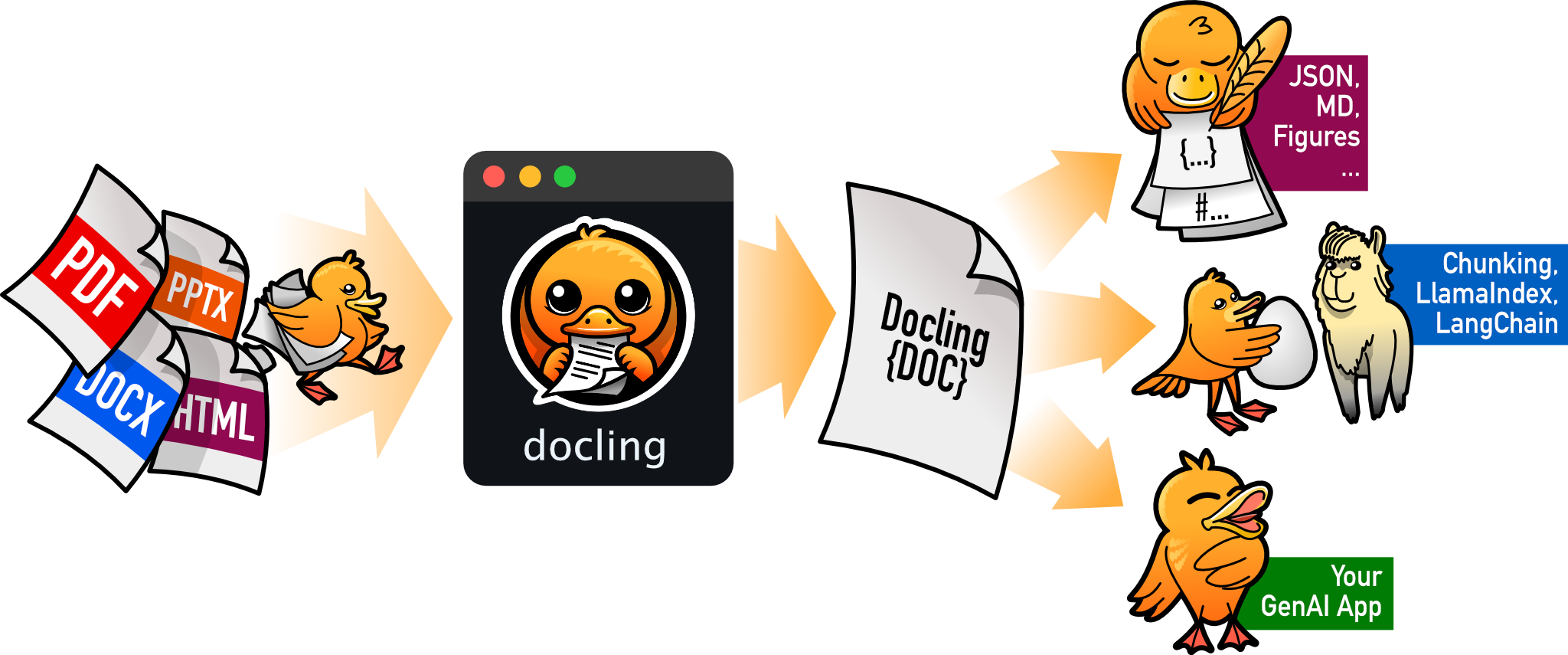
把 PDF、DOCX、HTML 等文档解析成结构化 Markdown 或 JSON,方便喂给大模型和 RAG 流程。
文档解析+4文档解析 / OCR
70346+1065.3kv2.149.02026-11-10 05:11 UTC